Template details
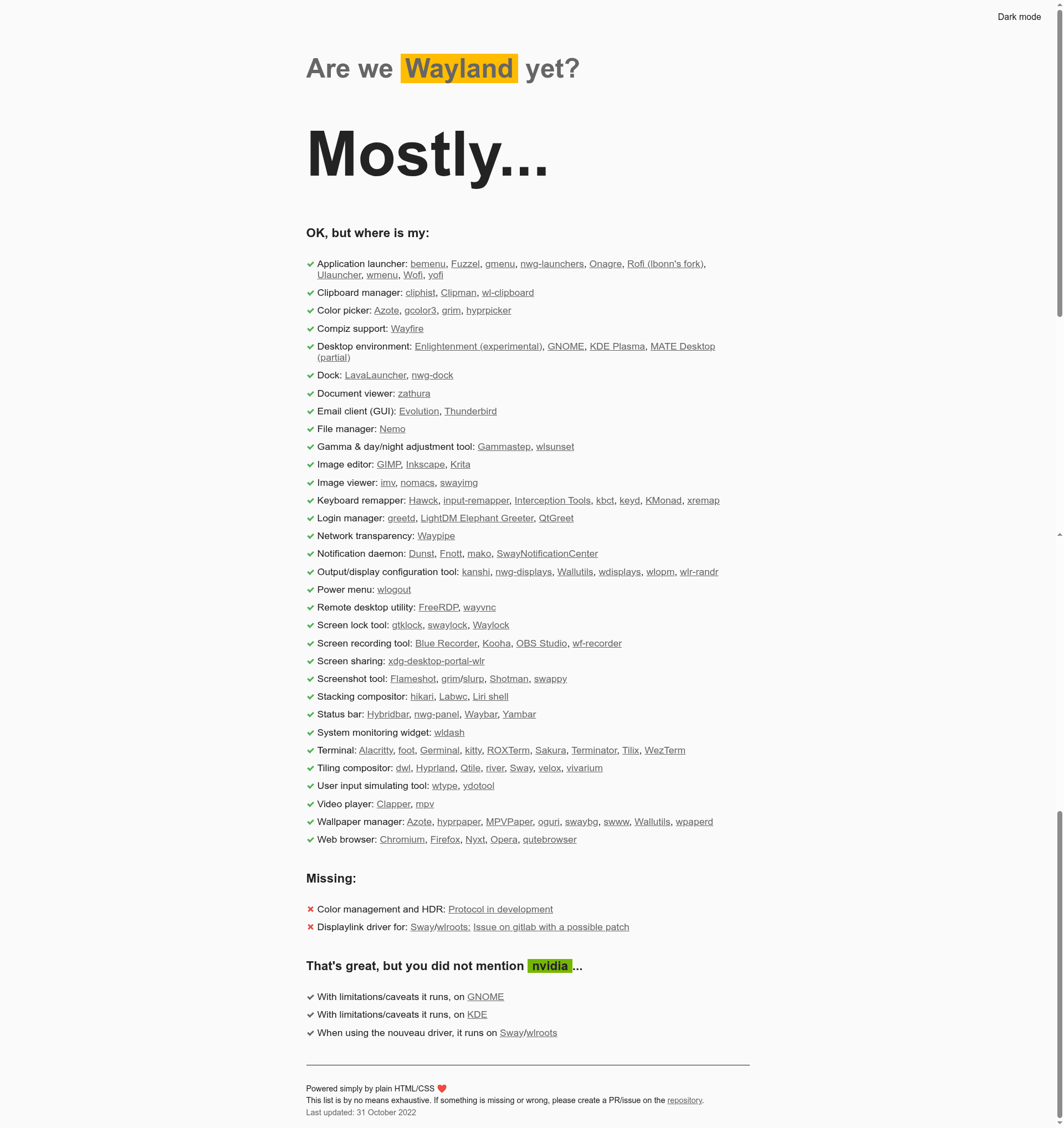
Are we Wayland yet?
Source code for arewewaylandyet.com, an opinionated Hugo site tracking Wayland readiness across Linux desktops.
About this template
Are we Wayland yet? is an open-source Hugo-powered status website that tracks how ready the Wayland display protocol is for daily desktop use across major Linux environments. It is the template source for https://arewewaylandyet.com, a site that gives an opinionated answer to the question of Wayland adoption.
What is Are we Wayland yet?
The template is a static website built with Hugo 0.78 or higher. It takes Markdown content files as input and produces a static site that lists Wayland compositor and desktop environment support status. The repository lives on GitHub and is maintained by the user mpsq. The site explicitly labels its answer as opinionated, inviting discussion through issues or pull requests.
Key Features
- Hugo static site generator — Built with Hugo 0.78+, which compiles the site into fast, static HTML files with no server-side rendering.
- TypeScript support — The repository includes TypeScript files, indicating client-side scripting is compiled with a NodeJS-based toolchain.
- NodeJS 12 with npm/yarn — Dependencies are managed with npm or yarn, allowing the build workflow to run on any platform that supports NodeJS.
- Development server — The command
hugo server -Dstarts a live-reload development server accessible at http://localhost:1313. - Open source workflow — The source is publicly available on GitHub, and contributors can open issues or pull requests to suggest changes or additions.
- Topic coverage — The repository is tagged with gnome, kde, sway, wayland-compositor, and wayland-protocol, mapping the site's scope to these ecosystems.
- Community discussion — The site links to a Reddit thread on the Arch Linux subreddit, where users discussed the content and shared related links.
Who is it for?
- Linux enthusiasts — Use the site to check whether their preferred desktop environment (GNOME, KDE, or Sway) is ready for Wayland.
- Compositor developers — Monitor the status of Wayland protocol support and see where gaps remain.
- Web developers — Use the repository as a starter template for a Hugo-based status or directory site, complete with a TypeScript build setup.
- Content contributors — Submit additions or corrections by opening an issue or pull request on the GitHub repository.
What can you do with it?
- Check Wayland readiness — Visit the live site to see an opinionated assessment of Wayland support across desktop environments.
- Run the site locally — Clone the repository, run
npm install, thenhugo server -Dto preview changes on a local server. - Build a similar status site — Reuse the Hugo + TypeScript project structure to create your own "Are we ... yet?" status page for another technology.
- Engage in the discussion — Read and participate in the Arch Linux subreddit thread linked from the site.
How does it work?
The workflow is straightforward: clone the repository, install dependencies with npm install (yarn also works), then run hugo server -D to launch a development server at http://localhost:1313. For production, Hugo builds the static output, which can be deployed to any static hosting service.
FAQ
Is Are we Wayland yet? free to use?
Yes. The website at arewewaylandyet.com is publicly accessible, and the source code is hosted on GitHub as an open repository, so it can be freely viewed, copied, and modified under the terms of its license.
What does the site track?
The site tracks whether Wayland is ready for desktop use, focusing on major environments like GNOME, KDE, and Sway. It covers wayland-compositor and wayland-protocol topics, indicating it evaluates compositor implementations and protocol support.
How can I contribute?
You can contribute by opening an issue or a pull request on the GitHub repository if you disagree with the content or believe something is missing. The site's maintainer explicitly invites this feedback.
How do I build the site locally?
You need Hugo 0.78+ and NodeJS 12 with npm or yarn. Clone the repository, install dependencies with npm install, then run hugo server -D and access the site at http://localhost:1313.