Template details
Bluf
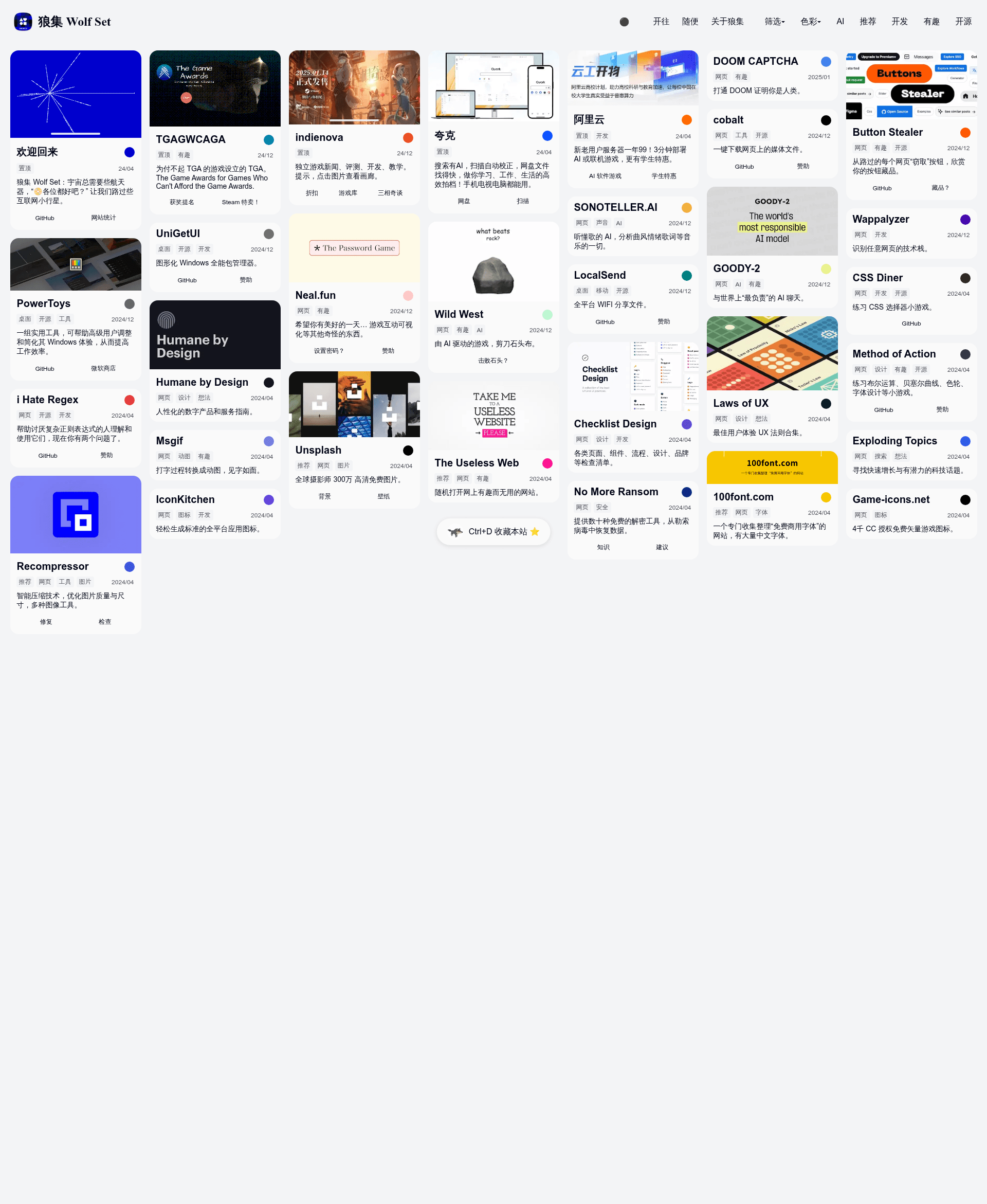
Bluf is a lazy masonry-style Hugo theme for bookmark navigation, born from the Wolf Set link directory practice.
About this template
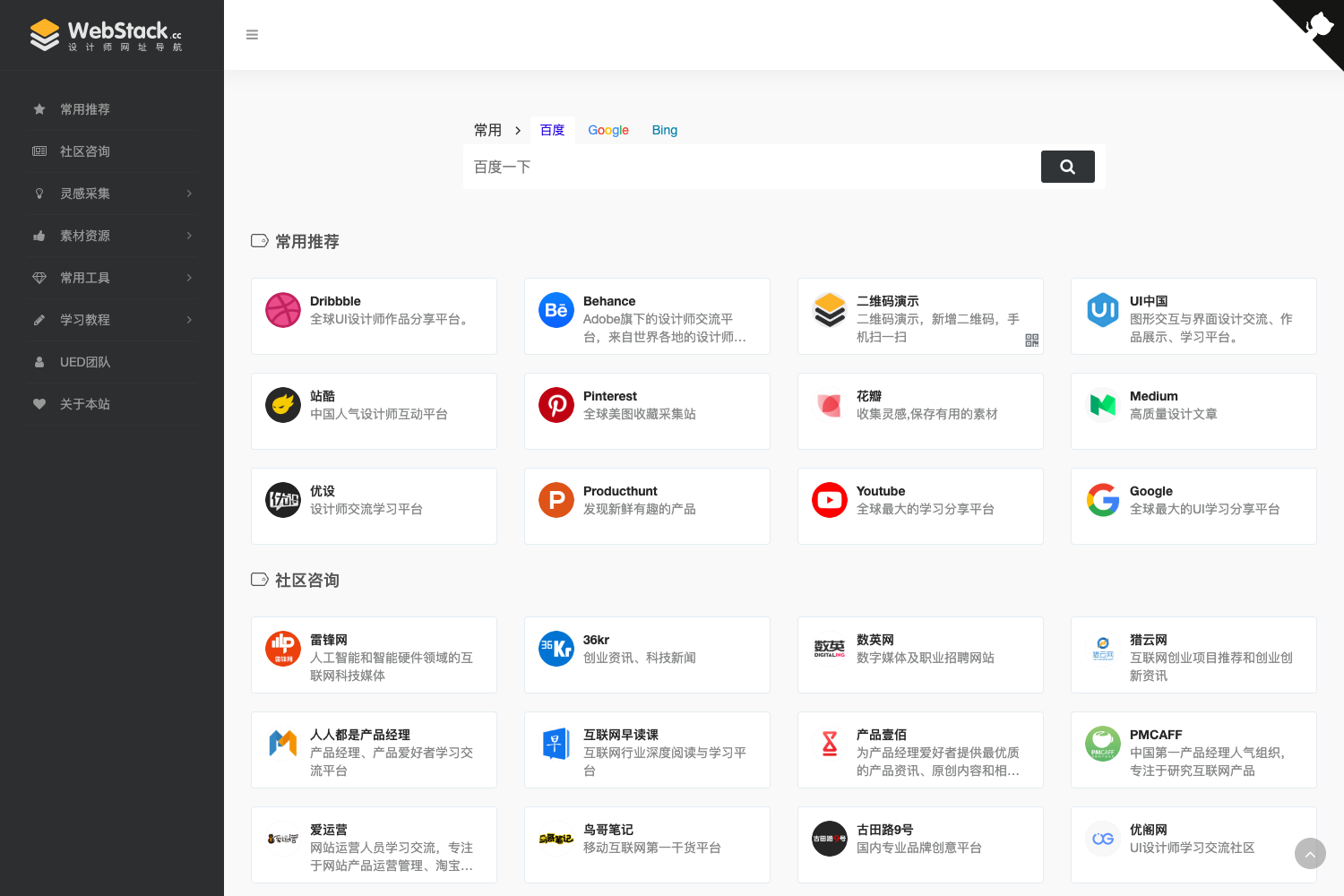
Bluf is a masonry (瀑布流) card-style Hugo theme purpose-built for bookmark navigation and link directories, delivered as part of the open-source Wolf Set project.
What is Bluf?
Bluf is a Hugo theme that renders a responsive, masonry-style grid of bookmark cards configured through YAML data files. It takes URL entries, tags, colors, descriptions, and optional images as input from data/cards.yaml and outputs a single-page navigation site with filtering, dark mode, and gallery support. The theme is maintained under the wolf-set repository by 0000cd and was born from the practice of the Wolf Set (狼集) navigation site at ws.0000cd.com. It is designed to be deployed free of charge via Cloudflare Pages, requiring no code modifications for basic use.
Key Features
- Adaptive masonry layout — Cards size naturally by content length and optional header images, giving a casual, less rigid grid than standard directory layouts.
- Tag and color filtering — Tags are mapped via data/tag_classes.yaml and colors are auto-categorized from hex values in cards.yaml; both can be used to filter cards by clicking navbar items.
- Dark mode — A clickable ● in the navbar toggles between light and dark color schemes, with accent colors configured via lightColor and darkColor in hugo.toml.
- Multi-link cards — Each card can hold one or multiple URLs; the first link becomes the card's main link and additional links are listed inside the card.
- Gallery mode — When gallery = true is set in hugo.toml, cards with a folder of images in assets/gallery open a fullscreen gallery using baguetteBox.js, supporting jpg, png, gif, and webp.
- Visitor greetings and confetti — Random greetings from greetings in hugo.toml appear on home page visits, and confetti emojis can be enabled to fire when filters are cleared.
- Hugo shortcodes — The random shortcode jumps to a random navigation URL; the total shortcode displays card counts, optionally filtered by tag.
- Privacy-friendly analytics — Built-in Umami analytics support and Cloudflare Web Analytics can be enabled without third-party trackers.
Who is it for?
Bluf targets anybody who wants a personal, visually relaxed link directory without writing code. Curators and bookmark collectors can maintain their links in simple YAML and deploy to Cloudflare Pages. Designers and creative folks can use the gallery mode to share image collections in a masonry grid. Developers familiar with Hugo can reuse the Bluf theme in their own projects by setting theme = "bluf" and copying themes/bluf into their repo.
What can you do with Bluf?
- Personal navigation hubs: publish a single-page bookmark site with searchable tags, color filters, and dark mode using only YAML edits.
- Image galleries: store multiple images per card under assets/gallery and let visitors browse them via baguetteBox.js lightbox.
- Portfolio or idea board: display projects or inspiration as cards with header images, descriptions, and multiple links.
- Blog or article integration: embed the random and total shortcodes in Markdown posts to drive traffic to curated links.
How does Bluf work?
The quick-start flow is three steps: fork the wolf-set repository, edit the baseURL, title, and other settings in hugo.toml, then connect the repository to Cloudflare Pages and deploy. First deployment takes about one minute plus a 2–3 minute wait for the preview link to become active. Content is managed in the data directory rather than content, and saving changes to cards.yaml automatically triggers a redeploy on Cloudflare.
FAQ
Does Bluf require coding knowledge?
No. For the basic workflow you only edit YAML and TOML configuration files and use Cloudflare Pages' preset Hugo build. You don't touch code unless you want to customize the theme further.
Can I deploy Bluf on Vercel or Netlify?
Yes, but you may need to set the Hugo environment variable to a recent version (for example HUGO_VERSION = 0.117.0) when the preset framework is configured.
What license is Bluf released under?
The Bluf theme is licensed under GPLv3 because it integrates Isotope; the content and data in the repo are shared under CC BY-NC 4.0, and bundled baguetteBox.js and js-confetti use the MIT license.
How do I add multiple links to a card?
In data/cards.yaml, change the links field from a single URL to a list of entries, each with a name and url. The first link is not shown as a separate button but becomes the card's functional link.
How do I enable gallery mode?
Set gallery = true in hugo.toml, then create a folder in assets/gallery named exactly like the card title (watch special characters). Place multiple images inside; click the card header image to open the gallery viewer.