Template details
Astro Boilerplate
Astro starter template for Vercel with static, SSR, SWR-cached, and image-optimized routes, deployable with zero configuration.
About this template
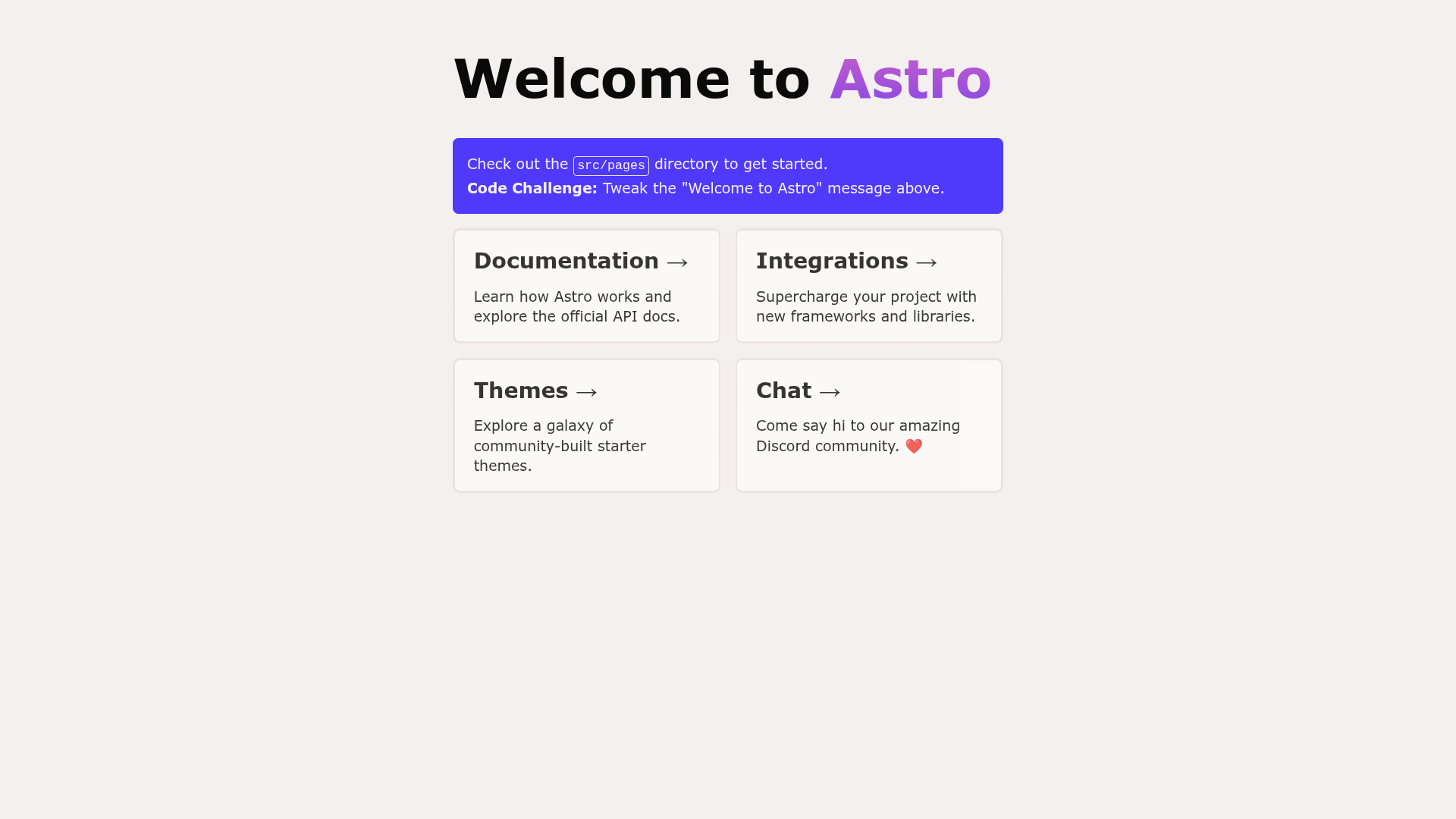
The Astro Boilerplate is a zero-configuration starter template for deploying an Astro site to Vercel, covering static generation, server-side rendering, edge caching, and image optimization.
What is the Astro Boilerplate?
The Astro Boilerplate is a minimal Astro project you can deploy directly to Vercel without editing any configuration. It takes the Astro framework and bundles the files needed to run static, SSR, and image-optimized routes. The template is maintained as part of the Vercel examples repository and includes a live demo at https://astro-template.vercel.app. Developers can use it as a foundation for custom Astro applications or as a learning reference for how Astro integrates with Vercel Functions and the Edge Network.
Key Features
- Zero-configuration deployment — The repository includes a Deploy with Vercel button that clones the project and sets it up automatically; no Vercel configuration file is required.
- Static pre-rendering — The
/route is a static page that Astro builds ahead of time. - Server-side rendering — The
/ssrroute runs through a Vercel Function to demonstrate dynamic rendering. - SWR caching — The
/ssr-with-swr-cachingroute usescache-controlheaders to cache responses on the Vercel Edge Network. - Image optimization — The
/imageroute uses Astro Assets together with Vercel Image Optimization to process and serve images. - Flexible component support — The project structure allows adding components in Astro, React, Vue, Svelte, or Preact inside
src/components/. - Standard Astro CLI commands — The package.json includes
pnpm run dev,pnpm run build,pnpm run preview,pnpm run start, and direct access to the Astro CLI.
Who is it for?
The Astro Boilerplate is for developers who want a working Astro site on Vercel without spending time on setup. It suits frontend engineers evaluating the differences between static pages, SSR, and cached responses. It also works as a learning playground for anyone new to Astro who wants to see how Vercel handles both static and server-rendered routes in one project.
What can you do with the Astro Boilerplate?
- Quickly deploy a starter site — Use the Deploy with Vercel button to create a live Astro project in minutes, then replace the pages with your own content.
- Test SSR and caching behaviors — Compare the
/ssrand/ssr-with-swr-cachingroutes to see how server-side rendering and cache-control headers affect response time and freshness. - Experiment with image optimization — Use the
/imageroute as a reference for serving optimized images through Astro Assets and Vercel Image Optimization.
How does the Astro Boilerplate work?
The template follows Astro's standard project layout: files inside src/pages/ with .astro, .md, or .js extensions become routes, and static assets live in public/. During development, pnpm run dev starts a local server at localhost:3000; pnpm run build compiles the production site to ./dist/. When deployed to Vercel, Vercel detects the Astro framework automatically and configures Functions for any SSR routes.
FAQ
Do I need to configure Vercel settings to deploy this boilerplate?
No. The project is designed so that clicking Deploy with Vercel works without any further configuration. Vercel recognizes the Astro framework and handles the server-side render routes automatically.
What routes are included in the template?
The template includes / (static), /ssr (server-side rendering), /ssr-with-swr-caching (SRR plus caching), and /image (Astro Asset with Vercel Image Optimization).
Which package manager should I use?
The commands are written for pnpm, though any npm-compatible manager such as yarn or npm can also run the same scripts.
Does this boilerplate include a CSS framework or UI library?
No. The example is intentionally minimal and comes without styling tools, letting you add your own CSS, Tailwind, or component library.