Template details
Lightning
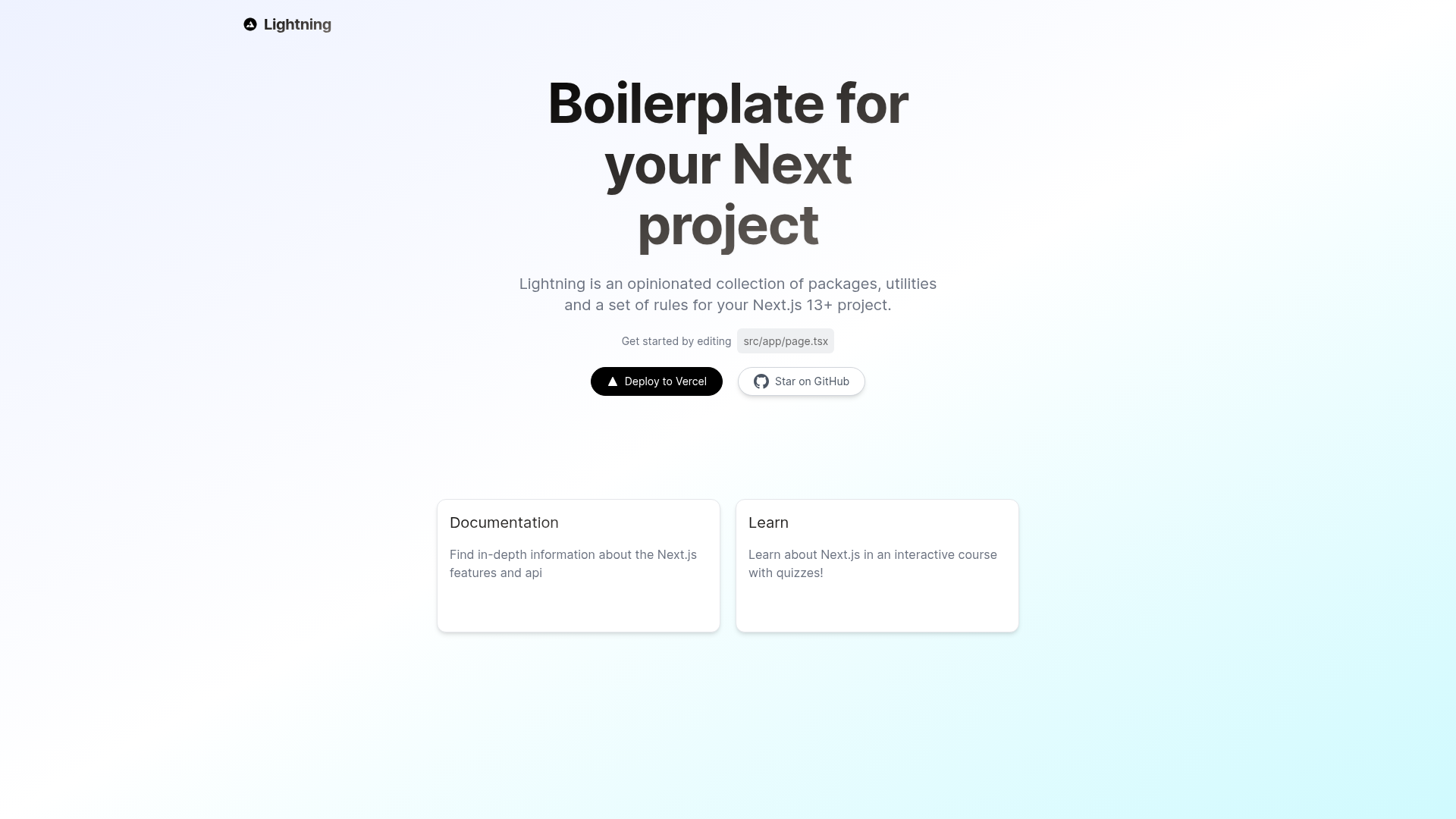
Boilerplate and starter for Next.js 14, Tailwind CSS 3.3, and TypeScript with a full developer experience toolchain.
About this template
Lightning is an opinionated Next.js 14 boilerplate that bundles TypeScript, Tailwind CSS, ESLint, Prettier, and Husky into a single starter kit for creating production-ready web applications.
What is Lightning?
Lightning is a boilerplate and starter kit for Next.js 14 projects, created by Rik Vermeulen and distributed as an MIT-licensed open-source template. It takes a new Next.js app and pre-configures TypeScript in strict mode, Tailwind CSS 3.3, ESLint with Airbnb rules, Prettier formatting, Husky git hooks, and lint-staged. The output is a project scaffold with a src folder structure, type-safe environment variables via env.mjs, and a .env.example file to copy for local development.
Key Features
Lightning stands out by bundling a complete developer experience toolchain into a single Next.js starter, so you don't have to wire these tools yourself. The features below are the concrete defaults it ships with.
- Next.js 14 — Built on the latest Next.js App Router with React 18 and strict TypeScript mode enabled by default.
- Tailwind CSS 3.3 — Pre-configured with
tailwind.config.cjsand integrated PostCSS, so utility classes work out of the box. - Airbnb ESLint configuration — Linting is set up with the default Next.js, Next.js Core Web Vitals, Tailwind CSS, and Airbnb configs to enforce code quality.
- Prettier code formatting — A
prettierrc.cjsfile standardizes code style, and Husky + lint-staged run formatters and linters on staged git files. - GitHub Actions CI — Tests run on pull requests automatically through a bundled workflow, so regressions are caught before merge.
- Absolute imports — The
@prefix maps to thesrcdirectory in both TypeScript and bundler config, removing relative import chains. - VSCode workspace settings — Includes debug configurations for frontend and backend, task definitions, and recommended extensions for PostCSS, ESLint, Prettier, and TypeScript.
- Next/font optimization — Custom fonts are self-hosted via Next/font, eliminating external network requests and improving performance.
Who should use Lightning?
Lightning is for developers who want a pre-configured, opinionated Next.js 14 foundation without spending time assembling a toolchain. It suits:
- Next.js developers starting a new project — run
npm create lightning-app@latest, answer the prompts, and get a project with linting, formatting, and testing already wired. - Development teams that want enforced code standards — the Airbnb ESLint config, Prettier, and Husky pre-commit hooks standardize contributions across a team.
- Open-source maintainers — the GitHub Actions test workflow and MIT license make it a solid base for public repositories.
What can you do with Lightning?
With Lightning you can scaffold a complete Next.js 14 project in a few commands and customize it to your needs. Common tasks:
- Rapidly scaffold a production-ready app — generate a project with the CLI, copy
.env.exampleto.env.local, and runnpm run devto start at localhost:3000. - Set up a type-safe environment — use the included
env.mjsto validate environment variables at runtime, catching misconfigurations early. - Customize the existing structure — the
src/app,src/components,src/lib, andsrc/typesfolders provide a starting layout for routes, UI components, and utilities.
How does Lightning work?
Lightning works through an interactive CLI or a direct git clone. The recommended path is running npm create lightning-app@latest, answering the command prompts, and then copying .env.example to .env.local to set your variables. After that, npm run dev launches the dev server, and the pre-configured toolchain (ESLint, Prettier, Husky) runs on every commit to keep the codebase consistent.
FAQ
Is Lightning free?
Yes, Lightning is open source under the MIT License, so you can use, modify, and distribute it freely without licensing fees.
What Node.js version do I need?
The requirements state Node.js 18+ and npm. The starter also works with Yarn and pnpm, with alternate create commands for each.
Can I use Yarn or pnpm to install?
Yes, Lightning provides yarn create lightning-app and pnpm create lightning-app@latest as alternative installation commands alongside the npm version.
Does Lightning include tests?
It includes a GitHub Actions workflow that runs tests on pull requests, and the VSCode settings mention a Jest extension for running tests with coverage, though the README shows no sample test file.
What is the folder structure?
The scaffold uses src/app for routes and API, src/components for default components, src/lib for utilities, src/styles for global styles, and src/types for type definitions.