Template details
Astro Cloudflare Starter
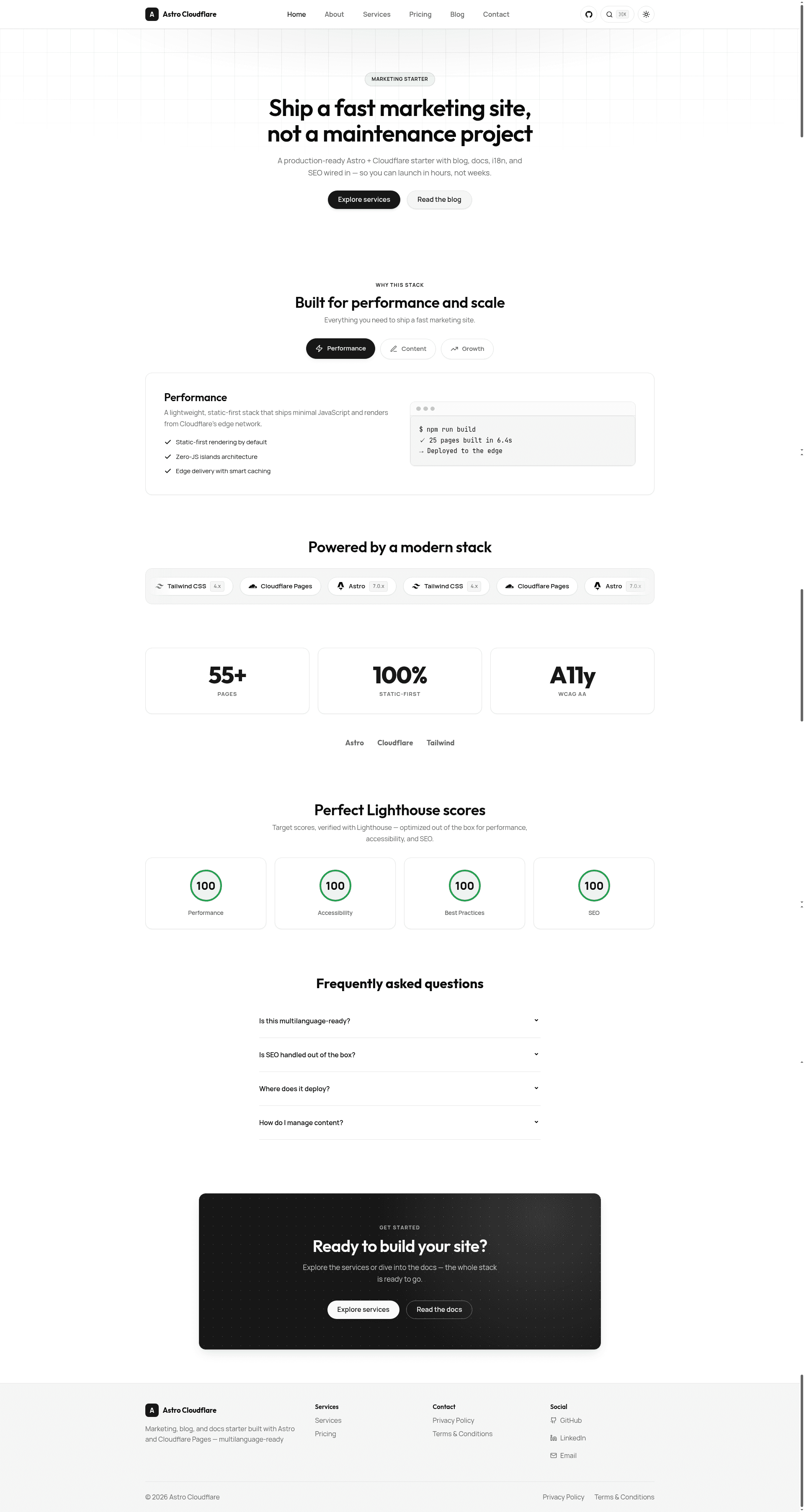
Static Astro 7 starter for Cloudflare Pages: marketing, blog, docs via Markdown, i18n-ready, SEO, light/dark — no CMS.
About this template
Astro Cloudflare Starter is a static site boilerplate for building marketing, blog, and documentation pages with Astro 7 and deploying them to Cloudflare Pages, using Markdown content from Git with no CMS or database.
What is Astro Cloudflare Starter?
It is a production-ready starter template that takes Markdown and JSON content from src/content/ and TypeScript configuration from src/config/ and outputs a fully static site to the dist/ folder. The site includes marketing pages, a blog, and Starlight-powered documentation with full-text search. The template runs on Astro 7 and is designed for deployment to Cloudflare Pages, with a GitHub repository published by milzamsz.
Key Features
- Multilanguage-ready i18n — English-first with prefix-based routing; content uses a
localefrontmatter field, and adding a language is documented indocs/guides/internationalization. - Starlight docs with full-text search — The documentation section uses Starlight, giving you a sidebar, search, and edit links out of the box.
- SEO defaults — Canonical URLs, hreflang, JSON-LD, Open Graph, sitemap, RSS, and dynamic
llms.txtare all generated from a singlesite.config.ts. - Light/dark theming — A monochrome OKLCH design system with theme switching built into the site.
- Optional Cloudflare R2 media storage — An R2 bucket binding and a secret-guarded cleanup worker are included; the binding can be removed from
wrangler.jsoncif not needed. - Static output — The build produces only static files, so it is fast on the Cloudflare CDN and cheap to host.
- Content type-checking — Markdown and JSON content is validated against content collection schemas during the build.
Who should use Astro Cloudflare Starter?
- Developers and small teams who want a fast, low-maintenance website without a CMS can clone the template, update
site.config.tsandnav.config.ts, and start writing Markdown. - Open-source projects that need documentation alongside a marketing page or blog benefit from the Starlight docs and the Git-based contribution workflow (edit files and open a pull request).
- Agencies looking for a repeatable static-site setup can use the template as a starting point for client sites that only need static content and no backend.
Use cases
- Launch a marketing site — Customize the site name, URL, author info, and social links in
site.config.ts, then write pages insrc/content/pages; the generated site includes SEO tags, RSS, and an sitemap. - Publish a blog — Add blog posts as Markdown files with frontmatter, and the template handles listing, pagination, and OG images.
- Ship documentation — Use the
/docsStarlight section to publish guides, and override the edit link to point contributors to your repository.
How does deployment work?
Connect the repository to Cloudflare Pages and set the build command to pnpm build with output directory dist, or deploy manually with npx wrangler pages deploy dist. The repo includes a wrangler.jsonc for Cloudflare configuration and a CLEANUP_SECRET Cloudflare secret for the optional R2 cleanup worker. Full setup steps are in SETUP.md.