Template details
Astro Starter Pro
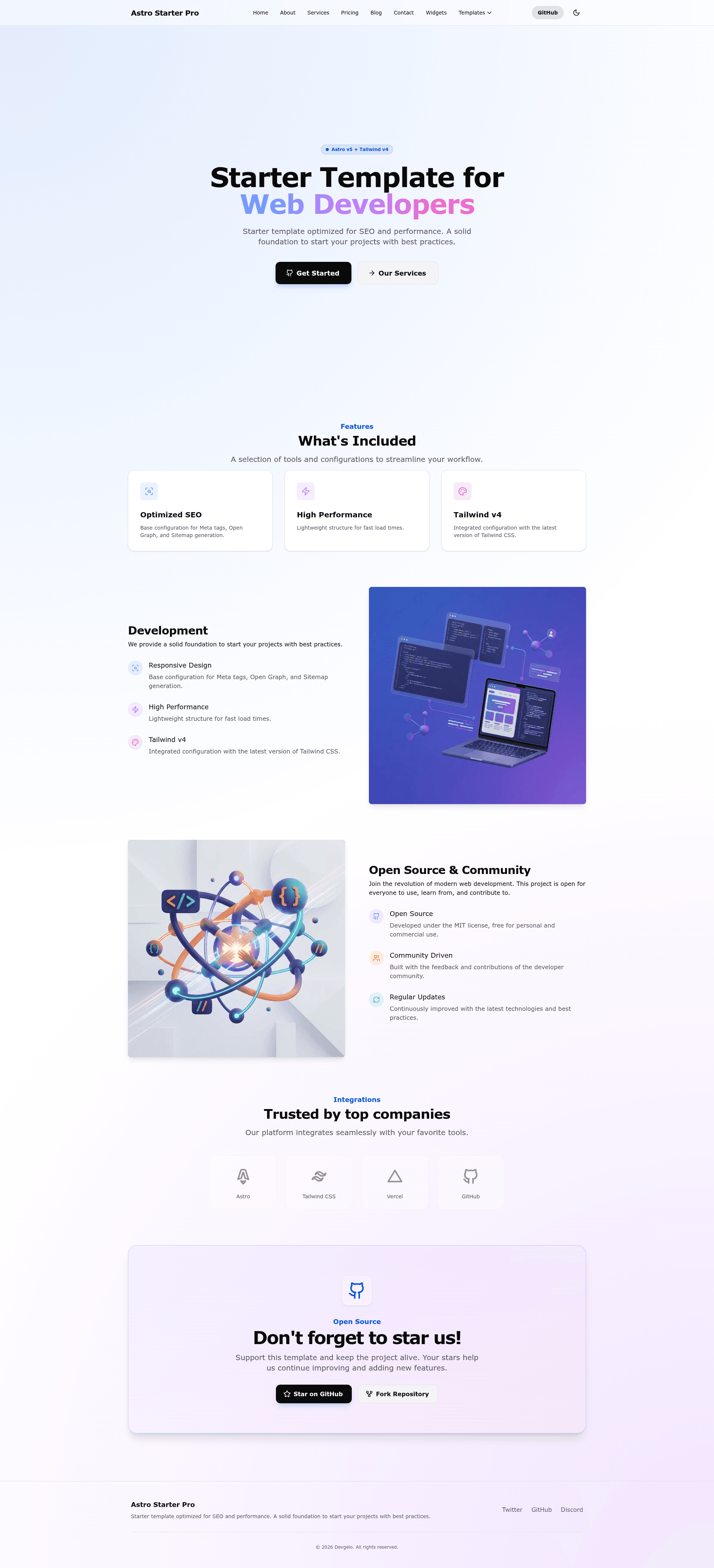
A free, production-ready Astro starter focused on SEO, performance, and best practices.
About this template
Astro Starter Pro is an open-source, MIT-licensed starter template for building content-driven websites with Astro 5 and Tailwind CSS 4.
What is Astro Starter Pro?
Astro Starter Pro is a free, production-ready starting point for static websites and blogs. It takes Markdown or MDX content from Astro Content Collections plus global settings from src/config/site.ts and outputs a fully static site into the dist/ folder with npm run build. The template runs on the Astro 5 framework with Tailwind CSS 4, TypeScript, and MDX, and is maintained by Devgelo Labs on GitHub.
Key Features
- Astro 5 + Tailwind CSS 4 — Built on Astro 5 with Tailwind CSS 4 utility-first styling and TypeScript support, with MDX for writing JSX inside Markdown content.
- Optimized SEO — Automatic meta tags, JSON-LD structured data, RSS feed, Open Graph and Twitter Card tags, plus a native sitemap.
- Dark & Light Mode — Clean theme switching implementation included out of the box.
- Native Scroll Animations — Lightweight scroll-reveal effects using Intersection Observer, with no heavy JS libraries.
- Reusable Components — Prebuilt Navbar, Footer, and page layouts styled with Tailwind v4.
- Content Collections — Blog posts managed via Astro Content Collections with a defined frontmatter schema for title, description, pubDate, author, image, tags, and category.
- Centralized Configuration — All site info (name, description, URL, locale, social links, nav links) edited in one file,
src/config/site.ts.
Who is it for?
- Independent developers — Get a preconfigured project with SEO, performance, and best practices out of the box instead of starting from zero.
- Technical bloggers — Add posts as Markdown/MDX files in around 60 seconds and get an SEO-complete blog with RSS and structured data automatically.
- Agencies and freelancers — Use it as a base for client landing pages and corporate sites; it includes Home, About, Services, Blog, Contact, and Widgets pages as nav links.
What can you do with Astro Starter Pro?
- Launch a corporate website — Use the included pages (Home, About, Services, Contact) to stand up a multi-page business site and customize nav links in
site.ts. - Publish a blog — Create
.mdor.mdxfiles insrc/content/blog/; the template generates posts with the defined frontmatter schema and supports an RSS feed. - Build a product landing page — Adapt the layout components and Tailwind styling to create a marketing page with scroll animations.
- Create a portfolio — Use the reusable components and dark/light mode to present work; the template's default nav includes a Widgets page for UI demos.
How does it work?
Run git clone from the GitHub repository, then install dependencies with npm install and start the dev server with npm run dev at localhost:4321. Customize global site data in src/config/site.ts, then create content in src/content/blog/ as Markdown or MDX. Build the production site with npm run build, which outputs a static site in dist/. Other commands include npm run preview, lint, format, check, and typecheck.
Pricing
Free and open source under the MIT license. There are no paid tiers or gated features; you can fork the repository and use it for commercial projects.
FAQ
Is Astro Starter Pro free?
Yes, it is open source and licensed under MIT, so you can use it commercially without charge. The developers only ask for a GitHub star if you find it useful.
What framework versions does it use?
The template specifies Astro 5 and Tailwind CSS 4, along with TypeScript and MDX. It uses Astro Content Collections for managing blog content.
How do I add a blog post?
Create a new .md or .mdx file inside src/content/blog/ and include frontmatter with title, description, pubDate, author, and optionally image, tags, and category. The template handles the rest from the collections config.
What build commands are available?
Run npm run dev for local development at localhost:4321, npm run build to generate a static site in dist/, npm run preview to test the production build, and npm run check to run astro check diagnostics.
How do I change the site name, URL, or social links?
Edit src/config/site.ts, which centralizes the site name, description, URL, locale, author, social links, and navigation links. Changes there apply across all pages.