Template details
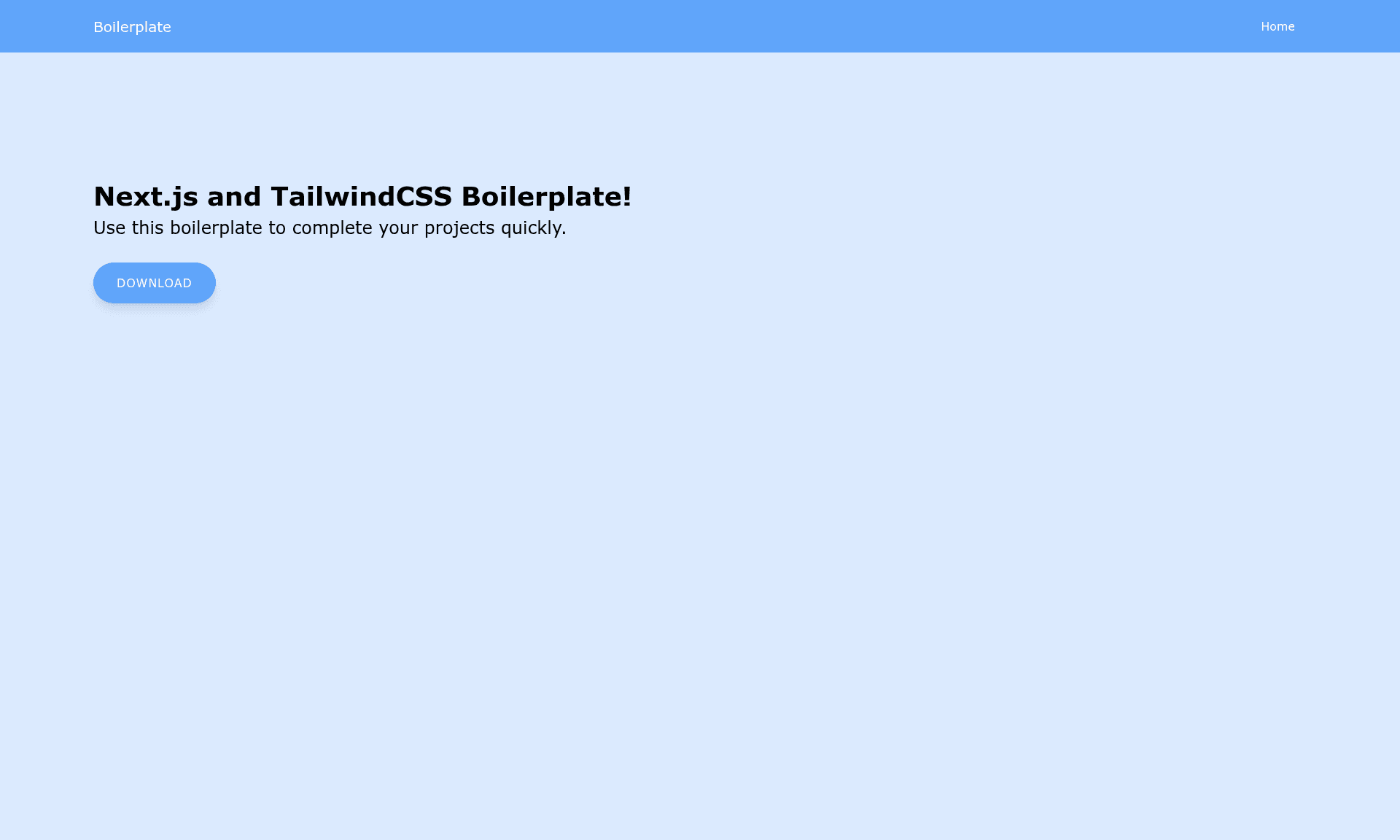
Next.js TailwindCSS Boilerplate
Starter boilerplate for Next.js and Tailwind CSS.
About this template
Next.js TailwindCSS Boilerplate is a GitHub starter repository that pairs the Next.js React framework with the Tailwind CSS utility-first styling system so developers can begin coding without manual configuration.
What is the Next.js TailwindCSS Boilerplate?
The boilerplate is a starter repository that pairs Next.js, a React frontend framework that supports server-side rendering and static site generation, with Tailwind CSS, a utility-first CSS framework that offers a large catalog of pre-built classes. It includes all the configuration files needed for Tailwind to work inside a Next.js project, so developers can skip the manual setup and begin writing code immediately. The repository is published on GitHub and can be cloned or downloaded directly.
Key Features
- Next.js framework — Provides server-side rendering and static website generation for React-based web applications.
- Tailwind CSS — Offers a utility-first approach with a deep catalog of CSS classes for styling components without writing custom CSS.
- Pre-configured Tailwind setup — Comes with all installation configuration already in place, saving the time normally spent wiring Tailwind into Next.js.
- Quick start commands — Run
npm install next react react-domto install dependencies, thennpm run devto launch the development server at http://localhost:3000. - Vercel deployment — The README recommends deploying to Vercel, the cloud platform from the creators of Next.js, for static sites, hybrid apps, and Serverless Functions.
Who is it for?
This boilerplate is aimed at React developers and teams who want a Next.js project with Tailwind CSS already configured. It suits developers who prefer to focus on building features rather than spending time on tooling setup.
- React developers who want to start a new Next.js project without manually configuring Tailwind CSS.
- Web developers building server-rendered or statically generated React sites who need a ready-made project structure.
- Learners exploring how Next.js and Tailwind CSS integrate, since the boilerplate provides a minimal working baseline with documented run steps.
What can you do with it?
With this boilerplate, you can go from an empty directory to a running Next.js app that uses Tailwind CSS in a few commands.
- Frontend developers: scaffold a new Next.js app with Tailwind pre-wired and start building pages and components immediately.
- Startup teams: use the boilerplate as the base for a marketing site or web app that benefits from server-side rendering and static generation.
- Hobbyists: spin up a local dev server on port 3000 and deploy the finished project to Vercel for production hosting.
How does the boilerplate work?
The README's quick start explains the workflow: clone the repository, enter its directory, install dependencies with npm, and run the development server. After running npm run dev, the project is accessible at http://localhost:3000. For production, the recommended path is importing the repository into Vercel, which handles builds and Serverless Functions automatically.
FAQ
What dependencies do I need to run the boilerplate?
You need Node.js and npm installed. The quick start runs npm install next react react-dom to fetch the framework and React dependencies, then npm run dev starts the development server.
How do I deploy the boilerplate?
The README suggests using Vercel, the deployment platform created by the Next.js team. You can import the repository into Vercel, and it will build the Next.js app and host it as a static site, hybrid app, or with Serverless Functions.
Does the boilerplate include TypeScript?
The README does not mention TypeScript or any TypeScript configuration. The template only documents the vanilla Next.js plus Tailwind CSS setup, so TypeScript support is not confirmed.