Template details
Astro with i18next Example
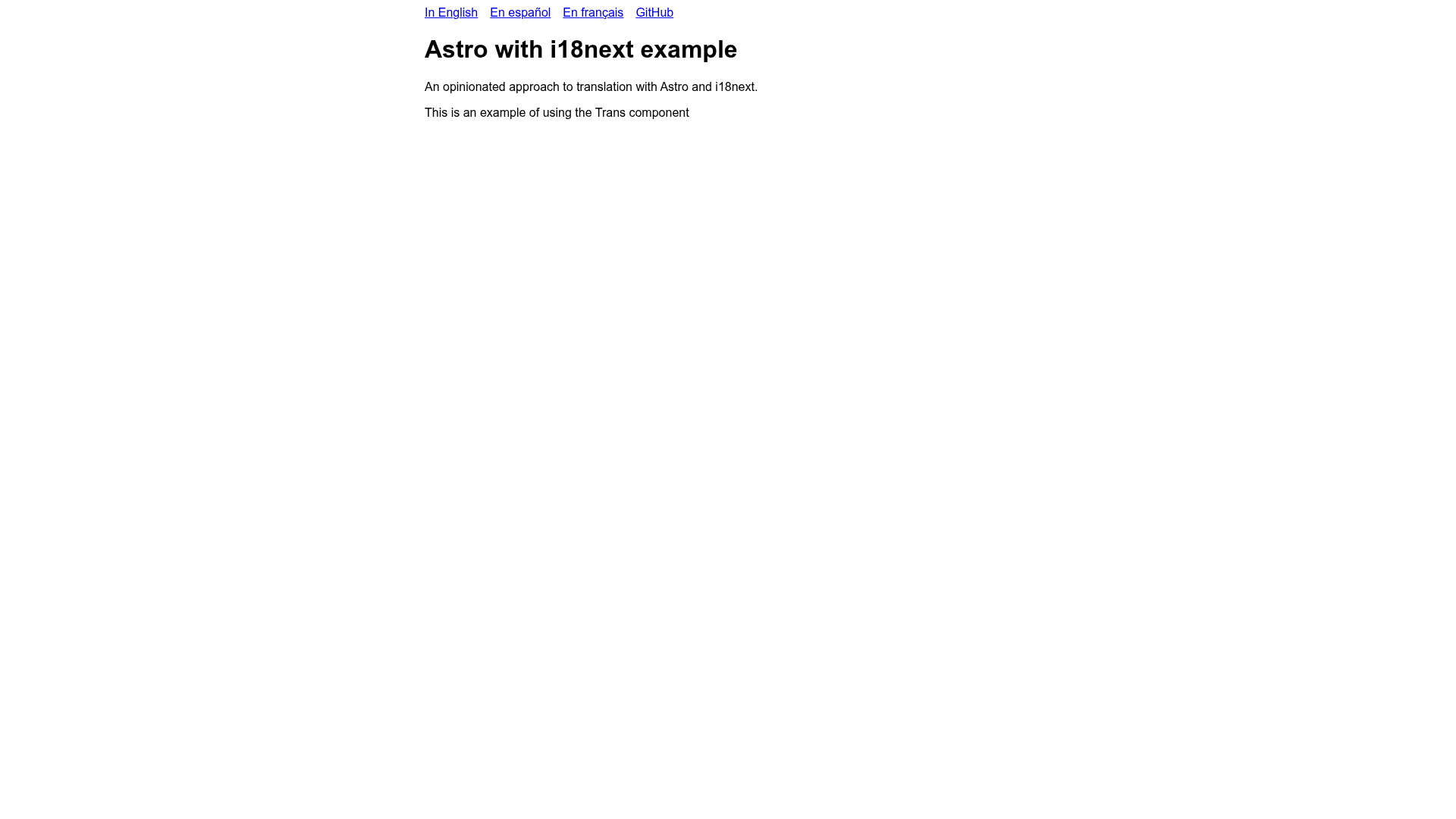
An opinionated boilerplate for multilingual Astro sites using i18next, with per-language Netlify deployments.
About this template
Astro with i18next Example is a public boilerplate repository that shows how to add build-time translations to an Astro site using i18next, react-i18next, and i18next-parser, with each locale deployed as its own Netlify site. The project is hosted on GitHub and currently has 12 stars; the author explicitly notes it is not complete, with known issues in the Trans component.
What is Astro with i18next Example?
Astro with i18next Example is a starter/reference project for multilingual Astro development. It takes a standard Astro site as input and produces localized static builds based on the LANGUAGE environment variable. The output is a set of static sites — English, Spanish, and French demos are deployed to separate Netlify domains. It leverages the Astro framework, i18next for translation management, react-i18next for React component support, and i18next-parser for key extraction.
Key Features
- Build-time translation — All translations are baked into the generated HTML at build time, so the deployed sites have no runtime translation library overhead.
- Per-locale domains — Each language gets its own domain (or subdomain) with a separate Netlify site; live examples exist for English, Spanish, and French.
- Environment-variable language selection — Running yarn build with LANGUAGE=es produces the Spanish version; LANGUAGE=fr produces French.
- English fallback — If a translation key is missing for the requested language, the English string is used instead of rendering a blank.
- English text as keys — Locale files use the English phrase as the key, which makes editing source text straightforward and keeps pages readable.
- i18next-parser integration — The parser scans source files to extract translation keys automatically.
- Stack components — Built with Astro, i18next, react-i18next, i18next-parser, and deployed on Netlify.
Who is it for?
Astro developers who need multi-language support in a static site will find this a practical reference. Teams that want a domain-per-language strategy (e.g., example.com for English, example.es for Spanish) without path prefixes can use the Netlify setup. Developers who already work with i18next and react-i18next can see exactly how to connect these libraries to an Astro project.
What can you do with it?
- Astro site maintainers: Clone the repository to inspect how the LANGUAGE environment variable drives per-locale builds and Netlify deployments.
- React-in-Astro developers: Use the react-i18next integration to translate island components inside Astro pages.
- Localization engineers: Adopt the English-as-key convention and the i18next-parser workflow to keep translation files synchronized with source text.
How does it work?
The build process starts by setting the desired locale, for example LANGUAGE=es. Then yarn build triggers Astro to generate a static site using the imported i18next configuration. i18next-parser extracts keys from the code, and missing translations fall back to English. The resulting output folder is deployed to a Netlify site dedicated to that language.
Pros and cons
- Pro: Static pages have no runtime translation cost and are fast to serve from a CDN.
- Con: The repository is explicitly not complete; there are known issues with the Trans component, so production use needs verification.
FAQ
Is this template ready for production?
The author states it isn't complete yet, noting known issues with the Trans component and likely unknown issues. Before using it in production, test the Trans behavior in your specific components.
How do I build for a specific language?
Set the LANGUAGE environment variable to the desired locale code, then run yarn build. For example, LANGUAGE=es yarn build produces the Spanish site.
Which languages have live demos?
Live demos are hosted on Netlify for English at astro-example-i18next.netlify.app, Spanish at astro-example-i18next-es.netlify.app, and French at astro-example-i18next-fr.netlify.app.
Does this example use URL path prefixes for languages?
No, it uses a domain-per-language approach. Each language is served from a separate domain (or subdomain) and has its own Netlify deployment.
What happens if a translation is missing?
The English string is used as the fallback for any missing translation in the requested language, preventing blank spaces in the UI.