Template details
Scholar-Lite
Blazing-fast Astro template for academic labs & scholars with zero-config BibTeX import and multilingual search.
About this template
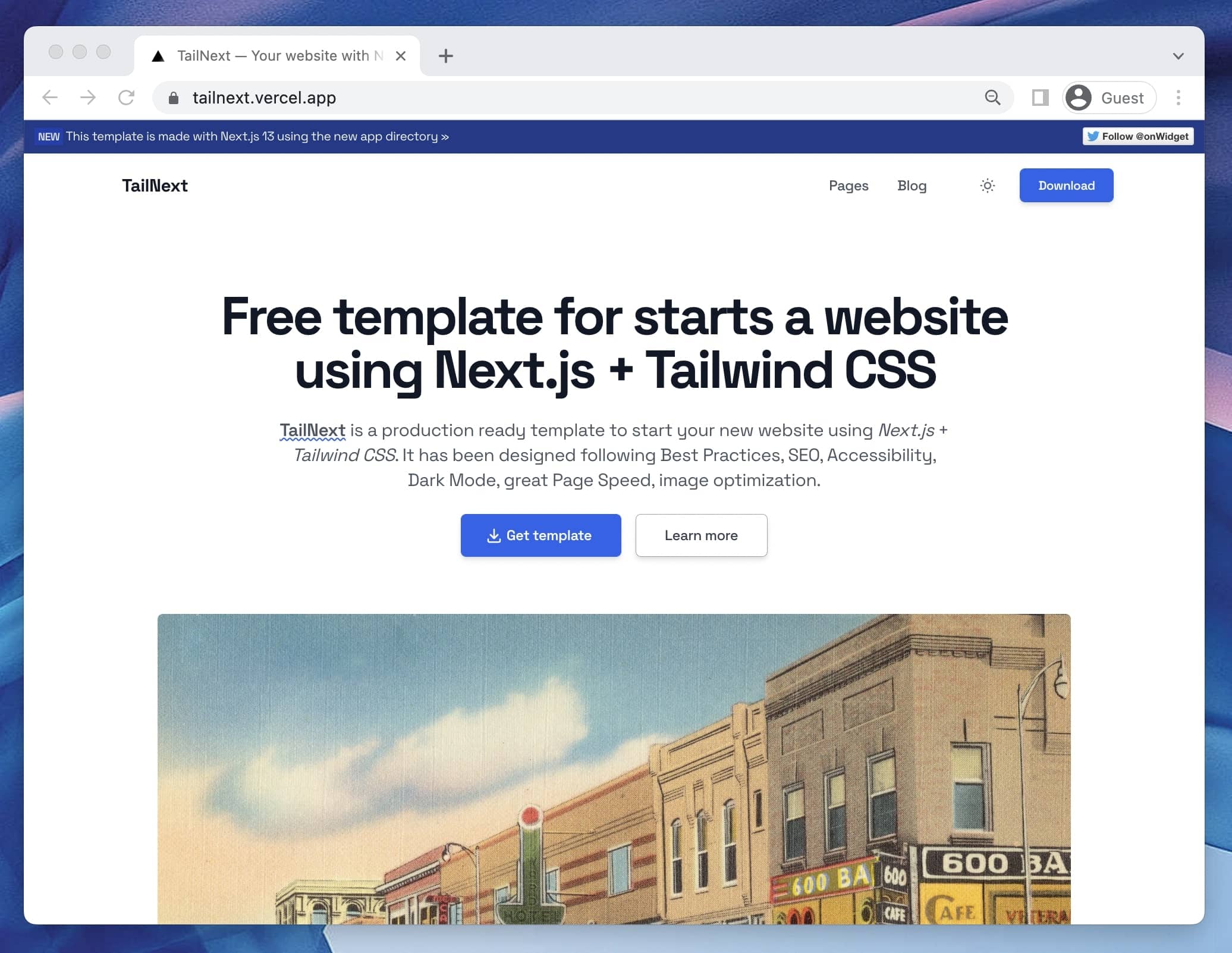
Scholar-Lite is a static website template for academic labs and scholars, built on Astro v6 and Tailwind CSS v4, that converts a BibTeX file into a complete publications portal with papers, books, news, team, and research pages. It ships with zero JavaScript on content pages, a 100/100 Lighthouse score, and Pagefind-powered search across 8 languages. Created by the Scholar-Lite Team (GitHub user fjd2004711) and released under the MIT license, it is designed to be deployable to Cloudflare Pages, Vercel, Netlify, GitHub Pages, or GitLab Pages with a single build command.
What is Scholar-Lite?
Scholar-Lite is an open-source Astro v6 template that automates academic website publication. It takes a citations.bib file exported from Zotero, Mendeley, or Google Scholar and runs it through a Node.js importer (npm run import-bibtex) to generate content files for publications and books. The output is a fully static site with pages for research, news, team member profiles, software copyrights, invention patents, and group honors. All editable content lives in Markdown files under src/content/, and the template is configured through TypeScript, Tailwind CSS v4, and .astro/.tsx components.
Key Features
- Zero-JS content pages — Astro v6 ships 0 kilobytes of JavaScript to clients for content pages, earning 100/100 Lighthouse scores for Performance, Accessibility, Best Practices, and SEO out of the box.
- Zero-config BibTeX import — Drop
citations.bibin the project root, runnpm run import-bibtex, and entries with@articleor@inproceedingsbecome Publications while@bookentries become Books. - Smart BibTeX field mapping — The importer turns
pdf/url/fileinto a PDF button,code/githubinto a code button,website/projectinto a project link,demointo a demo button,video/recordinginto a video link,slides/pptinto a slides download, andaward/noteinto auto-generated gold/blue/red badges such as "Best Paper" and "Oral". - Multilingual search — Built-in Pagefind supports English, Chinese, Japanese, Korean, French, German, Spanish, and Russian; the search index is generated at build time.
- Native i18n system — Edit
src/i18n/ui.tsto translate navigation and UI text across all supported languages with type-safe translations. - Academic content collections — Manage News, Team, Research Fields, Software Copyrights, Invention Patents, and Group Honors by creating Markdown files with frontmatter fields like
date,weight,order,developers,number,status,award, andlevel. - Automatic image optimization — Images imported from
src/assets/are compressed and lazy-loaded automatically; the README recommends avoiding large images inpublic/. - One-command deployment — Build with
npm run build(outputsdist/) and deploy via the included CI/CD workflows for GitHub Pages/GitLab Pages or the deploy buttons and build settings for Cloudflare Pages, Vercel, and Netlify.
Who is it for?
- Academic research labs that want a modern lab portal with publications, team, news, and project pages without maintaining a separate CMS. The BibTeX pipeline and Markdown content collections handle most updates.
- Individual scholars building a personal academic homepage can get a 100/100 Lighthouse site with multilingual search and automated award badges by uploading their bibliography.
- Research groups managing IP and awards can publish software copyrights, invention patents, and group honors through dedicated content types with fields for patent numbers, status, and award levels.
What can you do with Scholar-Lite?
- Lab website maintainers: add news posts, team headshots, and research fields by creating Markdown files in
src/content/; control display order withdate,weight, andorderfields. - Researchers: export your bibliography from Zotero, Mendeley, or Google Scholar into
citations.bib, run one import command, and the site auto-generates publication and book entries with buttons for PDFs, code repos, project sites, demos, videos, and slides. - Graduate students: deploy a free academic portfolio to Cloudflare Pages or Vercel by clicking the deploy buttons in the README, then replace
citations.bibwith your own file. - Lab administrators: track software copyrights, patents, and honors by adding Markdown files to the
softwares,patents, andhonorscontent folders, each with structured frontmatter.
How does Scholar-Lite work?
The template guides you through a no-code path: click the Netlify or Vercel deploy button, wait for deployment, then replace the sample citations.bib in your new GitHub repository with your own BibTeX export; the site rebuilds automatically within about one minute. For local development, clone the repo, run npm install, and start the dev server with npm run dev at http://localhost:4321. Importing publications requires placing citations.bib in the project root and running npm run import-bibtex, which classifies entries into publications and books.
Pros and cons
- Pros: zero JavaScript by default; 100/100 Lighthouse scores; zero-config BibTeX import with smart field mapping; multilingual Pagefind search; reusable component-based customization via
.astroand.tsxfiles; free deployment options. - Cons: the Pagefind search index is only generated at build time, so search does not work in the dev server; Node.js v22.12.0 or higher is required.
Pricing
Scholar-Lite is free and open-source under the MIT license. The template can be deployed for free to Cloudflare Pages, Vercel, or Netlify, or to GitHub Pages/GitLab Pages using the included CI/CD workflows.
Alternatives
- Hugo Academic (Wowchemy) — a widely used academic theme built on Hugo and Go templates; the Scholar-Lite README contrasts it with needing complex Python scripts for BibTeX import and having partial multilingual search support.
FAQ
Is Scholar-Lite free?
Yes, Scholar-Lite is released under the MIT license, so it is free to use, modify, and distribute. You can deploy the generated static site to free tiers of Cloudflare Pages, Vercel, Netlify, GitHub Pages, or GitLab Pages.
How do I import my publications?
Export your bibliography as citations.bib from Zotero, Mendeley, or Google Scholar, place the file in the project root, and run npm run import-bibtex. Entries are automatically classified: articles and proceedings become Publications, while books become Books.
Does Scholar-Lite support multiple languages?
Yes, it has built-in i18n and Pagefind search that supports 8 languages: English, Chinese, Japanese, Korean, French, German, Spanish, and Russian. You can edit src/i18n/ui.ts to translate UI strings.
What Node.js version do I need?
The README specifies Node.js v22.12.0 or higher. Make sure your development environment meets this requirement before running npm install and the build scripts.
Why doesn't search work on the dev server?
Pagefind search indexing happens during the production build (npm run build). In development mode (npm run dev), the search index does not exist, so full-text search only works after you build the site and serve the dist/ output.