Template details
Astroplate
Free open-source Astro + Tailwind CSS + TypeScript starter with multilingual support, 15+ pages, and LLM-ready docs.
About this template
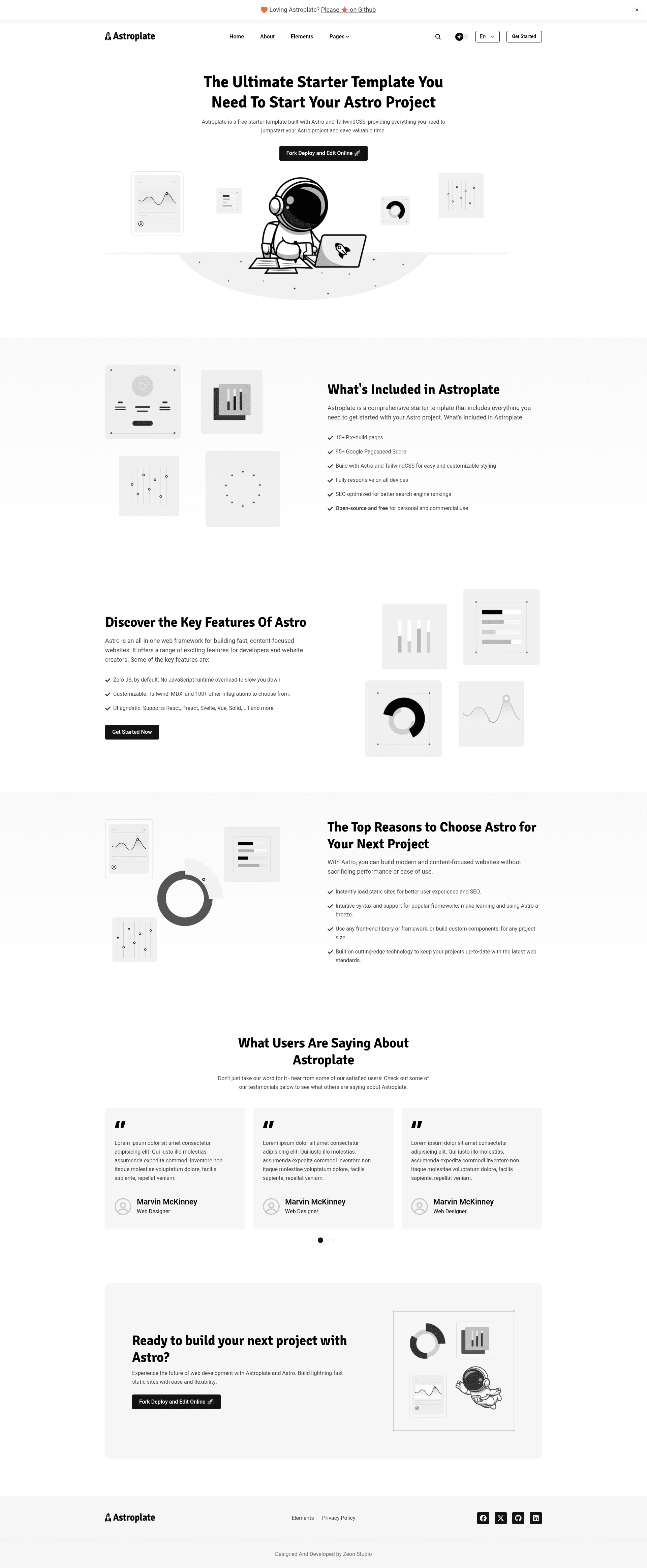
Astroplate is a free, open-source starter template by Zeon Studio that ships a complete Astro 7.0.0 content site with Tailwind CSS 4, TypeScript, multilingual support, and 15+ pre-designed pages.
What is Astroplate?
Astroplate is a starter template and boilerplate for building static websites with Astro, Tailwind CSS, and TypeScript. It takes content written in Markdown or MDX and generates a fully static site with built-in SEO, sitemap, search, and dark mode. The template runs on Astro v7.0.0, requires Node v22.12.0+ and pnpm, and is released under the MIT license by Zeon Studio.
Key Features
- Multilingual — built-in i18n support, demonstrated by a separate multilang demo site.
- Multi-Authors — author profiles and author single pages for team-run blogs.
- Search Functionality — a pre-built search page and component for on-site content discovery.
- LLM-ready docs generation — after build, a script creates
llms.txt,llms-full.txt, and optional per-page Markdown files, configurable viasrc/config/config.json. - Markdown/MDX content — posts and pages are authored in Markdown or MDX with syntax highlighting.
- Integrations — ships with astro/react, astro/sitemap, astro/tailwind, Google Tag Manager, and Disqus comments.
- 15+ Pre-designed Pages — includes homepage, about, contact, authors, blog, tags, categories, privacy policy, custom 404, elements, and search.
- Flexible Deployment — Netlify settings are pre-configured; optional Cloudflare Workers and Docker deployment commands are provided.
Who is it for?
- Developers who want to launch a blog or corporate site without wiring up Astro, Tailwind, and i18n from scratch.
- Agencies looking for a multilingual, multi-author template they can hand off to clients with a Git-based CMS (Sitepins).
- Technical writers who need to produce LLM-friendly files (
llms.txt) from their static docs or blog. - Startups seeking a high-performance site; the demo reports a 100% PageSpeed score.
What can you do with Astroplate?
- Launch a multi-author blog: set up authors, tags, categories, search, and dark mode in one project.
- Serve content in multiple languages: use the multilingual configuration and the separate multilang demo as reference.
- Generate LLM-ready output: run
pnpm run generate-llmsafter building to createllms.txtand per-page Markdown files. - Deploy on your preferred platform: use the pre-configured Netlify settings, the Cloudflare Workers preview/deploy commands, or the provided Dockerfile.
How does Astroplate work?
After cloning the repository, install dependencies with pnpm install, then run pnpm run dev for local development and pnpm run build to produce the static site. The build also generates LLM files automatically, or you can run pnpm run generate-llms manually. Content is edited in Markdown/MDX, and non-technical editors can use Sitepins, the pre-configured Git-based headless CMS.
Pricing
Astroplate is free and open-source under the MIT license. The code is free to use and modify; the template's demo images are for illustration only and are not licensed for redistribution.
FAQ
Is Astroplate free?
Yes, Astroplate is released under the MIT license, so it is free to use, modify, and deploy for personal or commercial projects.
What are the system requirements?
The project requires Node v22.12.0+ and pnpm as the package manager, and it uses Astro v7.0.0 with Tailwind CSS v4.
Can I edit content without writing code?
Yes, Astroplate comes pre-configured with Sitepins, a Git-based headless CMS that lets you update text, images, and config directly in a visual editor.
Does Astroplate support multiple languages?
Yes, it has built-in multilingual support. A separate demo at astroplate-multilang.netlify.app shows a multi-language deployment.
How do I generate LLM documentation files?
Run pnpm run build to generate the files automatically, or pnpm run generate-llms afterwards. The output includes llms.txt, llms-full.txt, and optional individual Markdown files based on the configuration in src/config/config.json.