Template details
Base16
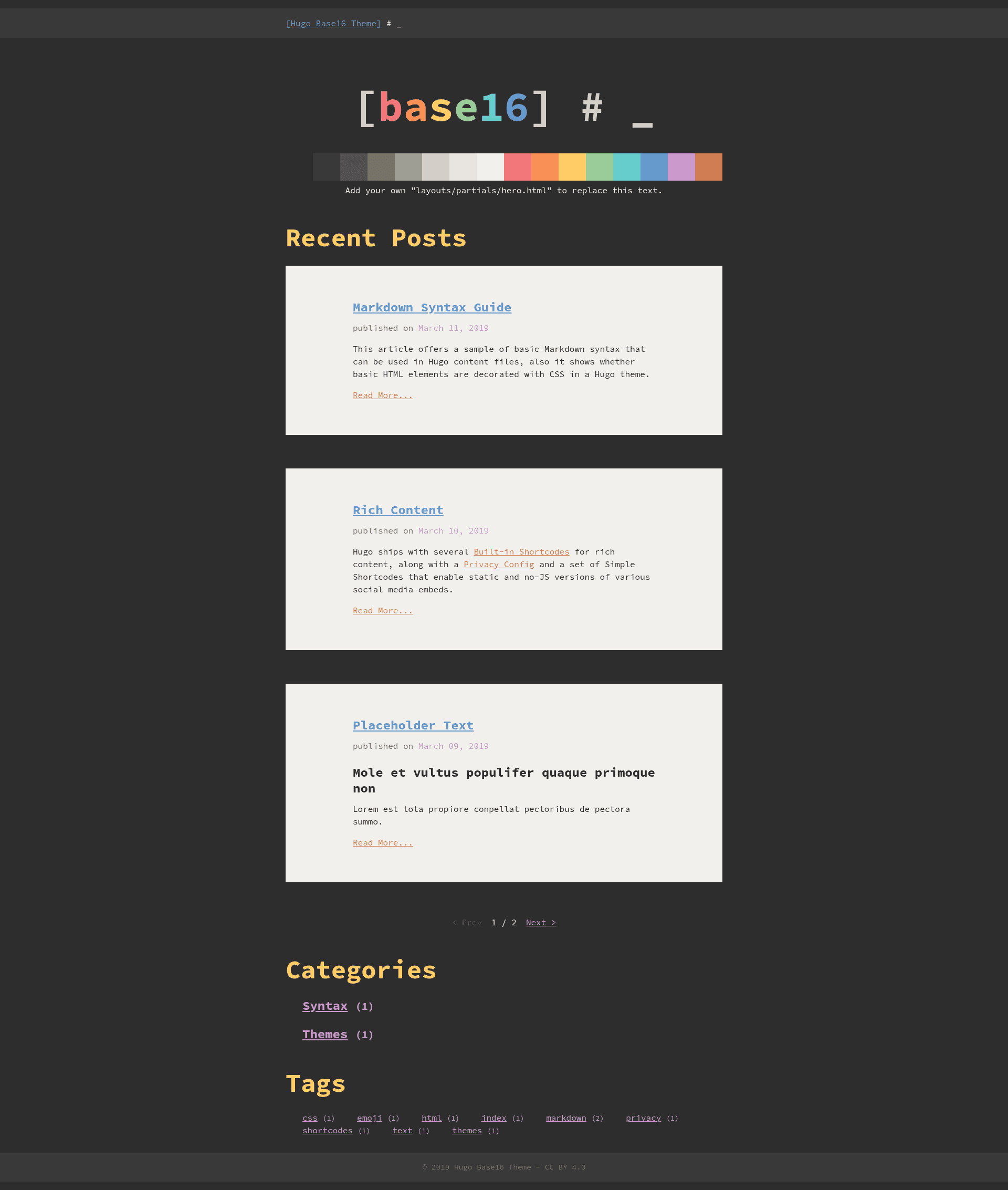
Hugo theme with Base16 Eighties colorscheme, Pygments syntax highlighting, and figure shortcode support.
About this template
Base16 is a single-purpose Hugo theme that applies the retro Base16 Eighties colorscheme to a static site, with built-in support for Pygments-based syntax highlighting and Hugo's figure shortcode. It is distributed as MIT-licensed source on GitHub under htdvisser/hugo-base16-theme, and the repository metadata explicitly marks the theme as NOT MAINTAINED.
What is Base16?
Base16 is a theme for the Hugo static site generator that renders Markdown content into a full HTML site using the Base16 Eighties color palette. It takes a standard Hugo project (pages written in Markdown) and produces a styled blog or portfolio using Hugo's templating system, which includes layouts, partials, and shortcodes. The theme was created by htdvisser and is listed on the official Hugo Themes site, with two demo sites built from the gohugoio/hugoBasicExample repository. The demo at themes.gohugo.io/theme/base16 and htdvisser.github.io/hugo-base16-theme both show the theme applied to example content, and the second adds Goldmark configuration to render raw HTML tags from Markdown.
What makes Base16 stand out?
- Base16 Eighties colorscheme — The defining visual feature is the 1980s-inspired palette created by Chris Kempson, applied via the theme's CSS to headings, text, links, and code blocks.
- Pygments syntax highlighting — The theme supports Hugo's
highlightshortcode; users install Pygments withpip install Pygmentsand enable it by addingpygmentsuseclasses = trueto theirconfig.toml. - Figure shortcode — It works with Hugo's built-in
figureshortcode to render images with optional captions, a standard Hugo feature enabled out of the box. - Customizable hero homepage — The theme ships a homepage hero partial at
layouts/partials/hero.html; users can copy it into their ownlayouts/partials/directory and edit it to personalize the landing section. - Two live demo sites — Both demos are built from hugoBasicExample, giving a ready-made reference for default content types and layouts.
- MIT licensed — The theme is freely usable, modifiable, and redistributable under the MIT license.
Who should use Base16?
- Hugo bloggers who want a no-frills theme with a distinct color scheme and code highlighting for technical posts.
- Static-site developers looking for a minimal starting point that they can customize by overriding the hero partial and extending the layout.
- Students learning Hugo who want to study a small, readable theme that relies on standard Hugo features rather than external frameworks.
What can you do with Base16?
- Publish a technical blog: Write Markdown posts with code samples and use the
highlightshortcode to display them with Pygments styling, after installing Pygments and setting the configuration option. - Create a personal landing page: Copy the hero partial into your own site and rewrite it to present yourself or your project.
- Experiment with Hugo theming: Use the existing demo sites, built from hugoBasicExample, as a sandbox to see how the theme renders lists, single pages, and custom HTML when the Goldmark
unsaferenderer is enabled.
How does Base16 work?
Installation is done by cloning the repository into your Hugo project's themes directory: git clone https://github.com/htdvisser/hugo-base16-theme.git base16. Then configure Hugo to use the theme and, for code highlighting, install Pygments and set pygmentsuseclasses = true. The theme's partials and shortcodes are standard Hugo features, so no external build tools or CSS frameworks are required.
Pros and cons
- Pros: MIT license, straightforward installation, no JavaScript or framework dependencies, and a small footprint.
- Cons: The repository is marked NOT MAINTAINED, so bugs may go unfixed and there is no guarantee of compatibility with future Hugo versions.
FAQ
Is Base16 free to use?
Yes. The theme is released under the MIT license, which allows free personal and commercial use, modification, and redistribution.
Does Base16 require Pygments?
Only if you want syntax highlighting. The highlight shortcode works with Pygments; without it, code blocks render without syntax coloring. To enable highlighting, run pip install Pygments and add pygmentsuseclasses = true to your config.toml.
How do I install Base16?
Clone the repository into your Hugo project's themes folder with git clone https://github.com/htdvisser/hugo-base16-theme.git base16, then set theme = "base16" in your site configuration.
Is Base16 actively maintained?
No. The GitHub repository metadata describes it as NOT MAINTAINED, so updates are not expected and users may need to fork the project to make changes.