Template details
Jekyll Lablog
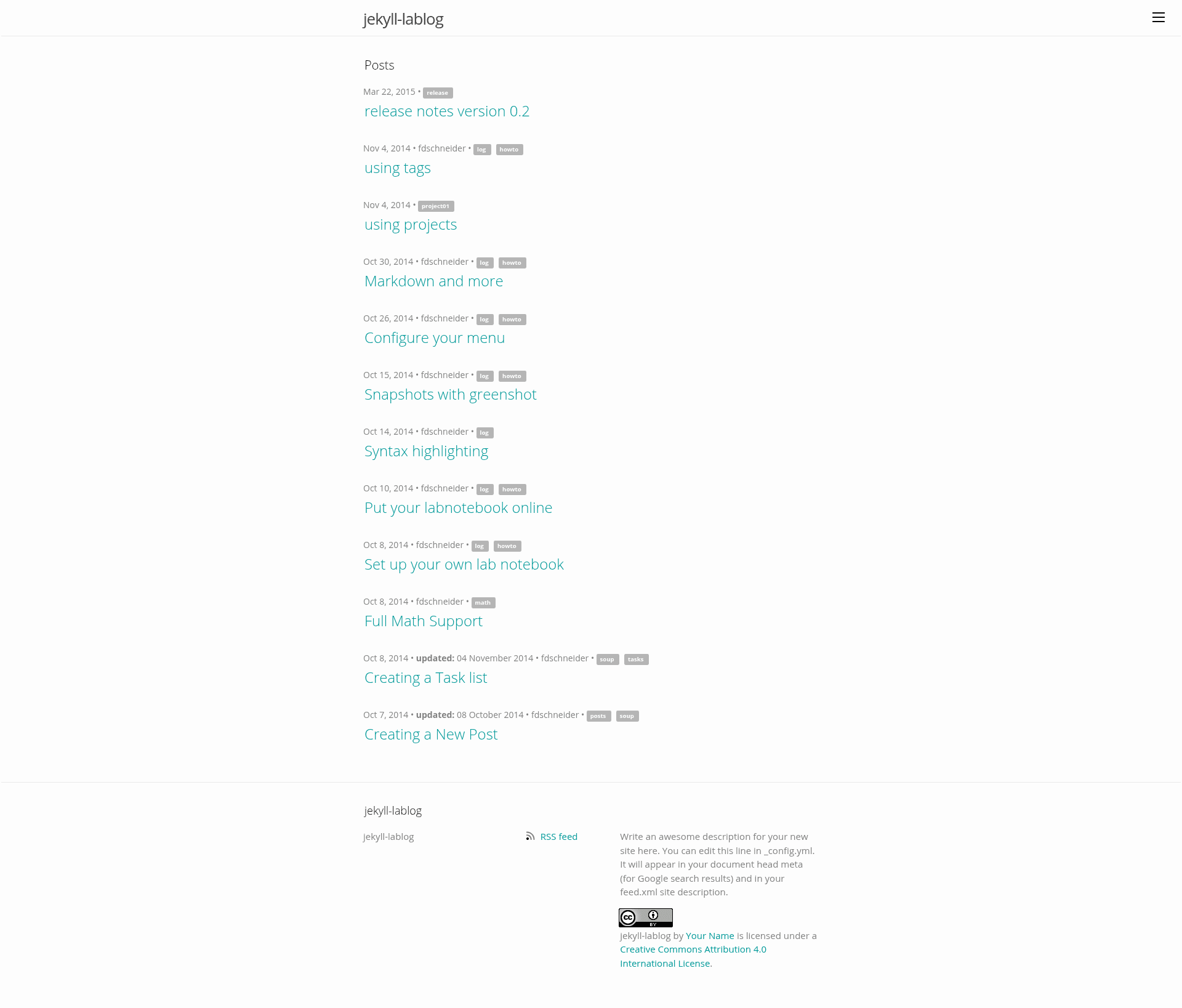
A Jekyll template based on the default theme that adds features for using the static site as a research lab notebook and knowledge base.
About this template
Jekyll Lablog is an open-source Jekyll template by Florian D. Schneider for turning a static site into a lab notebook, research log, and knowledge base. It builds on Jekyll's default theme by jglovier and adds features such as todo lists, tags, related posts, and math rendering.
What is Jekyll Lablog?
Jekyll Lablog is a template for the static site generator Jekyll that transforms a collection of Markdown text files into a static website designed for research documentation. It takes posts, pages, and configuration files as input and outputs a browsable static site with archive, tags, and task-list pages. The template is maintained by Florian D. Schneider and is distributed under the MIT License. It is specifically designed to support lab notebook practices: documenting hypotheses, experiments, and initial analyses.
Key Features
- Todo Lists — Write checklists using GitHub-flavored task syntax (
- [ ]), including nested task lists for project management via a dedicatedtaskslayout. - Tags and Related Posts — Assign tags in front matter; the template auto-links posts sharing tags and adds next/previous post buttons for sequential browsing.
- Post Archive — A chronological listing of all posts, ideal for reviewing a lab diary over time.
- Multi-authoring — Support for entire research groups via an
authorfield in the YAML front matter of each post. - Geolocation Logging — Record the location of experiments using the
placefront matter parameter. - Math Equations — Render LaTeX-style formulas with MathJax integration.
- Customizable Theme — Change the brand color by editing
$brand-colorincss/main.scss, and add personal info via_config.yml.
Who is it for?
- Researchers and scientists who want to keep a digital lab notebook with chronological entries, tags, and related-post navigation.
- Research groups needing a collaborative multi-author blog where each member can post under their own
authortag. - Students and academics who want to build a knowledge base from articles, notes, and drafts using Jekyll and Markdown.
- Open science advocates who need a low-maintenance, version-controlled platform for sharing protocols and results under a Creative Commons license.
What can you do with Jekyll Lablog?
- Keep a daily research log — Write posts in
_postswith theYYYY-MM-DD-title.mdnaming convention and front matter; the archive page organizes entries chronologically. - Manage projects with task lists — Create a page with
layout: tasksand use nested checkboxes to track milestones and pending work, with links to posts or external resources. - Deploy to GitHub Pages for free — Push the site to a
gh-pagesbranch and get automatic deployment, though plugins are not supported on GitHub Pages. - Serve the site privately via Dropbox — Build with
destination: ../../Public/lablogand sync to a Public folder for a semi-private deployment.
How does Jekyll Lablog work?
- Clone the repository (
git clone git@github.com:fdschneider/jekyll-lablog.git). - Run
jekyll serveto preview locally atlocalhost:4000. - Add posts to
_postsas Markdown files with optional YAML front matter. - Customize
_config.ymlwith title, author, and deployment URL/baseurl. - Build with
jekyll buildand deploy to Dropbox, GitHub Pages, or another webserver.
Pricing
Jekyll Lablog is free and open source under the MIT License. There are no paid tiers.
FAQ
Does Jekyll Lablog work on GitHub Pages?
Yes, GitHub Pages automatically deploys Jekyll sites. Create a gh-pages branch and push content; set url and baseurl in _config.yml. However, GitHub Pages does not allow Jekyll plugins, so you must rely on the built-in parsing.
What file format do posts use?
Posts are Markdown files (typically .md) with a filename like YYYY-MM-DD-title.md. Jekyll uses kramdown by default, but the parser can be configured.
Can multiple people contribute?
Yes, the template supports multi-authoring. Each post can include an author field in front matter, making it suitable for research groups.
How do I change the site's color scheme?
Edit the $brand-color variable in css/main.scss to change the color of links and the menu.
Is the template free to use and modify?
Yes, it is released under the MIT License, which permits free use, modification, and distribution, including commercial use, with attribution.