Template details
Beautiful-hexo
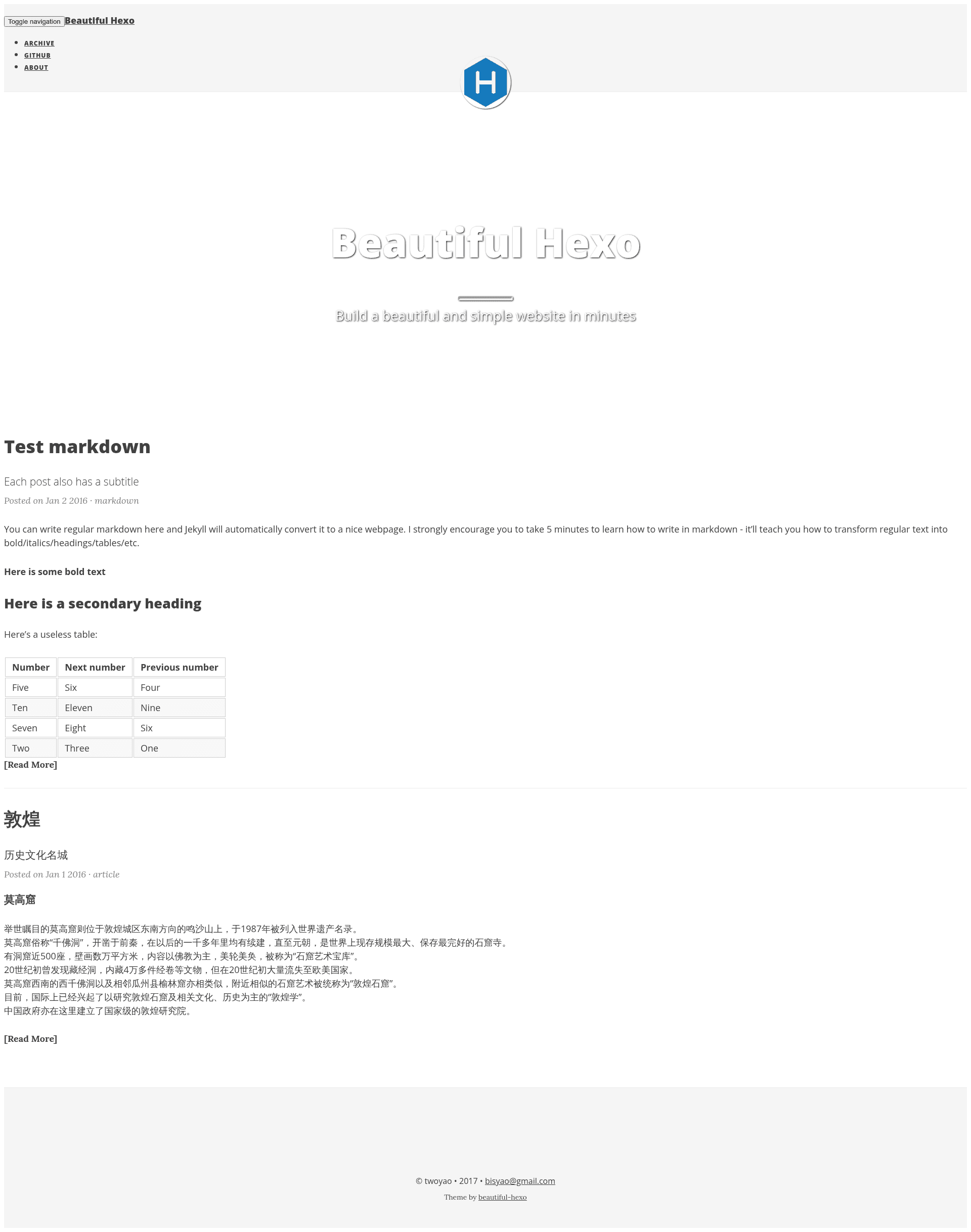
A simple elegant Hexo blog theme ported from Beautiful-jekyll.
About this template
Beautiful-hexo is a simple, elegant blog theme for Hexo, ported from the popular Beautiful-jekyll theme created by Dean Attali. It turns a standard Hexo site with Markdown posts into a clean static blog with tag pages, an archive, and configurable navigation.
What is Beautiful-hexo?
Beautiful-hexo is a Hexo theme that runs on the static site generator Hexo, taking Markdown content and rendering it as a fast, static website. The theme is a direct port of Beautiful-jekyll, preserving its minimal, content-focused visual style for Hexo users. The repository is hosted on GitHub and maintained by developer twoyao.
Key Features
- Beautiful-jekyll port — The design and layout are ported from Dean Attali's Beautiful-jekyll, giving Hexo bloggers a familiar, elegant look.
- Tag page support — Create a tags listing page by adding a folder with an index.md that specifies layout: "tags", then link it through the navbar-links setting.
- Netease-gentie comments — The theme includes configuration for netease-gentie comments; set the product key in the theme's _config.yml to enable it.
- Archive generator tuning — The recommended archive settings disable yearly, monthly, and daily archive pages and remove pagination, producing a single archive list.
- Configurable navbar-links — Customize the top navigation links directly in the theme config file, which the README describes as brief and clear.
- SEO and feed plugins — The install command includes hexo-generator-feed and hexo-generator-sitemap, so RSS feeds and XML sitemaps are generated alongside the blog.
- Live reload during development — hexo-browsersync is part of the recommended setup, enabling browser sync while running Hexo locally.
Who is Beautiful-hexo for?
Bloggers using Hexo who want a simple, elegant theme with a strong focus on readability. Developers migrating from Jekyll will find the design familiar since it is a port of Beautiful-jekyll. Users who need a lightweight theme with tag pages and comment integration without heavy JavaScript will also appreciate it.
What can you do with Beautiful-hexo?
- Personal bloggers: Write posts in Markdown and publish a clean static blog with an archive and tag navigation.
- Jekyll-to-Hexo migrators: Recreate the look of Beautiful-jekyll on Hexo while using Hexo's build system and plugin ecosystem.
- Developers testing comments: Use the documented netease-gentie setup, including mapping a local hostname and running Hexo on port 80 to validate comment behavior.
How does Beautiful-hexo work?
To get started, initialize a new Hexo site and install the required npm packages listed in the README, including hexo-renderer-jade, hexo-generator-archive, and others. Then clone the Beautiful-hexo repository into the theme directory, set theme to "beautiful-hexo" in the site's _config.yml, and adjust the archive generator settings. After configuration, run Hexo to generate the static blog.
FAQ
Is Beautiful-hexo free?
The theme is open-source and hosted on GitHub, with installation performed via git clone. No pricing or license purchase is mentioned in the README, so it is freely usable.
What comment system does Beautiful-hexo support?
It supports netease-gentie comments. You enable it by setting the product key under comment.netease in the theme's _config.yml, and for local testing you need to map your hostname to 127.0.0.1 and run Hexo on port 80.
Does Beautiful-hexo include a tags page?
Yes. You can create a tags page by making a folder named tags in the source directory with an index.md that contains layout: "tags". Then add a link to it in the navbar-links configuration.
What plugins does Beautiful-hexo need?
The README recommends four Hexo plugins: hexo-generator-archive, hexo-renderer-jade, hexo-generator-tag, and hexo-generator-feed. It also installs hexo-generator-sitemap and hexo-browsersync in the setup command.
Can I use Beautiful-hexo with a standard Hexo installation?
Yes. After cloning the theme into themes/beautiful-hexo, you only need to change the site's _config.yml to set theme to "beautiful-hexo" and apply the archive generator configuration shown in the README.