Template details
gatsby-paginated-blog
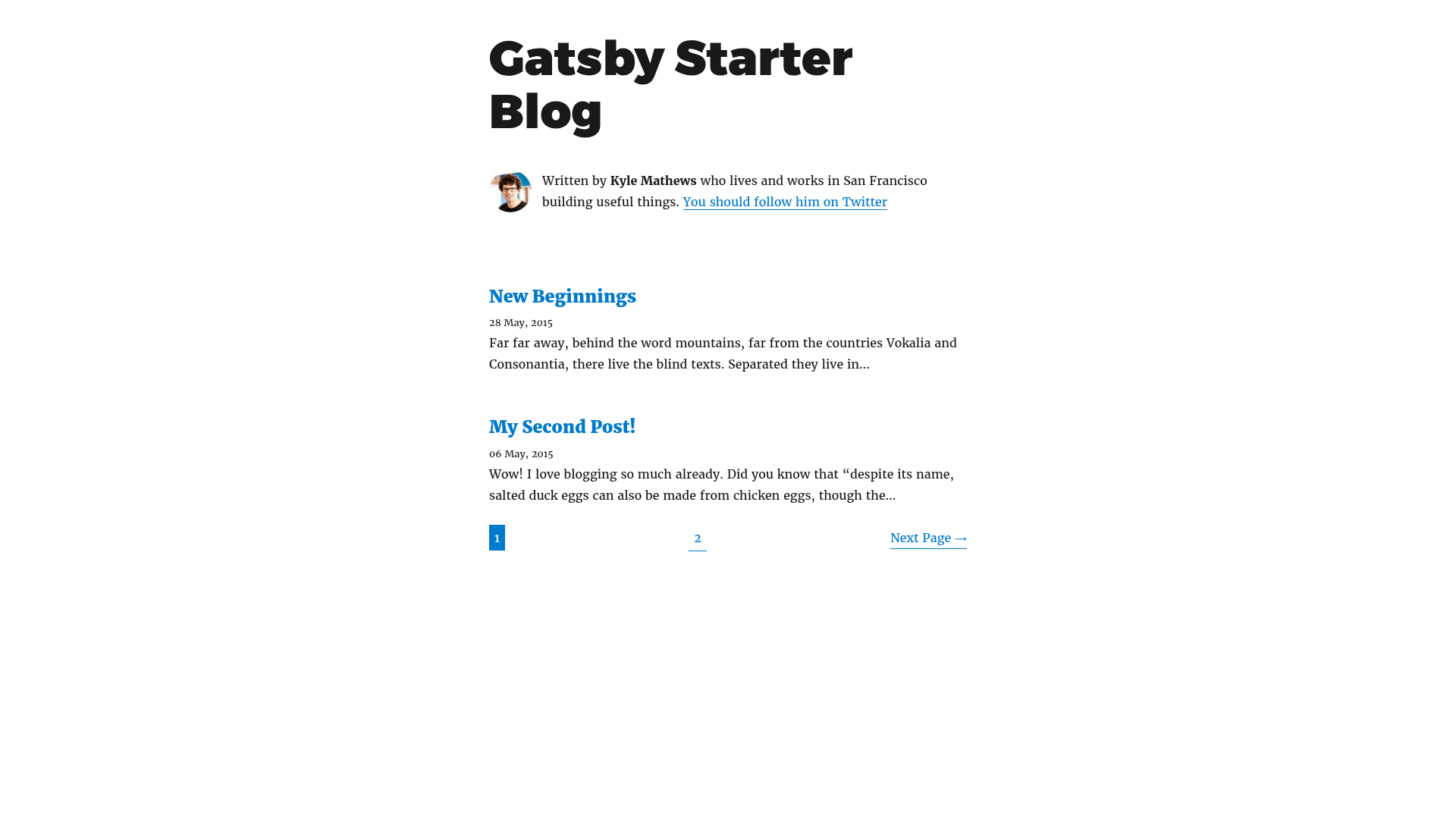
Gatsby starter for creating a blog with pagination
About this template
gatsby-paginated-blog is a Gatsby starter (boilerplate) that scaffolds a blog with paginated post listings, installable with npx gatsby new and run locally with npm run develop.
What is gatsby-paginated-blog?
gatsby-paginated-blog is a Gatsby starter for creating a blog with pagination. It takes a new project name and the starter's GitHub URL, then generates a Gatsby site that includes pagination for blog posts. The starter is maintained by Nicky Meuleman on GitHub at https://github.com/NickyMeuleman/gatsby-paginated-blog and has received 54 stars.
What makes gatsby-paginated-blog stand out?
- Built-in pagination – The starter includes pagination logic for blog posts, letting readers page through post lists instead of scrolling an endless page.
- Gatsby framework – It is built on Gatsby, a static site generator that uses React for the UI and GraphQL for querying data, producing fast pre-rendered sites.
- One-command install – Run
npx gatsby new my-paginated-blog https://github.com/NickyMeuleman/gatsby-paginated-blogto create a new project pre-configured from this starter. - Standard development workflow – Use
npm run developto start a local development server with hot reloading while you work on the blog. - Open-source repository – The source code is publicly available, with 54 stars on GitHub at the time of writing.
Who is gatsby-paginated-blog for?
- Developers starting a blog – They can bootstrap a Gatsby blog with pagination in one command, skipping manual configuration.
- Bloggers who want a static site – Gatsby generates static HTML, which helps with loading speed and SEO for content sites.
- Gatsby learners – This minimal starter demonstrates how pagination works in Gatsby, making it a useful reference for learning React-based static site generation.
Use cases
- Personal bloggers: Publish posts in chronological order with paged navigation, keeping the front page tidy.
- Content publishers: Split a large number of posts into separate pages so readers can browse without one very long page.
- Portfolio websites: Add a news or journal section that uses pagination to organize updates.
How does gatsby-paginated-blog work?
To create a new blog, run the npx gatsby new command with a project name and this repository's URL. After the project is created, switch into the folder and run npm run develop to start the Gatsby development server. The starter comes with the pagination setup already in place, so post lists are automatically split into pages.
Alternatives
- gatsby-starter-blog – the official default Gatsby blog starter, which offers a simpler single-list layout without pagination.
FAQ
Is gatsby-paginated-blog free?
Yes, the starter is open source and publicly available on GitHub, so you can use and modify it free of charge.
How do I install gatsby-paginated-blog?
Run npx gatsby new my-paginated-blog https://github.com/NickyMeuleman/gatsby-paginated-blog from your terminal, replacing my-paginated-blog with the name you want for your project.
What do I need to run gatsby-paginated-blog?
You need Node.js installed, plus npm or npx (which comes with Node). After installing, npm run develop starts the local development server.
Is this starter suitable for production?
Gatsby builds static sites, which are well-suited for deployment to CDNs and hosting services. The starter's pagination works in production, but you'll need to customize content and design to fit your needs.