Template details
Brighton
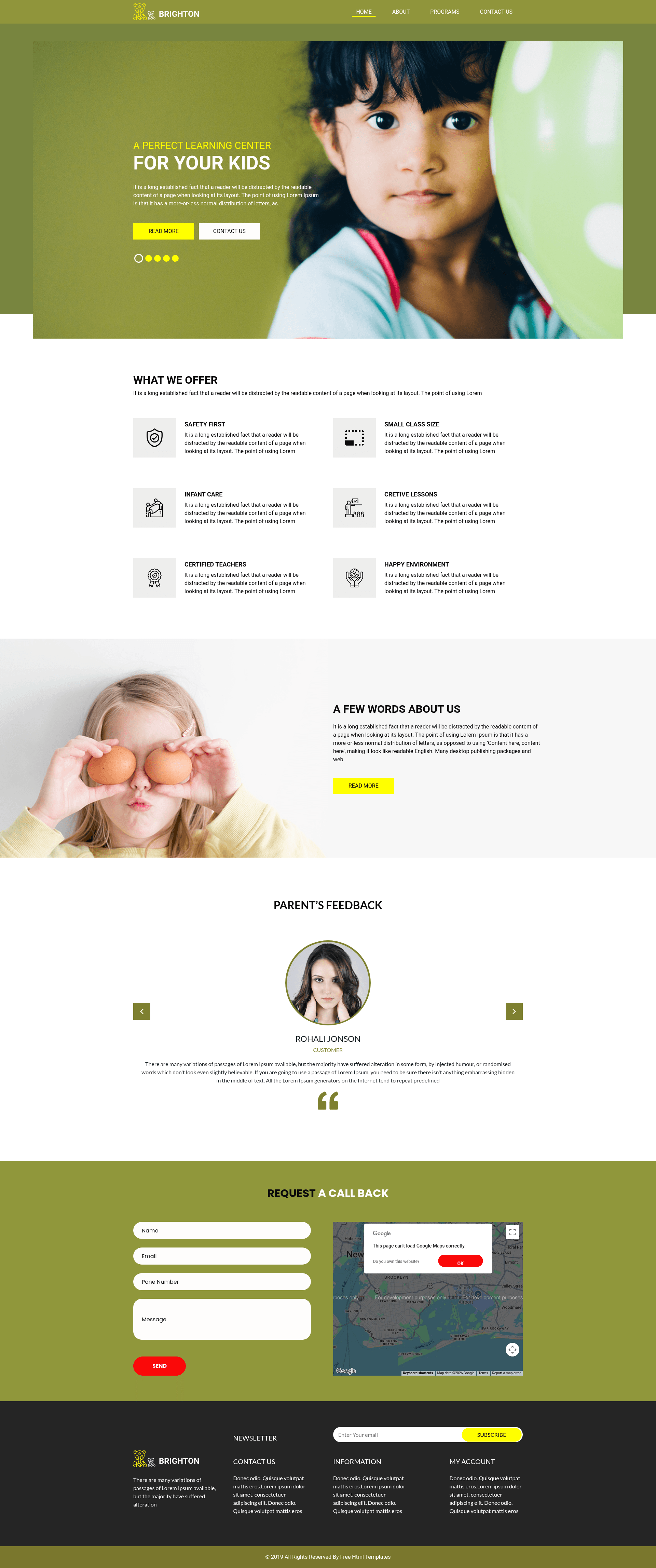
Free Bootstrap 4 HTML5 multi-page educational institution template with hero header, slider, testimonials, and contact form.
About this template
Brighton is a free Bootstrap 4 HTML5 educational institution website template created by HTML Design and distributed on ThemeWagon, designed to launch multi-page websites for schools, colleges, and training organizations.
What is Brighton?
Brighton is a multi-page website template for educational institutions, built with Bootstrap 4, HTML5, and CSS3. It accepts standard website content — text, images, course and service descriptions, testimonials, contact details — and renders it as a polished, responsive website with a hero header, content slider, testimonial carousel, Google Maps embed, and both contact and newsletter forms. The template runs on any static web host, since it is plain HTML, CSS, and JavaScript with no server-side dependencies, and is maintained by HTML Design, with distribution handled through ThemeWagon.
Key Features (What makes Brighton stand out?)
- Bootstrap 4 framework — The layout is built on Bootstrap 4, giving a fluid responsive grid and cross-browser compatibility across Chrome, Edge, Firefox, Opera, Safari, and mobile devices.
- Hero header and call-to-action button — The homepage opens with a visually prominent hero header and a call-to-action button to push visitors toward enrollment or other primary actions.
- Owl Carousel integrations — Two slider components are included: a content slider and a testimonial carousel, both powered by the Owl Carousel jQuery plugin.
- Services grid with hover effects — Programs, departments, or facilities can be displayed in a services grid with on-hover effects for interactivity.
- Google Maps embed — An embedded Google Map can be dropped into the page to show the institution's physical location.
- Contact and newsletter forms — A working contact form collects visitor inquiries, and a newsletter subscription form gathers email signups.
- Multi-page file structure — The download ships with 4 HTML files plus CSS, JavaScript, library, plugin files, and all demo images, so separate pages can be edited independently.
- Font icons and footer navigation — Hundreds of font icons and structured footer navigation links help organize content.
Who is it for?
- School and university web teams — Need a complete multi-page site quickly, using the pre-built hero, slider, and map sections to present campus info, programs, and location.
- Tutoring centers and academies — Can use the contact form and newsletter subscription fields to capture inquiries and build an audience.
- Freelance web designers — Can use the well-commented, well-organized codebase as a clean starting point and customize the default look per client project requirements.
What can you do with Brighton?
- College marketing teams: Build a semester-ready website by replacing demo images and text with real course listings, faculty photos, and campus events, then populating the Google Map with the actual location.
- Coaching institutes: Use the testimonial carousel to display student success stories and the CTA button to drive signups for enrollment or demo classes.
- Agency developers: Ship a low-maintenance static multi-page site to an education client; all markup is editable without requiring a CMS or backend.
FAQ
Is Brighton free?
Yes, Brighton is a free template. ThemeWagon offers it for free download, and the license permits use in commercial projects with lifetime free updates.
What files are included in the Brighton download?
The download includes 4 HTML files, CSS files, JavaScript source files, library and plugin files (Bootstrap 4, Owl Carousel, jQuery), plus all demo images — one archive with everything needed to run the site.
Can I use Brighton commercially?
Yes, the template is open source and can be used in commercial projects. The page explicitly lists open source, commercial use, and lifetime free updates as part of the download.
What browsers and devices are supported?
Brighton is fully responsive and cross-browser compatible, supporting Chrome, Edge, Firefox, Opera, Safari, and mobile devices.
Who created Brighton?
Brighton was created by HTML Design and is distributed by ThemeWagon. The contact button on the page links directly to HTML Design for questions.