Template details
Windows 95
A Jekyll theme that recreates the Windows 95 desktop interface for a static site.
About this template
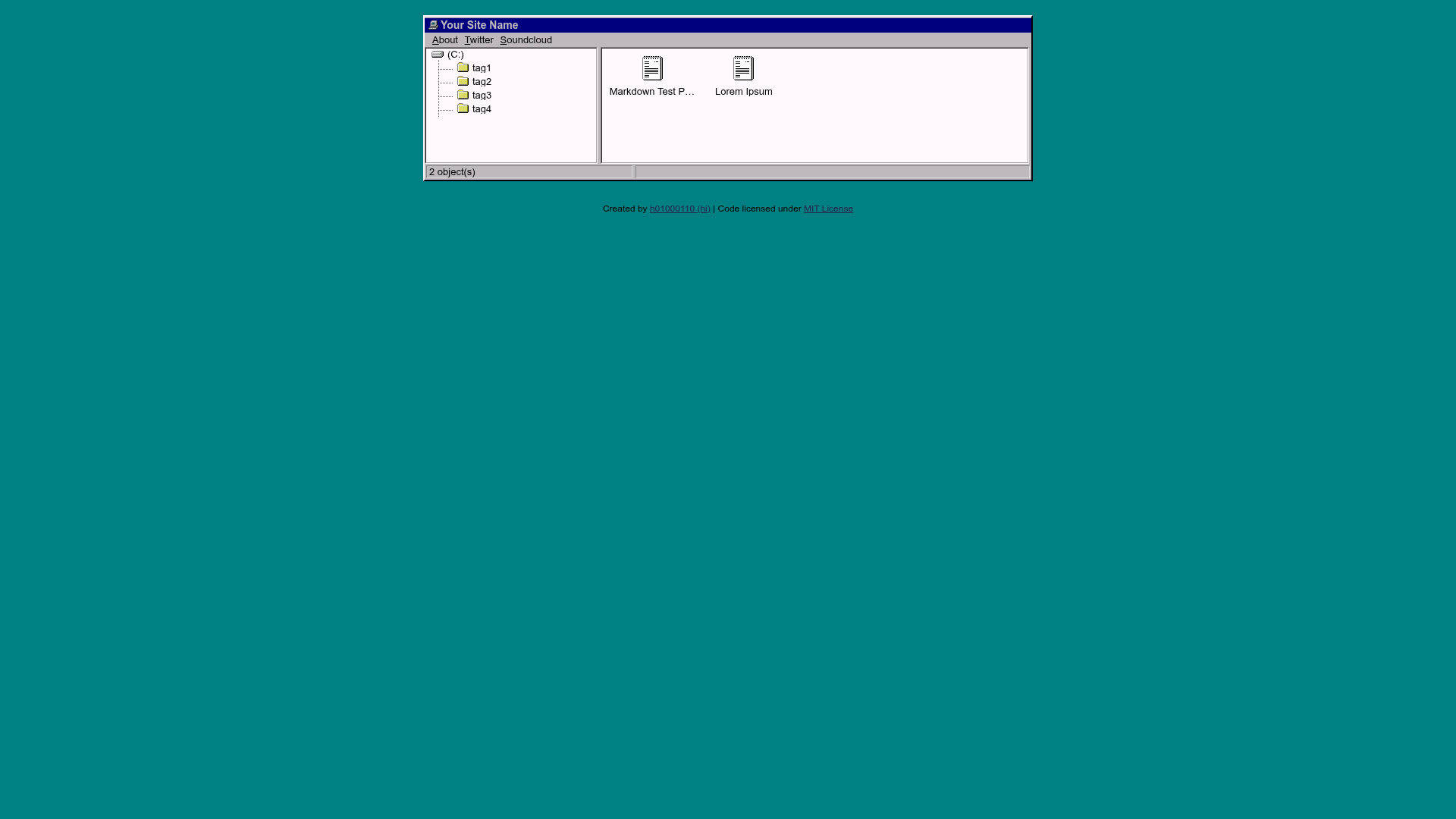
Windows 95 is a Jekyll theme that recreates the look and feel of Microsoft's Windows 95 operating system, turning any static site into a desktop-like experience with a taskbar, start menu, and windowed content. It is distributed as a Jekyll theme, meaning it plugs into the Jekyll static site generator and transforms your Markdown or HTML content into pages styled like the classic 1995 OS.
What is Windows 95?
Windows 95 is a theme for Jekyll, the static site generator written in Ruby. The theme is created by GitHub user h01000110 and is released under the MIT license, so it can be used, modified, and redistributed freely. The theme's GitHub repository includes a live demo and a homepage that showcase the design. According to the repository metadata, the theme is built with CSS and JavaScript, and it has earned 496 stars on GitHub, indicating a notable community of adopters.
Key Features
- Jekyll integration — The theme is designed for Jekyll, so it works with Jekyll's directory structure, templates, and build process to produce static HTML files.
- Windows 95 styling — The theme applies the classic Windows 95 visual design, including the iconic gray window chrome, title bars, and desktop icons, to your site's pages.
- JavaScript interactions — The theme includes JavaScript to simulate interactive desktop elements, such as opening windows and using the taskbar, though the exact behaviors are demonstrated in the live demo.
- MIT license — You can use the theme for personal or commercial projects, modify it, and distribute your own versions without paying licensing fees.
- Live demo — The project includes a working demo at the GitHub Pages site, so you can see the theme in action before installing it.
- Active community — With nearly 500 stars, the theme has a user base and is likely to be maintained.
Who is it for?
- Jekyll users — Bloggers and developers who want to give their existing Jekyll site a unique, retro Windows 95 look without writing custom CSS from scratch.
- Retro computing enthusiasts — Fans of Windows 95 can build a personal website, portfolio, or digital shrine that mimics the classic operating system.
- Designers and artists — Creatives looking to make a satirical or nostalgic web project that stands out from conventional responsive designs, using the theme as a starting point.
- Educators — Teachers creating course pages or assignments with a themed, playful interface that engages students with a retro aesthetic.
What can you do with Windows 95?
- Personal blog — Publish your posts inside a simulated Windows 95 desktop, complete with draggable windows and a start menu.
- Portfolio site — Showcase your work in a desktop metaphor, with each case study opening like an application window.
- Event page — Create a humorous or themed landing page for a retro-themed hackathon, birthday, or LAN party.
Is Windows 95 free?
Yes. The theme is released under the MIT license, which permits free use, modification, and distribution, including in commercial projects. The source code is available on GitHub, and you can deploy it to GitHub Pages or any Jekyll-compatible host.
Does Windows 95 require JavaScript to work?
The theme includes JavaScript to power its interactive elements, such as window management and the taskbar. If JavaScript is disabled, the site will still render as static HTML, but the desktop metaphors may not be interactive. Check the live demo to see the exact behavior.