Template details
Canvas Portfolio
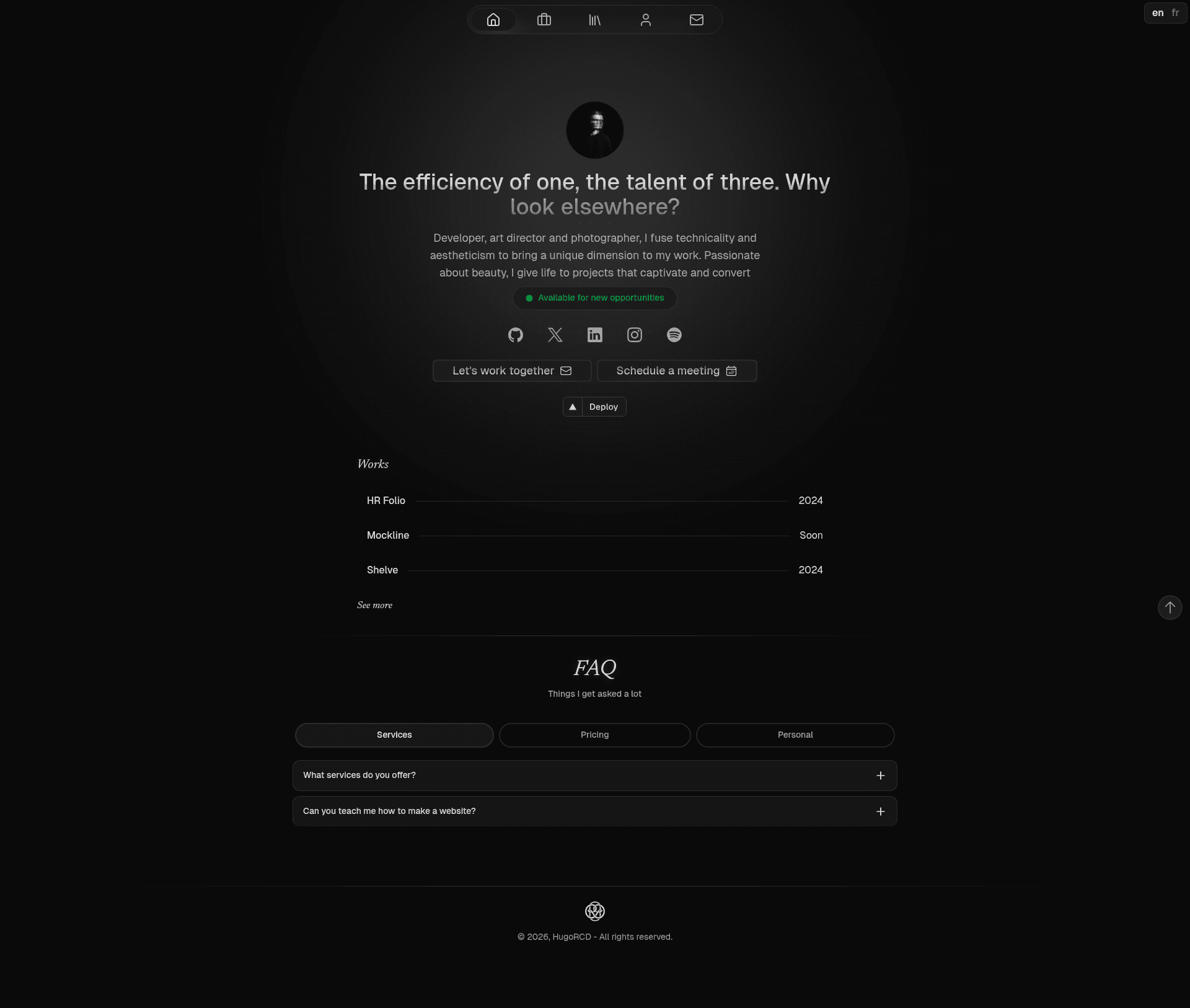
Canvas is a fully customizable i18n portfolio template built with Nuxt, Nuxt UI, and Tailwind CSS for developers and creatives.
About this template
Canvas Portfolio is an open-source, fully customizable i18n portfolio template built on Nuxt 3, Nuxt Content v3, Nuxt UI v3, and Tailwind CSS v4 that generates a minimal, responsive portfolio website from Markdown and JSON content. Created by Hugo RCD and the community, it is published under the Apache 2.0 license and can be seen live at canvas.hrcd.fr.
What is Canvas?
Canvas Portfolio is a portfolio template that takes content stored in Markdown and JSON files inside a content/ directory and renders it as a static or server-rendered Nuxt site with pages for works, articles, and a contact form. It runs on Nuxt 3 with Nuxt Content v3 for content management, Nuxt UI v3 for interface components, and Tailwind CSS v4 for styling. The template is made by Hugo RCD and is available on GitHub with a live demo at canvas.hrcd.fr.
Key Features
- Nuxt UI v3 — Pre-built, customizable Vue components that style the portfolio's layouts and pages with the Tailwind CSS design system.
- Nuxt Studio visual editing — A built-in visual editor accessible at
/adminin the running dev server; authenticate with GitHub to edit articles, projects, and pages from the browser. - Multi-language support (i18n) — Powered by Nuxt i18n, so the same portfolio content can be presented in multiple languages.
- Working contact form — The form sends email through Resend; it only activates when you set the
NUXT_PRIVATE_RESEND_API_KEYenvironment variable and customize thefromaddress in the server API route. - SEO-ready setup — Nuxt OG Image generates Open Graph images and Nuxt Robots automatically creates a robots.txt.
- Deployment-friendly — One-click Vercel deployment with no extra configuration, NuxtHub-ready for Cloudflare-powered deployment, and an official Docker image published to
ghcr.io/hugorcd/canvaswith each release. - Content-driven structure — Articles are Markdown files in
content/2.articles, works are JSON files incontent/1.works(add afeaturedproperty set to true to pin one to the homepage), and global settings live inapp.config.ts. - Good practices built in — Auto-generated sitemap, optimized images through Nuxt Image, and ESLint with Flat config.
Who is it for?
Canvas Portfolio is for developers who want a well-structured Nuxt 3 starter to build a personal portfolio without starting from scratch. It is also for creative professionals and freelancers who prefer editing their content through Nuxt Studio's visual editor instead of writing code, and for anyone who needs a multilingual portfolio with minimal setup.
What can you do with Canvas?
- Developers: Clone the repository, install dependencies with
pnpm install, copy.env.exampleto.env, and runpnpm devto start a local server athttp://localhost:3000. - Creative professionals: Navigate to
/adminwhile the dev server is running and use Nuxt Studio's GitHub-authenticated editor to modify content directly without touching Markdown or JSON. - Freelancers: Add a free Resend API key to
.envand customize thesendEmailroute inserver/api/to receive messages from the contact form. - Multi-language site owners: Use the Nuxt i18n integration to translate the portfolio's UI strings and content for international visitors.
How does Canvas work?
Canvas uses Nuxt Content v3 to read Markdown and JSON files from the content/ directory and turn them into pages, with the article file name becoming the URL slug. The quick-start workflow is: clone the repository, run pnpm install, copy the .env.example file to .env and fill in the values, then run pnpm dev for development, pnpm generate for a static build, and pnpm start for the production server. For content changes, either edit the Markdown and JSON files directly or use Nuxt Studio's /admin interface.
FAQ
Is Canvas Portfolio free to use?
Yes, the template is open source and published under the Apache 2.0 license, and the repository is publicly available on GitHub. The demo site at canvas.hrcd.fr is also publicly accessible.
How do I edit portfolio content without writing code?
Start the dev server and go to /admin in your browser. You'll authenticate with GitHub, and then the Nuxt Studio visual editor lets you update articles, projects, and pages from the browser. Alternatively, edit the Markdown and JSON files in the content/ directory directly.
Can I deploy Canvas to Vercel or Netlify?
Yes, these serverless platforms require no extra configuration for Vercel, but Nuxt Content v3 uses SQLite by default, and serverless environments do not support SQLite. Connect the template to a PostgreSQL, Turso, or D1 database instead; Vercel also needs the environment variables listed in the repository's deploy button.
Do I need a Resend API key to use the contact form?
No. If you don't set the NUXT_PRIVATE_RESEND_API_KEY environment variable, the server route for the contact form is not used. To enable email sending, get an API key from Resend, add it to .env, and customize the from key in the sendEmail route inside server/api/.
How do I feature a work on the homepage?
Add a featured property set to true in the work's JSON file inside content/1.works/. The home page's featured works section picks up that flag automatically.