Template details
Cape
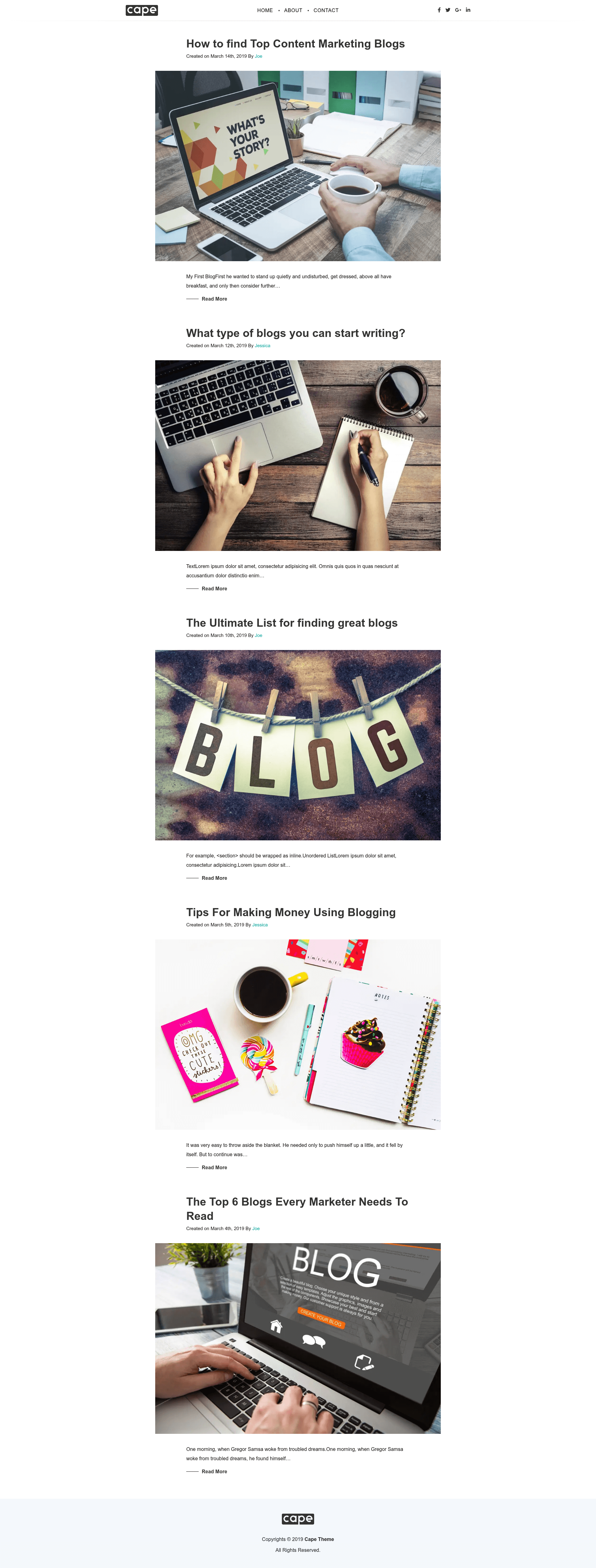
Gatsby starter that integrates Contentful CMS, with one-click Netlify deploy and a live demo.
About this template
Cape is a Gatsby starter template that connects the Gatsby static-site generator to the Contentful headless CMS, giving you a ready-to-deploy content site that runs on Netlify. It was created by GitHub user juhitrivedi and is demonstrated live at https://cape.netlify.com/.
What is Cape?
Cape is a Gatsby starter, which means it is a pre-configured project template you can use to scaffold a new site with the Gatsby CLI. Its core function is to demonstrate combining Gatsby, a React-based static site builder, with Contentful, a headless content management system. It takes as input your Contentful space ID and access token, stored in a configuration file, and produces a static website that pulls content from Contentful at build time. The starter runs on Node.js and uses Gatsby's build system, with a built-in GraphQL data layer.
Key Features
- Gatsby framework — Built on Gatsby, a React-based static site generator that compiles pages into static HTML.
- Contentful integration — Connects to a Contentful space for content management; you provide your credentials in a
.contentful.jsonfile. - Gatsby CLI quick start — Scaffold a new project with a single command:
npx gatsby new your-project-name https://github.com/juhitrivedi/cape.git. - GraphiQL explorer — After running
gatsby develop, a GraphQL playground is available athttp://localhost:8000/___graphqlto inspect and query site data. - Netlify deployment — The README includes a deploy button that opens the Netlify app to create a new site from the repository.
- Live demo — A working example of the starter is hosted at https://cape.netlify.com/.
Who is it for?
Cape is aimed at developers who want a head start on a content-driven Gatsby site without manually configuring Contentful. It is also useful for freelancers and agencies that frequently build CMS-backed marketing pages or blogs and want a proven starter to base client work on.
Use cases
- Developers — Scaffold a new project and replace the Contentful credentials with your own to get a working site quickly.
- Agencies — Use Cape as a foundation for client projects that need a fast, statically generated site with content managed in Contentful.
- Content teams — See how Contentful content maps into Gatsby pages by referencing the demo, even if they don't write code.
FAQ
How do I create a Cape project?
Run npx gatsby new your-project-name https://github.com/juhitrivedi/cape.git, then cd into the directory and execute gatsby develop. The site will be available at http://localhost:8000.
Does Cape require Contentful setup?
Yes. You must create a .contentful.json file in the project root that contains your Contentful space ID and access token. Without it, the site will not have content to display.
Where can I see Cape in action?
The live demo is at https://cape.netlify.com/ and shows the starter running with example content.
Can I deploy Cape to Netlify?
The starter includes a deploy button that takes you to Netlify's app to create a new site directly from the GitHub repository.