Newsletter
Join the Community
Subscribe to our newsletter for the latest news and updates

A Slack research bot built on Claude Managed Agents, Chat SDK, and Vercel Connect that streams researched briefs into threads.
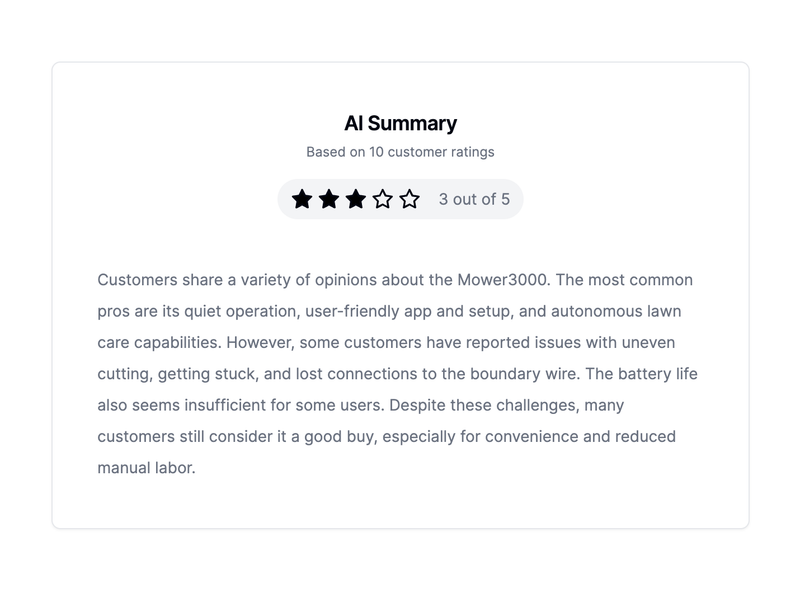
A Next.js demo template that uses an LLM to summarize e-commerce customer reviews and display them in a demo UI.
sre is an eve incident response agent for Slack that investigates alerts using Datadog, GitHub, Vercel, and other tools.
Claude Research Analyst for Slack is a boilerplate that turns any Slack workspace into a persistent AI research analyst, powered by Claude Managed Agents, Chat SDK, and Vercel Connect.
It is a starter template from Vercel Labs that integrates a Claude Managed Agent with Slack through Chat SDK. When a user @mentions the bot in a channel or sends it a DM, the agent searches and fetches sources inside an Anthropic-managed sandbox and streams a brief back into the thread. The app runs on Next.js 16 on Vercel and uses Claude Sonnet 5 as its underlying model.
Each Slack thread maps to one persistent Managed Agents session, so follow-ups keep the prior research context. Vercel Connect owns the Slack app and credentials, while Upstash Redis stores subscriptions, session mappings, and webhook deduplication across deployments.
npm run cma:setup creates the agent and sandbox environment, writes the agent ID and environment ID to .env.local, and adds them to the linked Vercel project.CLAUDE_DEBUG_MODE=true posts a table after each turn with duration, model requests, token and prompt-cache usage, web searches and fetches, and a Claude Console session link.scripts/cma/lib/agent.ts; publishing a new version via npm run cma:update is required after prompt changes.CLAUDE_DEBUG_MODE=true to see per-turn diagnostics, token usage, and a link to the Claude Console session for inspection.Setup follows four steps: clone the repo and install dependencies (Node.js 24+), attach Slack via Vercel Connect and add Upstash Redis from the Vercel Marketplace, run npm run cma:setup to provision the Managed Agent and sandbox, then add ANTHROPIC_API_KEY and deploy with vercel deploy --prod. At runtime, Slack webhooks are received by the Next.js route, mapped to a persistent agent session, and the event stream is streamed back into the thread as the agent works.
npm run cma:archive is permanent, so confirm agent IDs first.You need an Anthropic API key with Managed Agents access, a Vercel project, and a Redis store (Upstash Redis from the Vercel Marketplace is used in the quickstart). The setup also requires Node.js 24+ locally to run the provisioning script.
Yes. Each Slack thread maps to one persistent Managed Agents session, so follow-ups in that thread retain the prior research context. Anthropic pins each session to the agent version that created it, so prompt changes should be tested in a new thread.
Edit scripts/cma/lib/agent.ts and publish the change with npm run cma:update. Do not rerun npm run cma:setup for prompt changes; that command is only for one-time provisioning.
Run npm run cma:archive to archive the persistent Anthropic resources. Because archiving is permanent, confirm both Managed Agents IDs before executing.