Template details
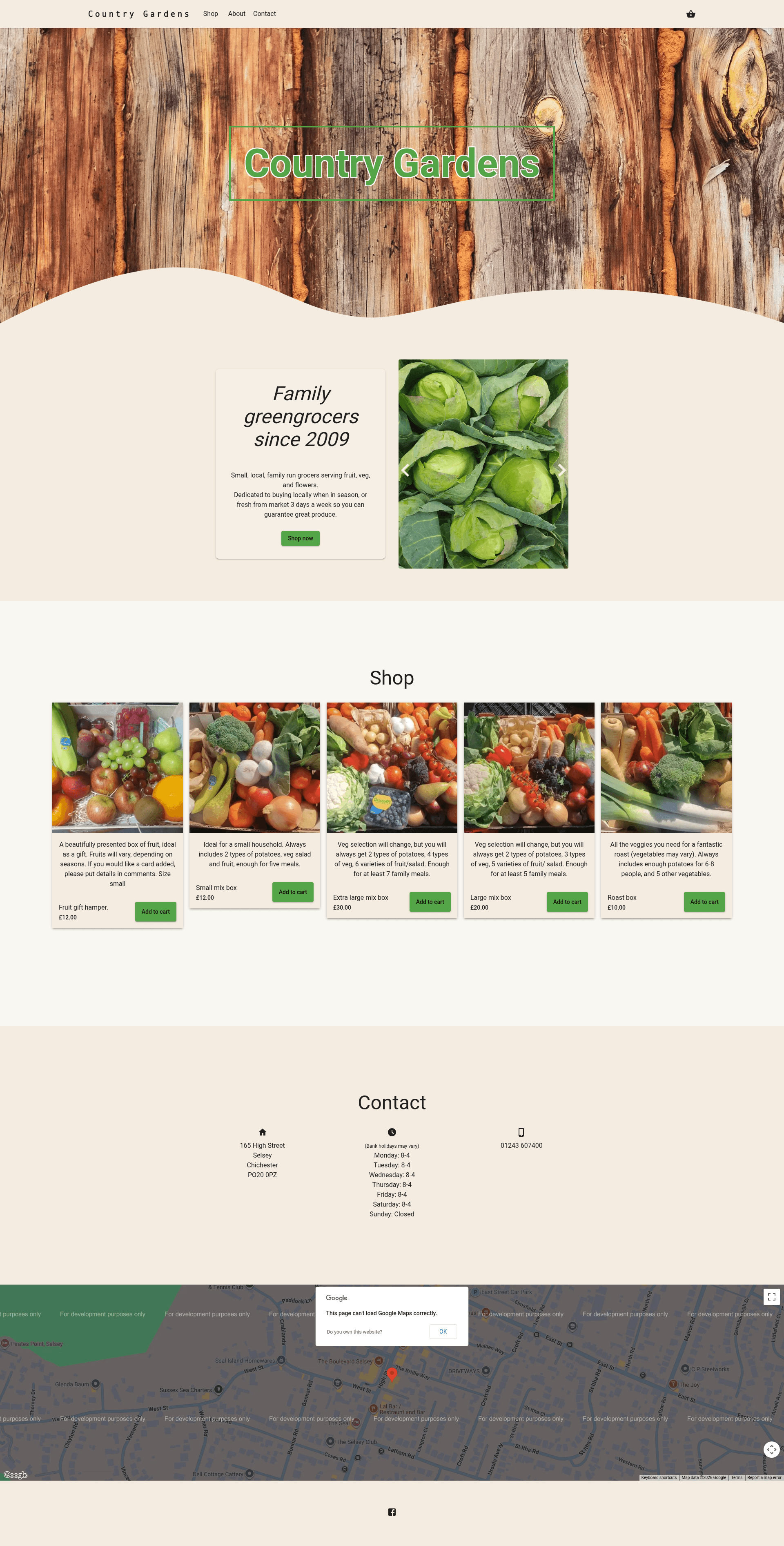
Country Gardens
A Next.js ecommerce starter for greengrocers with Stripe payments and environment-based configuration.
About this template
Country Gardens is an open-source ecommerce starter template for a greengrocer, built with Next.js and React and wired to Stripe for payment processing.
What is Country Gardens?
Country Gardens is a ready-to-run online storefront for Country Gardens greengrocers, published as a GitHub repository. It takes its core configuration from a .env file and produces a Next.js-based storefront with Stripe checkout. The template is built on the Next.js React framework, runs on Node.js, and is maintained by RhydianJenkins under the repository countrygardens.
Key Features
- Next.js framework — Built entirely on Next.js, providing a React-based, server-rendered storefront that runs on Node.js.
- Stripe payments — Payment processing is handled by Stripe, with the Stripe API keys and related settings supplied through environment variables.
- Environment configuration — Ships with a
.env.examplefile; you copy it to.envand fill in the required parameters before starting the app. - Greengrocer-focused storefront — The site is purpose-built for Country Gardens, a greengrocer, so the design and product structure target fresh produce like fruit and vegetables.
- Simple local setup — Start developing with four commands:
git clone,cp .env.example .env,npm i, andnpm run dev. - Public GitHub source — The full source code is available on GitHub, letting anyone inspect or fork the project.
Who is it for?
- Independent greengrocers — use the template to launch an online store for selling fresh produce with checkout handled by Stripe.
- Web developers — use the project as a working example of integrating Stripe payments into a Next.js ecommerce site.
- Small retailers — can adapt the storefront to other product ranges by changing the configuration and product data.
What can you do with it?
- Sell fruit and vegetables online: set up a Stripe-powered storefront for a greengrocer business.
- Learn a real Next.js + Stripe integration: study a minimal, production-style codebase that shows how to combine Next.js with Stripe.
- Launch a store quickly: start from a working ecommerce codebase instead of building a store from scratch.
How does it work?
The template uses the standard Next.js development workflow. After cloning the repository, copy .env.example to .env and fill in the parameters, then install the dependencies with npm i. Finally, run npm run dev to start the development server and view the site locally.
FAQ
What tech stack does Country Gardens use?
Country Gardens uses Next.js as the React framework, with Stripe for payment processing. It is a Node.js project managed with npm, and the README documents the environment configuration via a .env file.
How do I set up the environment variables?
Copy the .env.example file to .env and fill in the required parameters, which include your Stripe API keys. The README explicitly says to "ensure to fill out these parameters" before running the app.
How do I start the development server?
Run npm i to install dependencies, then npm run dev. The development server will start on the default Next.js host and port.
Who maintains the repository?
The repository is hosted on GitHub under the account RhydianJenkins, and the project is described as an ecommerce site for Country Gardens greengrocers.