Template details
Creative Bootstrap
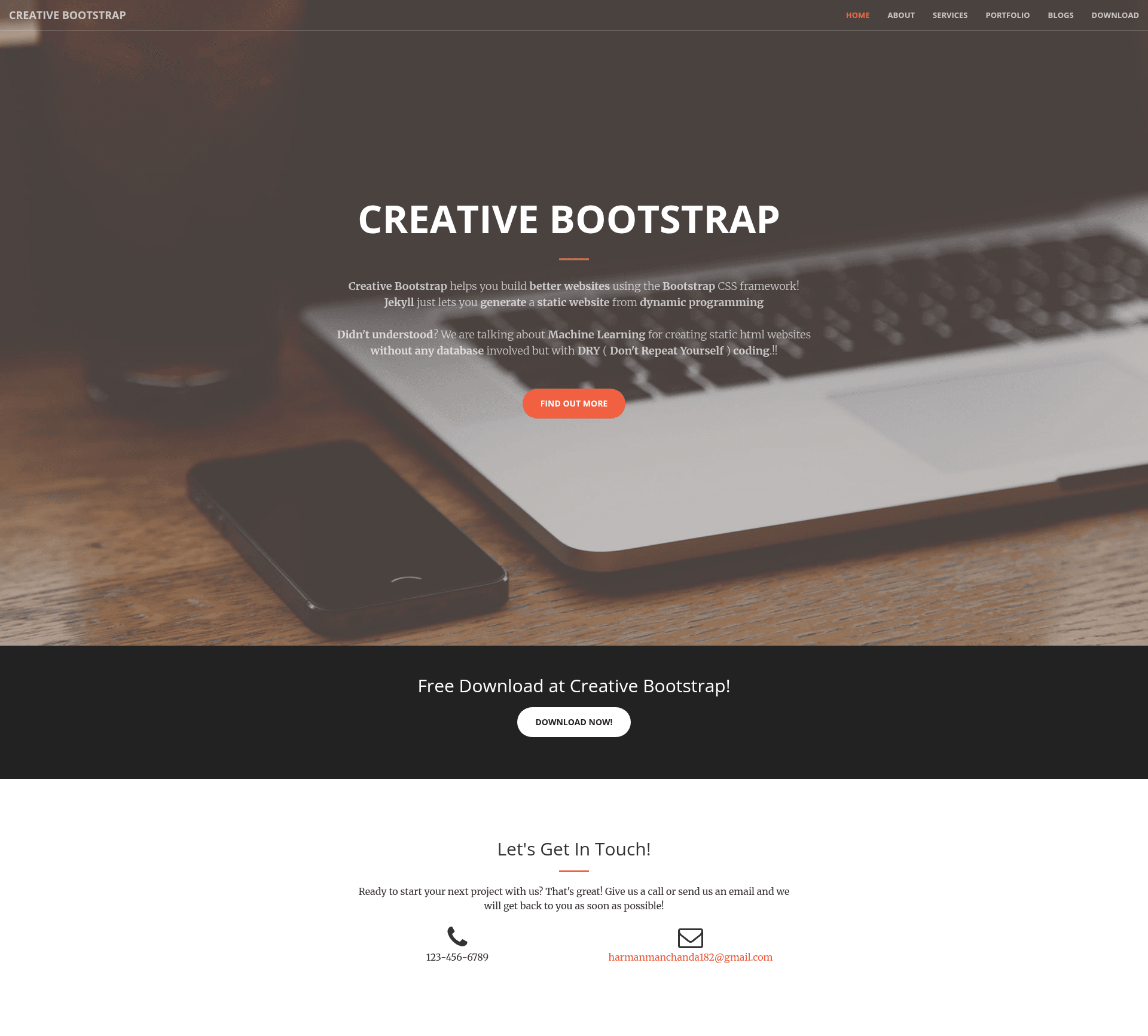
Free Jekyll template on the Start Bootstrap Creative theme, generating static websites with DRY coding.
About this template
Creative Bootstrap is a free Jekyll template that ports the Start Bootstrap Creative theme to the Jekyll static site generator, letting authors generate a static website while writing with DRY (Don't Repeat Yourself) coding principles.
What is Creative Bootstrap?
Creative Bootstrap is a Jekyll-based website template that combines the Jekyll static site generator with the Start Bootstrap Creative Bootstrap Theme. The template takes Jekyll content, layouts, and includes as input and produces a fully static HTML website as output, which can be hosted on any static host. It runs on Jekyll, a Ruby-based generator, and is maintained by IamManchanda on GitHub. The project is free to use and open source, with its source code available for anyone to clone.
Key Features
- Jekyll-based — Built on the Jekyll static site generator, so you use liquid templates and Markdown content instead of hand-writing repeated HTML.
- Start Bootstrap Creative Theme — Visually based on the popular Start Bootstrap Creative theme, which uses Bootstrap 3 for responsive layout and styling.
- DRY coding — The template structures reusable components as Jekyll includes and layouts, so you avoid duplicating HTML across pages.
- Bundler support — Includes a Gemfile; running
bundle installinstalls all required Jekyll plugins and dependencies. - Local development server — Run
bundle exec jekyll serve --watch --baseurl ""to preview the site locally with auto-regeneration. - Open source and free — Released for free under an open-source license, with bug reporting handled through the GitHub Issues page.
Who is it for?
- Jekyll developers — Use it as a ready-made starting point for a Bootstrap 3 site, saving time otherwise spent wiring up layouts.
- Web designers — Customize the Creative theme's look by editing Jekyll partials and Sass rather than editing a static HTML prototype.
- Indie site owners — Generate a personal or small-business static site that can be hosted anywhere without a database or server-side language.
What can you do with Creative Bootstrap?
- Build a personal portfolio — Structure your work into Jekyll collections and pages using the Creative theme's visual components as a base.
- Prototype a landing page — Use the local server to iterate quickly on copy and layout before deploying the static output.
- Learn Jekyll — Study a real-world Jekyll configuration with Gemfile, includes, and layouts to see how DRY theming works.
How does Creative Bootstrap work?
First, clone the repository and run bundle install to fetch the Jekyll plugins listed in the Gemfile. Then start the local server with bundle exec jekyll serve --watch --baseurl ""; Jekyll watches your source files and regenerates the static site in the _site folder on every change.
FAQ
Is Creative Bootstrap free?
Yes, the template is free to use. The GitHub repository says "Free Jekyll ready template on a Bootstrap Theme" and the code is open source.
What commands do I need to run?
Run bundle install once to install plugins, then bundle exec jekyll serve --watch --baseurl "" to serve the site locally. The --watch flag regenerates files automatically when you edit.
Does Creative Bootstrap use Bootstrap?
Yes. The template is based on the Start Bootstrap Creative Bootstrap Theme and its GitHub topics include bootstrap-theme, bootstrap3, and jekyll.
How can I report a bug?
Any bugs can be reported through the GitHub Issues page linked in the repository, which points to the IamManchanda/creative-bootstrap issue tracker.