Template details
Custom Error Pages (App Router)
Create custom 5xx error pages using Next.js App Router
About this template
Custom Error Pages (App Router) is a Vercel example template that shows how to create custom 5xx server-error pages for a Next.js application using the App Router, with routes automatically generated and served from Vercel's CDN.
What is Custom Error Pages (App Router)?
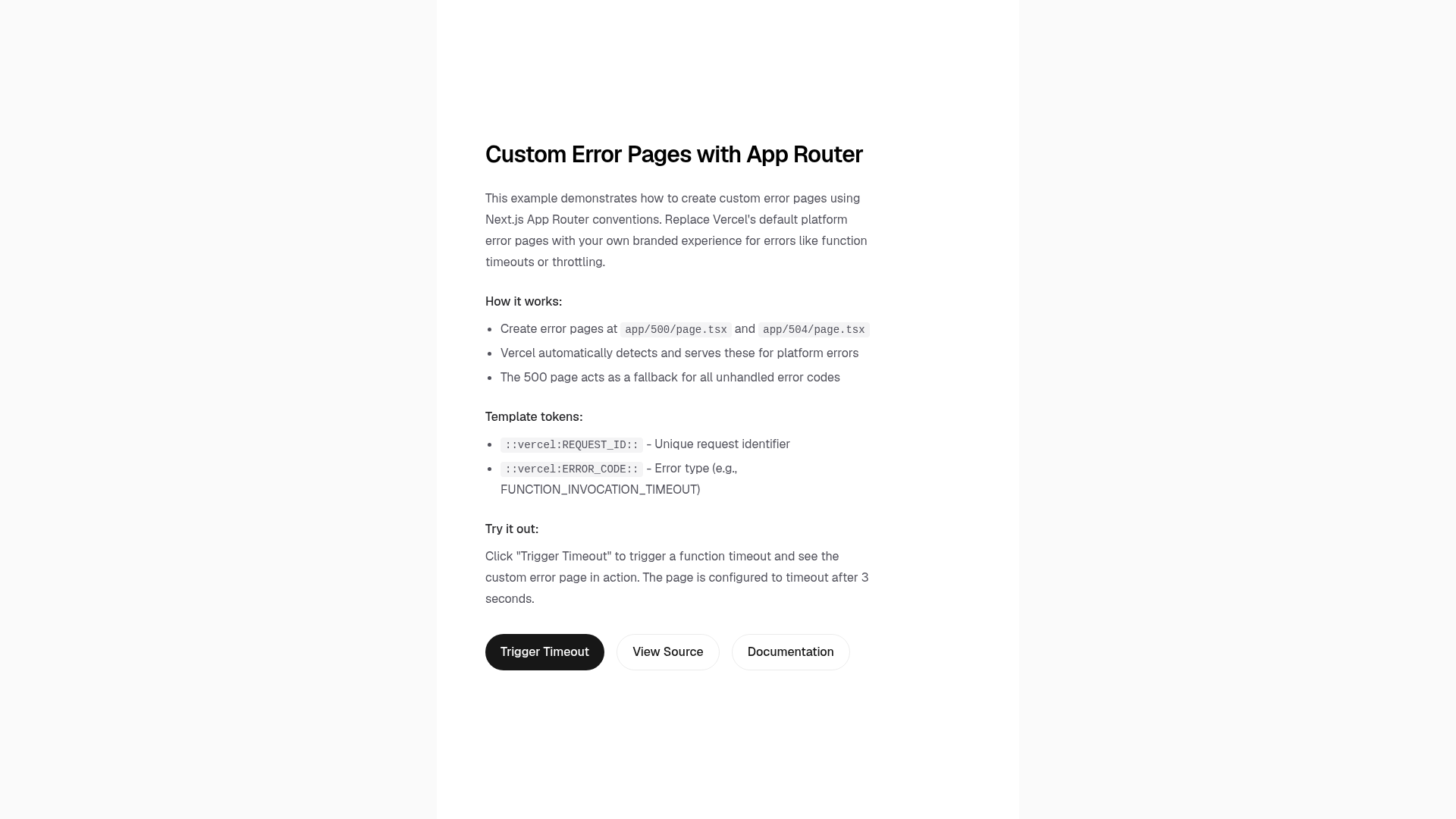
This is a Next.js example from the vercel/examples repository that demonstrates how to build custom error pages for 5xx server errors. It takes a Next.js App Router project structure and adds two route pages: app/500/page.tsx for a generic server error fallback and app/504/page.tsx for a specific gateway timeout page. When deployed to Vercel, these routes are automatically detected and mapped to the corresponding HTTP error codes, so users see your branded error page instead of Vercel's default one. The template is built with Next.js and styled with Tailwind CSS, and is meant to be cloned and customized.
Key Features
- App Router structure — Uses the Next.js App Router with dedicated page.tsx files under app/500 and app/504 to define error routes.
- Automatic error-code mapping — Vercel generates routes for HTTP 500, 502, 503, 504, and 508; any unmapped 5xx code falls back to the 500 page.
- Enterprise-only feature — Custom platform error pages are available to Vercel Enterprise customers; the example itself is open source.
- One-click deployment — Includes a Vercel Deploy button that clones the repo, sets up the project, and deploys it to a live URL.
- create-next-app bootstrap — Can be scaffolded locally with pnpm create next-app using the example flag.
- Tailwind CSS integration — The template is configured with Tailwind for styling the custom pages.
- Demo site — A live example is available at custom-error-pages-app-dir.vercel.app to see the result.
Who is it for?
- Vercel Enterprise customers — Teams on an Enterprise plan who want to replace Vercel's default 5xx error pages with on-brand pages that match their application's design.
- Next.js developers — Developers building with the App Router who need a reference implementation for handling server errors in a route-oriented way.
- Platform engineers — Engineers responsible for site reliability who want to ensure users see clear, actionable messages during outages instead of a generic error page.
What can you do with Custom Error Pages (App Router)?
- Enterprise teams: Deploy a custom 502 bad gateway page that explains an upstream issue and points users to a status page, reducing confusion during partial outages.
- Next.js developers: Learn the exact file structure and routing patterns needed to register custom error routes with the App Router, using the two example pages as a starting point.
- Designers working with developers: Customize the Tailwind-styled pages to match the brand's visual language before deployment.
How does it work?
When deployed to Vercel, the platform automatically scans for app/500/page.tsx and app/504/page.tsx in the Next.js project. It then maps HTTP error codes to those routes: a 500 error serves /500, 502, 503, and 508 fall back to /500, and 504 serves /504. The mapping table in the README documents this behavior, and the live demo URL verifies the rendered output.
Pricing
The custom error pages feature is part of Vercel's Enterprise plan; it is not available on the free, hobby, or pro tiers. The example code itself is open source and free to clone, modify, and deploy, but serving these pages through Vercel's automatic error-route generation requires an Enterprise subscription.
FAQ
Which Vercel plans support custom error pages?
The feature is available only to Enterprise customers. If you are on a free, hobby, or pro plan, Vercel will serve its default error pages even if you add the custom route files.
What HTTP error codes can I customize with this template?
The template demonstrates customization for 500 and 504. Vercel's automatic detection also handles 502, 503, and 508, and any other 5xx code falls back to the 500 page you define.
Can I use this template without deploying to Vercel?
Yes, you can clone the repository with create-next-app and run it locally with pnpm dev. However, the automatic error-route generation happens only when the app is deployed to Vercel on an Enterprise plan.
How do I deploy this example?
You can click the "Deploy with Vercel" button in the README, which opens a pre-filled new project page on Vercel, or clone the repo and run pnpm dev locally before deploying.
Does this template include a 404 custom page?
No, the example focuses exclusively on 5xx server errors. For client-side not-found handling, you would use Next.js's app/not-found.tsx route separately.