Template details
Dark Theme Editor
A dark, editor-style blog theme for Hugo with multilingual support, Mermaid, KaTeX math, and SEO tools.
About this template
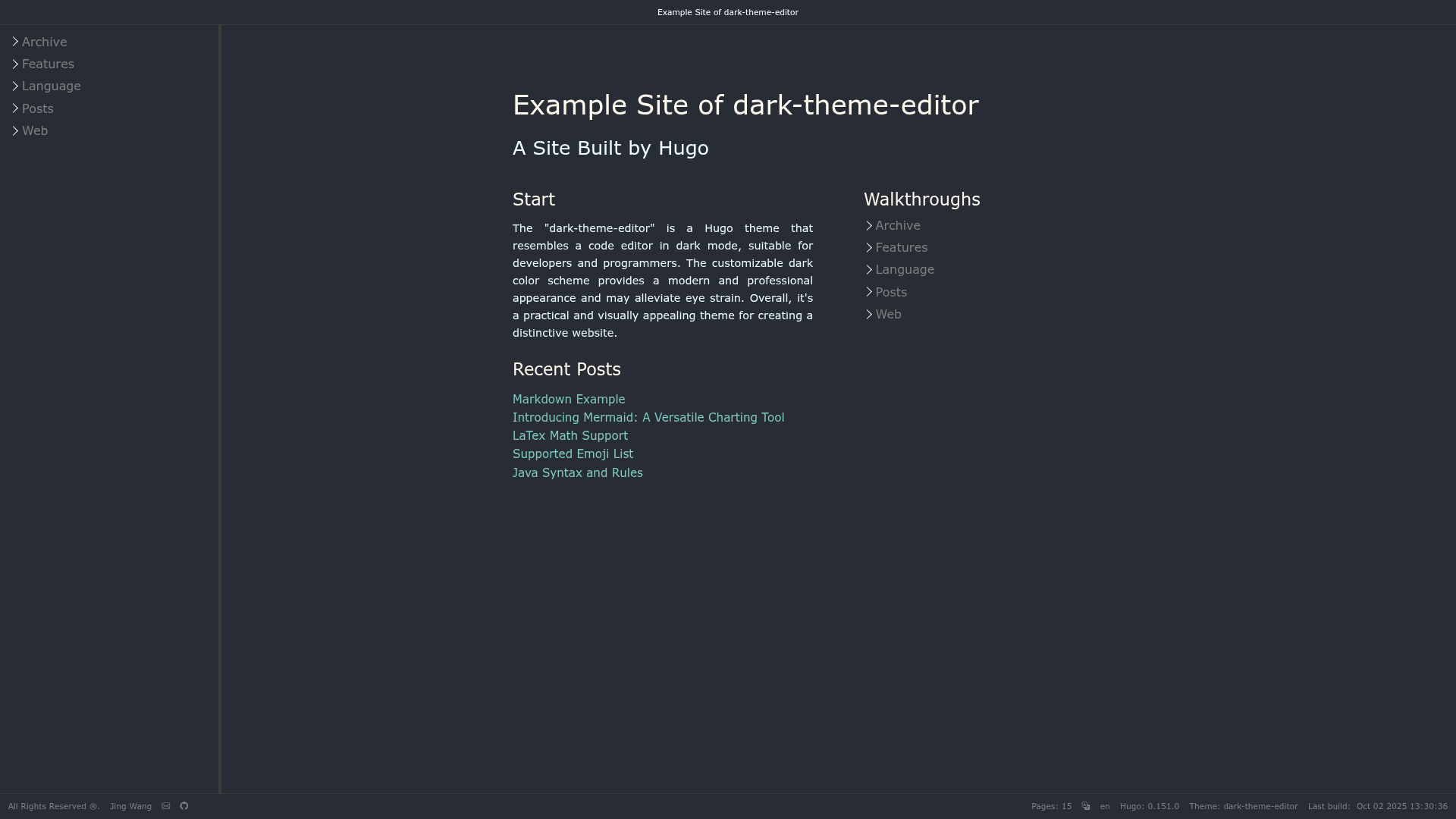
Dark Theme Editor is a Hugo blog theme that renders Markdown content into a dark, editor-style static site, built for the Hugo static site generator and maintained by Jing Wang.
What is Dark Theme Editor?
Dark Theme Editor is a Hugo theme that turns static blog content into a dark interface modeled after a code editor. It takes Markdown files and a hugo.toml configuration as input, and outputs a fully static HTML site with a draggable sidebar, breadcrumbs, and editor-like headers. The theme requires Hugo v0.151.x or later and is released under the Apache 2.0 license. Its demo site is live at https://jingwangtw.github.io/dark-theme-editor/.
Key Features
- Editor-like layout — The sidebar, header, and page chrome mimic a code editor; the sidebar is draggable and can show file names or page titles depending on the showFileName setting.
- Multilingual support — Ships with a language selector, per-language config examples, and an i18n folder; the example hugo.multilang.toml includes English, Traditional Chinese, and German.
- Mermaid diagrams — Renders Mermaid flowcharts and diagrams directly in Markdown content.
- KaTeX LaTeX math — Supports inline and display math using TeX delimiters; feature is off by default and can be enabled per page with useMath = true.
- SEO integrations — Includes fields for Google Search Console verification, Bing Webmaster verification, and per-site meta description and keywords.
- Better code blocks — Adds a copy button to code blocks by default and supports custom date formats, reading time, breadcrumb toggles, and table-of-contents options per page.
- Configurable footer — Footer can show page count, language, Hugo version, theme info, modified time, git hash, and links to ten social networks.
Who is it for?
- Developers — Publish technical blog posts and docs from an interface that resembles a code editor, with built-in support for code blocks and Mermaid diagrams.
- Technical bloggers — Write LaTeX math and code-heavy articles without leaving the Markdown workflow; render math via KaTeX on selected pages.
- Multilingual site owners — Manage English, Chinese, German, and other language versions using per-language params and the theme's starter i18n files.
What can you do with Dark Theme Editor?
- Developers writing technical blogs: Publish posts that include Mermaid diagrams, LaTeX formulas, and code blocks with one-click copy buttons.
- SEO-focused site owners: Add Google and Bing verification codes, plus custom meta description and keywords, from the params.site section.
- Multilingual content teams: Run one site in several languages and switch languages through the footer selector, with translated strings loaded from i18n tables.
How does Dark Theme Editor work?
Install the theme into the themes/dark-theme-editor directory by downloading, cloning, or adding it as a Git submodule. Set the theme field in hugo.toml, adjust the params sections (site, header, footer, homePage, page, preference), and run hugo server during development or hugo to build a minified production site.
FAQ
Does Dark Theme Editor support LaTeX?
Yes. The theme uses KaTeX as its rendering engine and supports standard TeX delimiters for inline and display math. You must set useMath = true in the page front matter or site config to enable it.
What version of Hugo do I need?
The theme requires at least Hugo v0.151.x. Older versions will not build the site correctly.
Is Dark Theme Editor free?
Yes, the theme is open source and distributed under the Apache License 2.0. You can use, modify, and redistribute it freely.
Does the theme work with multilingual sites?
Yes. It includes a language selector in the footer, a per-language parameter structure, and an example hugo.multilang.toml with English, Traditional Chinese, and German definitions. You also need to provide an i18n translation table for your language.
How do I show the author on posts?
Set showAuthor = true in params.page and add an author either in the page front matter or in the globalFrontmatter block. The author will appear in the single page and footer.