Template details
Developer Portfolio
A Hugo theme for developers to build a responsive portfolio with blog, projects, and experience sections.
About this template
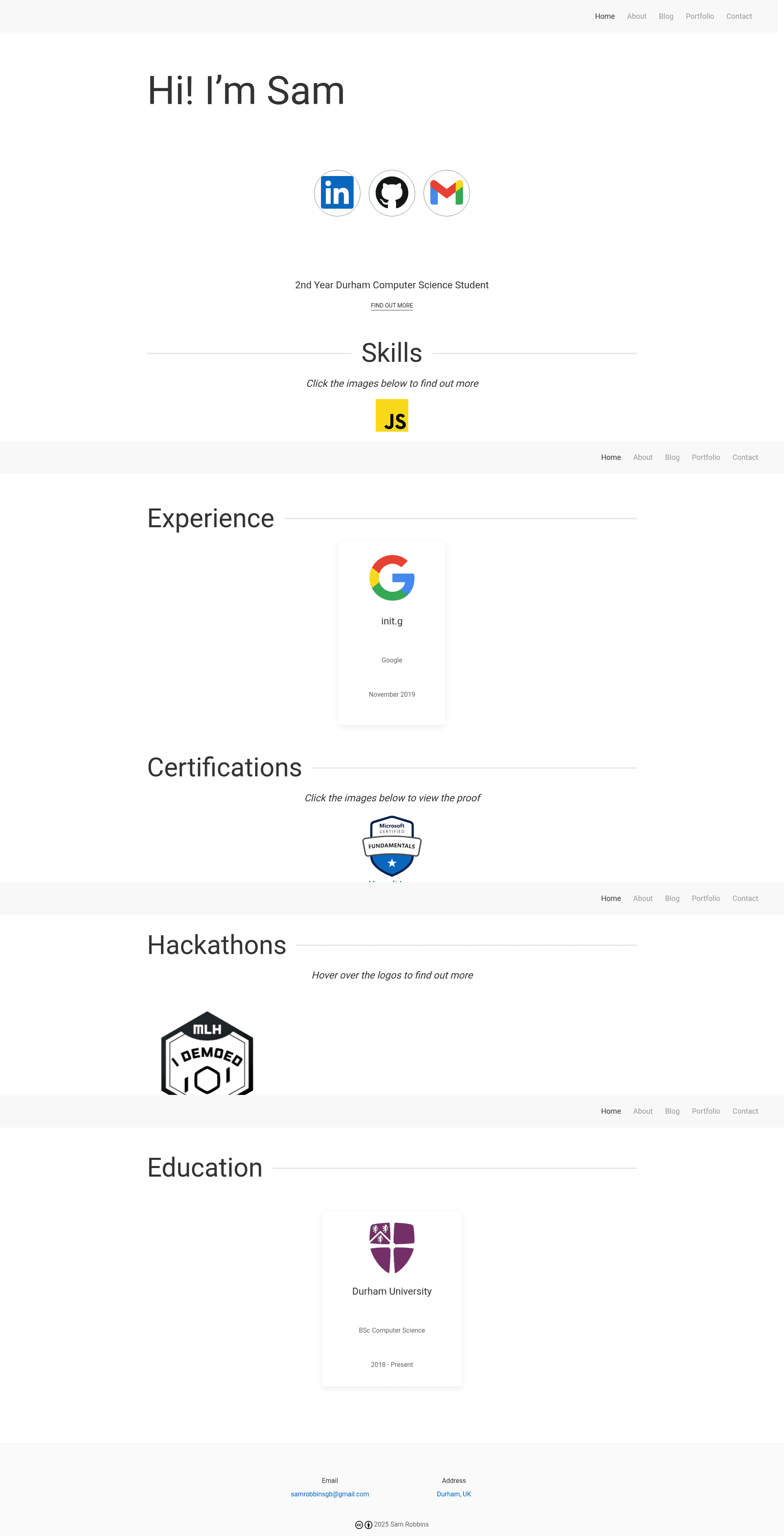
Developer Portfolio is a Hugo theme created by Sam Robbins that gives developers a ready-made website structure for showing off their skills, projects, and professional history. It generates a static, responsive site with a homepage, blog section, and portfolio section from a combination of TOML/YAML configuration files and Markdown content.
What is the Developer Portfolio Hugo theme?
Developer Portfolio is an open-source Hugo theme that turns a developer's personal content into a static portfolio website. You supply content through config.toml, data files like data/homepage.yml and data/about.yml, and Markdown files for blog posts and portfolio items; the theme outputs a fully styled responsive site. It runs on the Hugo static site generator and is authored by Sam Robbins under the MIT license (as shown by the project's license badge). The theme uses the UIkit CSS framework for styling and can be installed either by cloning the repository or adding it as a Git submodule.
Key Features
- Responsive Design — The layout adapts to mobile and desktop screens so portfolio content stays readable on any device.
- Homepage sections — The
data/homepage.ymlfile drives multiple display blocks: banner, social links, about, skills, selected portfolio items, experience, hackathons, certifications, awards, education, and publications. - Blog section — Write posts in Markdown with front matter for title, date, description, author, and tech tags; posts appear in a dedicated blog listing.
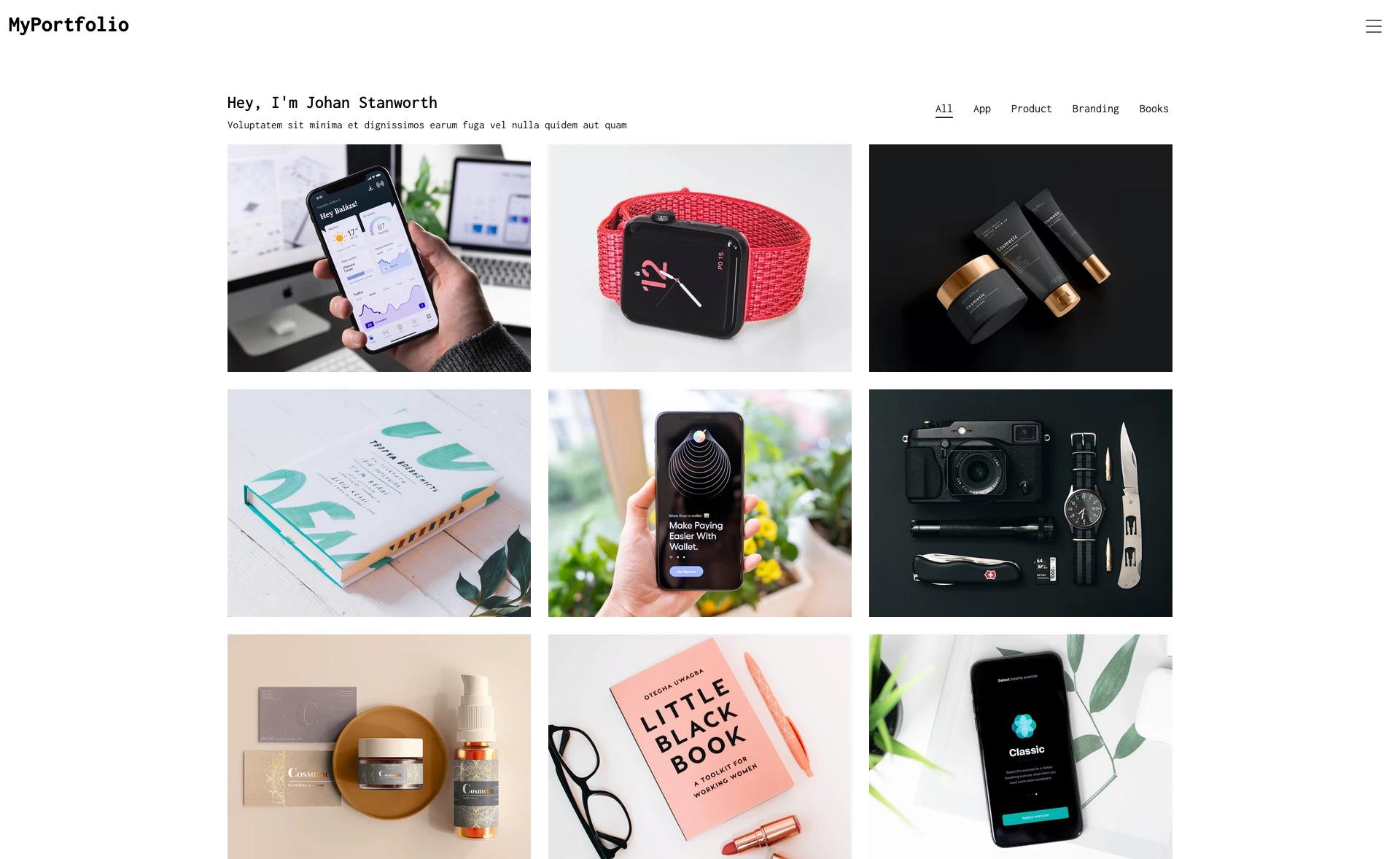
- Portfolio section — Showcase projects with rich front matter: categories, co-authors, GitHub links, an image, and a repeatable list of technologies, each with its logo and URL.
- Contact form integration — The contact section hooks into Formspree through a
formActionURL inconfig.toml, sending form submissions to your email. - Social links — The homepage social block accepts links to Twitter, LinkedIn, GitHub, GitLab, Instagram, Telegram, WhatsApp, and more; empty fields are simply omitted.
- Skill modals — Skills listed in the homepage YAML display a logo plus a description that opens in a modal popup.
- Technology icons — Portfolio tools use icon slugs from simpleicons.org so you can reference a tech stack without uploading image files.
Who is it for?
- Software developers — Publish a personal site that highlights coding skills, GitHub repositories, and technical blog posts.
- Computer science students — Showcase coursework, hackathon participation, certifications, and education history to potential employers.
- Freelancers and contractors — Create a professional online presence with a portfolio section and a contact form for inbound leads.
- Open-source contributors — Present awards, publications, and side projects in the dedicated homepage sections.
Use cases
- Job hunting: Build a portfolio site that consolidates your projects, certifications, and experience into one shareable URL for job applications.
- Personal branding: Register a custom domain and use the theme's homepage to establish an online identity for your developer persona.
- Technical blogging: Write about your learning journey or project retrospectives using the built-in blog section, then link to those posts from the homepage.
How does the theme work?
If you already have a Hugo site, create a themes folder, clone or submodule the repository into it, and set theme = "hugo-developer-portfolio" in your config.toml. For a new site, copy the included exampleSite folder, remove the lines marked "Remove this when using normally," and uncomment the Hugo module lines — this requires the Go programming language to be installed because the theme uses Hugo modules. After editing config.toml, the YAML data files, and your Markdown content, Hugo generates the static HTML output.
Pros and cons
- Pros: Free under the MIT license; a wide range of homepage sections lets you present a complete professional profile without custom development.
- Cons: The theme is "highly configurable," so it is unlikely to work with an existing site's structure without adjustments; using Hugo modules also means Go must be installed locally.
FAQ
Is the Developer Portfolio theme free?
Yes, the project is open source under the MIT license, so you can use, modify, and redistribute it freely for personal or commercial projects.
Do I need to know Hugo to use this theme?
Basic familiarity with Hugo helps because you will edit config.toml, YAML data files, and Markdown front matter. The repository's README documents the structure of each configuration file, but you do not need to write Go or HTML.
Can I add a contact form to the site?
Yes. The site ships with a contact section that works with Formspree: set the formAction parameter in config.toml to your Formspree endpoint and form submissions are forwarded to your email.
What content sections are included?
The homepage supports banner, social, about, skill, portfolio, experience, hackathons, certifications, awards, education, and publications sections. There are also dedicated blog and portfolio listing pages, plus an about page configured through data/about.yml.
What styling framework does the theme use?
The theme loads UIkit 3.2.6 CSS and JavaScript via the plugin configuration in config.toml. UIkit provides the grid, cards, modals, and navigation components used across the site.