Template details
Django Notes App
A simple note-taking app built with Django, using SQLite locally and Postgres on Vercel.
About this template
Django Notes App
Django Notes App is a starter template for a simple note-taking application built with Django, designed to run on Vercel with a one-click deploy. It shows how to use Django's server-side rendering, URL routing, forms, and ORM, with SQLite for local development and Postgres in production.
What is Django Notes App?
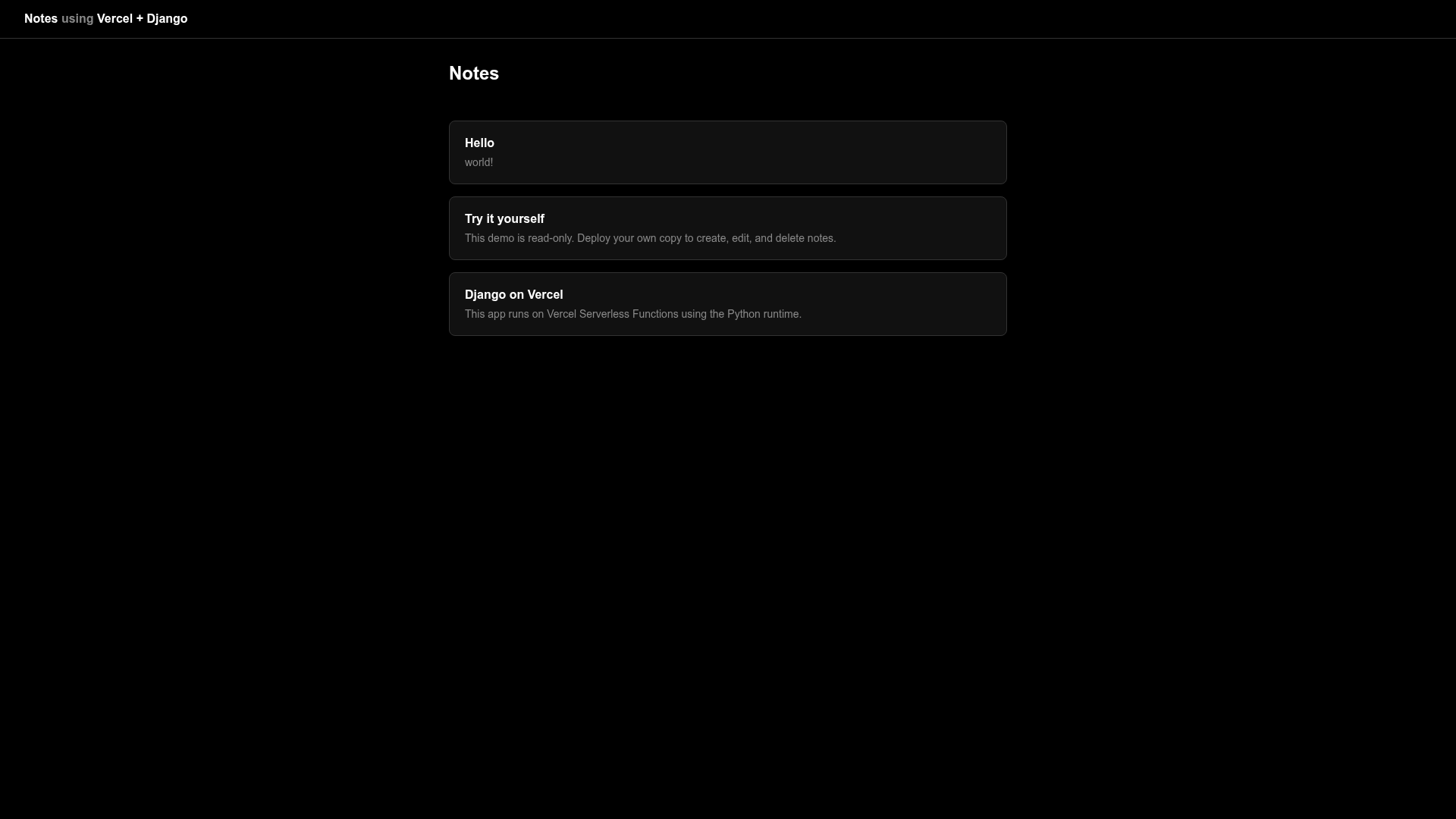
Django Notes App is a minimal Django project that implements a basic note-taking interface. It takes no external input to start—you clone or deploy it, set the DJANGO_SECRET_KEY environment variable, and it produces a working web app for creating and viewing notes. The template runs on Vercel's serverless platform via WSGI, and it is published as part of the official Vercel examples repository on GitHub.
Key Features
- Database switching — Uses SQLite by default locally and automatically switches to Postgres on Vercel when the DATABASE_URL environment variable is set; Vercel provisions this variable when you add a Postgres database.
- Automatic migrations — Migrations run on every deployment through the
[tool.vercel.scripts]section inpyproject.toml, so the schema is always up to date. - Read-only mode — Setting
READ_ONLY=truedisables all write operations, which is useful for preview deployments or demo environments. - Secret key handling — Django requires the
DJANGO_SECRET_KEYenvironment variable for cryptographic signing; a one-liner generates a random key usingget_random_secret_key(). - Local development workflow — Managed with
uv: runuv sync,uv run python manage.py migrate, anduv run python manage.py runserverto start onhttp://localhost:8000. - Server-rendered UI — Uses Django templates and URL routing for a classic server-side rendered application, with the
staticfilesapp serving static assets.
Who is it for?
- Django developers — who want a current, minimal example of deploying Django on Vercel with Postgres, including the environment variables and migration setup.
- Product engineers — who need a small CRUD starter and plan to extend it with authentication, categories, or search.
- Developers learning server-side rendering — who can study how Django templates, forms, and ORM fit together in a small, runnable app.
What can you do with it?
- Build a note-taking app — The template already renders a list and a form for notes; you can extend the model and views to add editing, deleting, or timestamps.
- Kick off a Vercel deployment — Use the one-click Deploy with Vercel button to create a new project, add a Postgres database, and set the
DJANGO_SECRET_KEYduring import. - Practice environment-based configuration — Switch between SQLite locally and Postgres in production with no code changes by relying on
DATABASE_URL. - Experiment with read-only apps — Set
READ_ONLY=trueto make the app completely non-mutating, which is handy for public demo instances.
How does it work?
The app runs Django through WSGI on Vercel, so each request is handled by a serverless function. When you import the repository, Vercel asks for a Postgres database and sets DATABASE_URL; the code uses this variable to choose Postgres over SQLite. On each deploy, Vercel runs the project's tool.vercel.scripts migrations automatically. Locally, you run the same migrations manually with uv run python manage.py migrate.
FAQ
How do I set the Django secret key?
Django requires a DJANGO_SECRET_KEY environment variable for cryptographic signing. You can set it in the Vercel project settings, or generate a random value locally with uv run python -c 'from django.core.management.utils import get_random_secret_key; print(get_random_secret_key())' and add it with vercel env add.
What is the demo URL?
You can try the deployed example at https://django-notes-example.vercel.app/.
Can I use a different database?
The template defaults to SQLite locally and Postgres on Vercel. It checks for the DATABASE_URL environment variable, so any Postgres-compatible provider (like Neon) can be used; the page specifically recommends using a provider that supports branching for preview deployments.
How do I run the app locally?
Use uv sync to install dependencies, then uv run python manage.py migrate and uv run python manage.py runserver. The server will be available at http://localhost:8000.
What does READ_ONLY=true do?
Setting READ_ONLY=true disables all write operations, making the app read-only. This is useful for demo or preview environments where you don't want changes persisted.