Template details
Eleventy Notes
Publish personal notes, docs, or a blog with this Eleventy template featuring wikilinks, backlinks, and search.
About this template
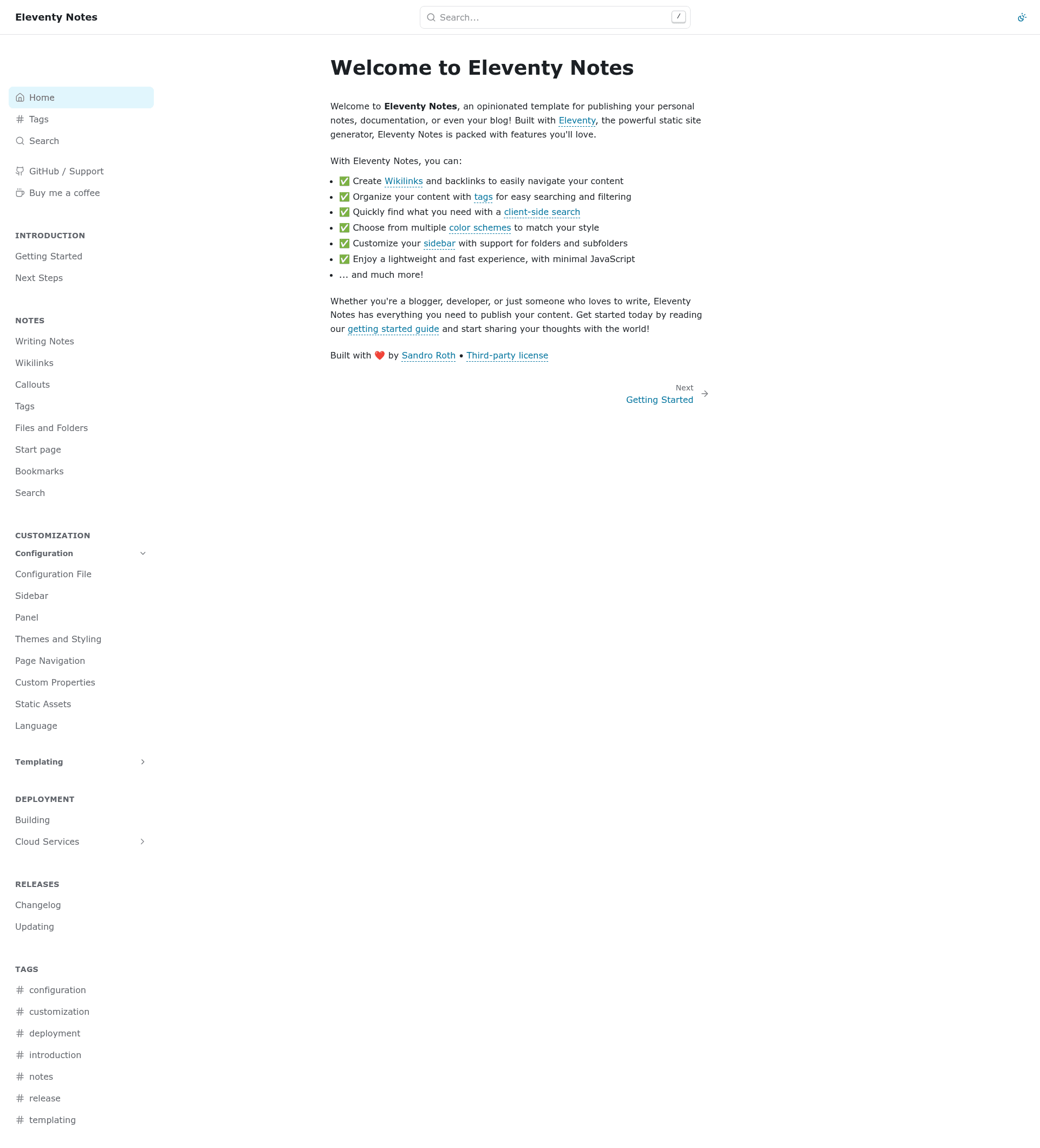
Eleventy Notes is a template for the Eleventy static site generator that turns Markdown notes into a searchable, interlinked website with wikilinks, backlinks, and client-side search.
What is Eleventy Notes?
Eleventy Notes is an opinionated starter template built on the Eleventy (11ty) static site generator, designed to publish personal notes, documentation, or a blog from Markdown files. It takes plain Markdown content as input and outputs a fully static website with navigation, tags, and search. Currently in beta, the project is maintained by Sandro Roth on GitHub, where users can open issues directly if they find bugs or want to suggest improvements.
Key Features
The template ships with several built-in features that make published notes easy to browse and discover.
- Wikilinks and backlinks — Use wiki-style links between notes and automatically display backlinks on each page so readers can navigate related content in both directions.
- Tags — Organize notes with tags, giving visitors a way to search and filter the entire site by topic.
- Client-side search — A full-text search runs entirely in the browser, so readers can find notes quickly without any server-side search engine.
- Themes and color schemes — Two built-in themes and multiple color schemes let you change the look of the site without touching the content.
- Customizable sidebar — The sidebar supports folders and subfolders, so you can structure your notes hierarchically by directory.
- Lightweight and fast — The output is a static site with minimal JavaScript, which keeps page loads quick and reduces hosting requirements.
- Markdown-native workflow — Because content is authored in Markdown, it works well with existing note-taking tools that use the same format, such as Obsidian.
Who is it for?
Eleventy Notes suits anyone who wants to publish Markdown content as a static site with a polished reading experience.
- Bloggers who want a static, high-performance blog with interlinked posts and a searchable archive rather than a heavy CMS.
- Developers who need a documentation site for an open-source project and want to write docs in Markdown with automatic backlinks.
- Note-takers who maintain a personal knowledge base in Markdown and want to publish it publicly as a digital garden with tags and search.
What can you do with Eleventy Notes?
Here are the main ways people use this template:
- Publish a digital garden — Convert a folder of Markdown notes into a public website where readers can explore through wikilinks and backlinks.
- Create a documentation hub — Structure technical documentation into folders and subfolders in the sidebar, and let users search across all pages.
- Run a simple blog — Write posts in Markdown, assign tags, and give readers a fast, searchable reading experience.
FAQ
Is Eleventy Notes free?
The template is hosted on GitHub as an open-source project, and no paid plans are mentioned, so you can use it without cost. You only need to provide the hosting for the generated static site.
What do I need to run Eleventy Notes?
You need Node.js and the Eleventy static site generator installed on your machine. Since the template is built on Eleventy, you run it with standard Eleventy commands to build or serve the site locally.
Is Eleventy Notes stable?
It is currently in beta, so you may encounter bugs or missing features. The maintainer asks users to open issues on GitHub for any problems or suggestions, which helps the template improve over time.
Can I use it with Obsidian?
Yes, because Eleventy Notes supports wikilinks and works with Markdown, which is the format Obsidian uses. You can point the template at your Obsidian vault or a copy of it and publish your notes as a website.