Template details
Evento
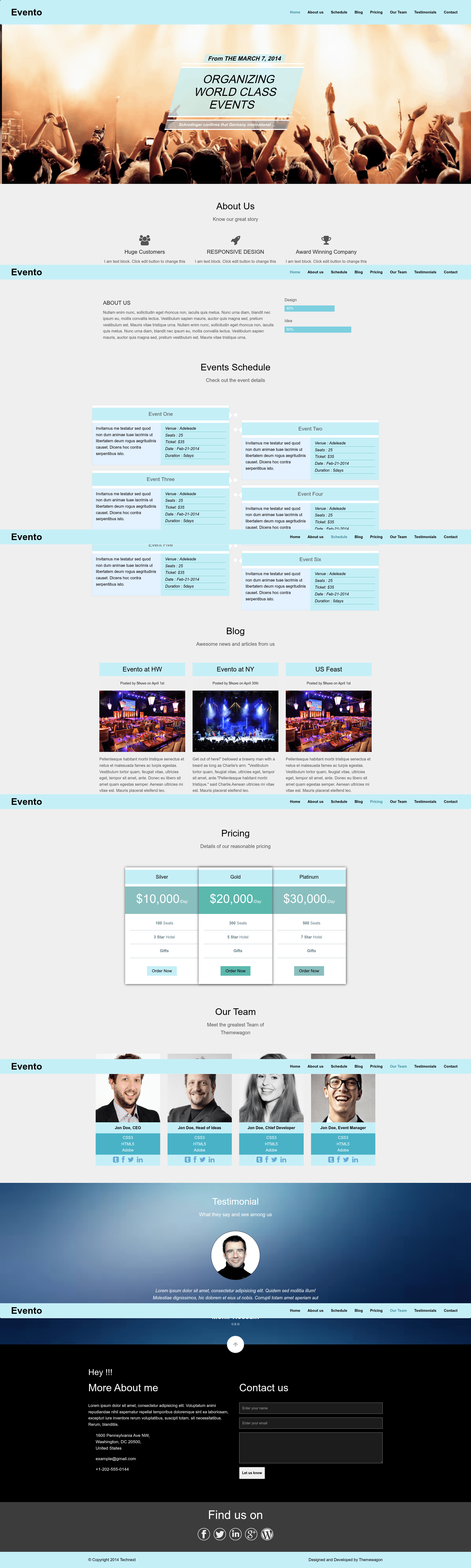
Free responsive one-page event template built with Bootstrap 3, HTML5, CSS3, and jQuery; SEO friendly and fully customizable.
About this template
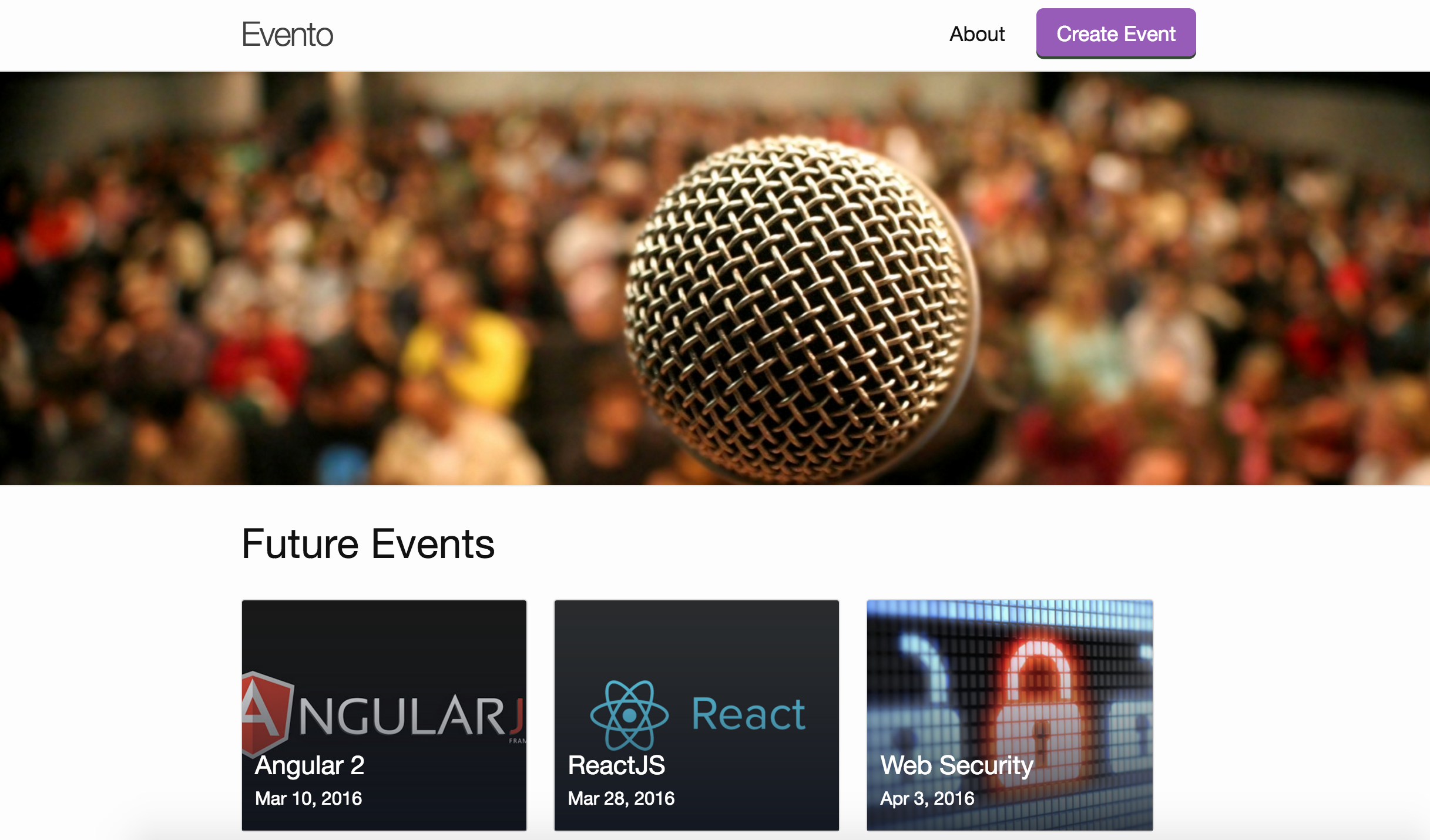
Evento is a free, responsive one-page event website template from ThemeWagon, built with Bootstrap 3, HTML5, and CSS3, that lets event organizers publish a complete event site on a single scrollable page.
What is Evento?
Evento is a one-page HTML template designed specifically for event websites. It takes simple text edits in the HTML — such as event name, schedule, and speaker details — and produces a responsive, mobile-friendly single-page site. The template was created by ThemeWagon and is distributed as a free download with a live preview at themewagon.github.io/Evento/. The download page shows 6,329 downloads and a customer rating of 4.50 out of 5 stars.
Key Features
- Bootstrap 3 layout — Responsive grid system built on Bootstrap 3, the CSS framework listed on the download page.
- Sticky header — The page includes a sticky navigation header so event details remain visible while scrolling.
- Flat UI color scheme — Colors are sourced from Flat UI Color Picker, with placeholder graphics from Pixabay and Unsplash.
- FontAwesome icons — FontAwesome icon set is integrated for feature icons and section accents.
- SEO friendly — HTML5 code is W3C validated, and meta title and meta description are integrated for search engines.
- Well-commented code — Sections are indented and commented where they begin and end, making text changes quick for non-coders.
- Cross-browser compatibility — Compatible with Chrome, Edge, Firefox, Opera, Safari, and mobile browsers.
- Free license — Free for personal and commercial use, with the condition that the ThemeWagon credit link remains until you donate.
Who is it for?
- Event organizers — Publish a one-page site for conferences, meetups, or sports events without hiring a web developer.
- Freelance web developers — Use the template as a starting point for client projects; the license explicitly allows commercial use.
- Non-coders — Open the well-commented HTML to change text quickly — no build step or server-side setup is required.
What can you do with Evento?
- Promote a small or large event: Create a single-page site that presents event information and calls to action in a scrollable layout.
- Deliver a client event website: Customize the free template for an event-organizer client and publish it without paying a license fee.
- Swap in your own imagery: Replace the Pixabay and Unsplash placeholder graphics with your own photos, as the page states you can use your images.
How does Evento work?
Download the template from ThemeWagon, open the HTML files in any text editor, and replace the placeholder content with your event details. The commented sections mark where each part starts and ends, so you can edit text without moving code. Publish the folder to any static web host — no server-side processing or database is needed.
Pricing
Evento is free for personal and commercial use. The only condition stated is that you keep the ThemeWagon credit link in the template until you make a donation.
Alternatives
- Brandi — ThemeWagon's free one-page HTML5 business template, aimed at corporate and agency websites rather than events.
FAQ
Is Evento free to use?
Yes. The template page states “It’s Free!” and says the template is free for personal and commercial use. The only requirement is leaving the ThemeWagon credit link intact until you donate.
Can I use Evento for a commercial client project?
Yes, the license allows commercial use. The page says you can use the template for yourself or a client as long as you give proper credit and don’t remove the ThemeWagon credit link until you donate.
What tech stack does Evento use?
Evento is built with Bootstrap 3, HTML5, CSS3, FontAwesome icons, Google Fonts, and jQuery. These frameworks and integrations are listed on the ThemeWagon download page.
Is Evento mobile friendly?
Yes. The template is described as responsive and mobile friendly, with cross-browser compatibility for Chrome, Edge, Firefox, Opera, Safari, and mobile devices.
Do I need coding skills to customize Evento?
The page says non-coders can open the code and change text quickly because the code is well commented and sections are clearly marked. Basic familiarity with HTML makes edits easier, but no build tools or server setup are required.