Template details
Foto
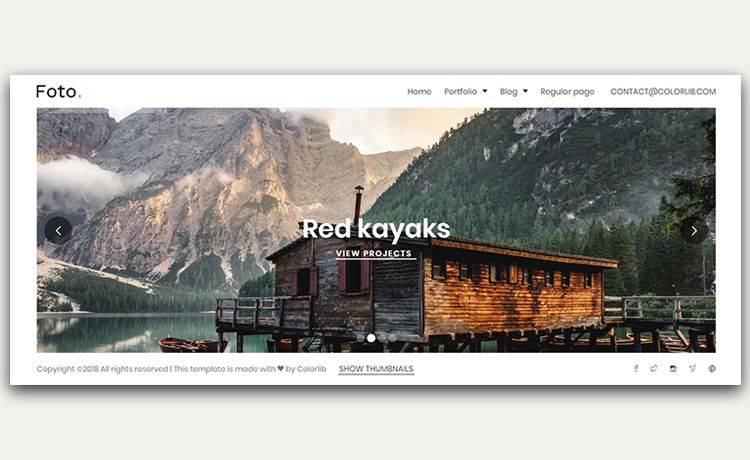
Hugo theme for photo galleries that uses the Hippo preprocessor to resize images, extract metadata, and add watermarks.
About this template
Foto is a Hugo theme for photographers that creates a complete photo gallery website from a folder of images, using the bundled Hippo preprocessor to resize photos, extract EXIF metadata, and generate Hugo content pages. The theme is developed by nux-li and published on GitHub; it requires Hugo and a Java Runtime Environment version 21 or newer because Hippo is written in Kotlin. Input includes your original photographs (with optional metadata such as title, description, credit, capture date and time, keywords, focal length, aperture, exposure time, ISO, and camera make/model) placed under content/albums, plus optional watermark PNGs in assets/watermarks; output is a static gallery site with album pages, image pages, and watermarked images.
What is the Foto Hugo theme?
Foto is a Hugo theme that transforms a directory of photos into a metadata-rich gallery website. It takes your images and optional watermark files, processes them with Hippo, and outputs a static Hugo site with individual pages for every image and album. The theme is created by nux-li and distributed through GitHub, and it is intended for photographers who want a straightforward, static-site gallery without a database or CMS.
Key Features
- Metadata extraction — Hippo reads 10 EXIF/IPTC fields from each photo and turns them into Hugo front matter for images and albums, so titles, credits, and camera settings appear automatically on the site.
- Automatic resizing — Images placed in the content folder are resized by Hippo, optionally with a watermark applied, so you don't need a separate image processing pipeline.
- Two watermark types — Support for a visible corner watermark (
watermark_main.png) and a barely visible center watermark (watermark_subtle.png); placement codes like UL, UR, LL, LR, UL_C, UR_C, LL_C, LR_C control position when passed to the--watermarkoption. - Album hierarchies — Multiple levels of subfolders under
content/albumsare supported, allowing grouping by geography, style, date, or any other scheme. - Demo site — Run
./hippo.sh --demoin the theme directory to generate an example gallery with sample photos;./hippo.sh --clearremoves demo pages (destructive, not recommended once you use your own images). - Production builds — After configuring
baseURL, generate a production-ready static site withhugo --environment production --cleanDestinationDir. - Git submodule install — Add the theme to any Hugo project with
git submodule add --depth=1 https://github.com/nux-li/hugo-foto-theme.git themes/foto, then settheme = "foto"inhugo.toml.
Who is it for?
- Photographers who want to publish their work online without maintaining a database or heavy CMS: they drop photos into folders, run one command, and get a metadata-rich album site.
- Hugo users who need a gallery feature inside a static site workflow: the theme plugs into the standard Hugo content model and uses the same directory conventions.
- Photo editors or retouchers who already prepare images in software like Darktable, Adobe Lightroom, or On1 Photo Raw — those programs can add titles and descriptions as metadata that Hippo extracts.
- Educators and hobbyists who want a simple, dependency-light gallery with automatic camera detail display for teaching photography concepts.
What can you do with the Foto theme?
- Publish a photography portfolio: Organize images into themed sub-albums, run Hippo, and launch a static gallery with auto-generated captions and EXIF details.
- Watermark your images at scale: Apply a corner logo plus a subtle center mark across an entire album set with a single
--watermarkplacement code. - Preview the theme in minutes: Use the bundled demo photos to see how albums, navigation, and metadata rendering work before committing your own images.
- Build a lightweight photo journal: Because each album becomes a Hugo content page, you can mix narrative text with image grids using standard Markdown.
How does the theme work?
The workflow is command-line driven. First, ensure Java 21 or newer is installed, then add the theme as a Git submodule and configure hugo.toml with the theme name and a params.credit string. Copy your photos into content/albums (any depth of subfolders), then from the theme directory run ./hippo.sh (or hippo.bat on Windows) to generate front matter and processed images. Finally, start the Hugo server with hugo server -D to preview, or build with the production environment flag for deployment.
FAQ
What is Hippo?
Hippo (Hugo Image Preprocessor) is the bundled command-line tool in the Foto theme, written in Kotlin. It resizes images, extracts metadata from photos, and generates Hugo front matter for every image and album. Running it requires a Java Runtime Environment version 21 or newer.
Do I need to run Hippo every time I add photos?
Yes — whenever you add, remove, or modify images in content/albums, you should run ./hippo.sh again so that front matter and resized images stay in sync. The --clear flag deletes generated demo pages, but it is described as destructive, so avoid it once you work with your own content.
Can I use watermarks on only some images?
The theme applies watermarks globally via the --watermark option on the Hippo command, with one placement code for the whole run. It does not describe per-image watermark control; you can prepare watermark PNGs in assets/watermarks and choose a positioning code such as LL_C (lower left corner plus center).
Does the theme require a database or CMS?
No. Foto is a Hugo theme, and Hugo is a static site generator. All content is stored as image files and generated Markdown pages, so the final output is purely static HTML/CSS, which you can host anywhere.
How do I remove the demo pages?
Run ./hippo.sh --clear from the theme directory. The documentation warns this operation is "a bit destructive," so it is best used only before you start adding your own images.