Template details
Gatsby Bootcamp Blog
A minimal blogging site built with Gatsby using Contentful and hosted on Netlify.
About this template
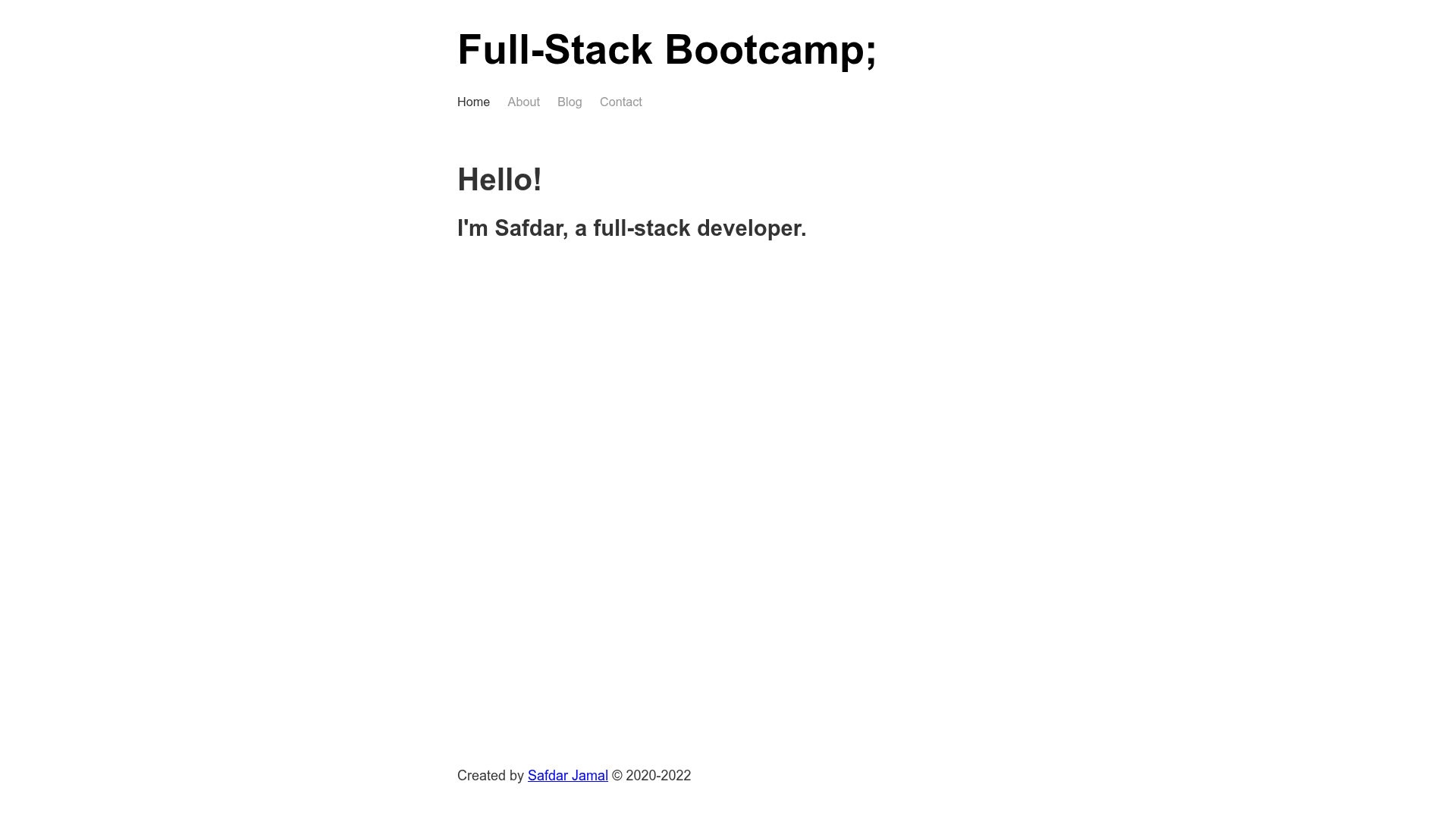
Gatsby Bootcamp Blog is a minimal blog starter template built with Gatsby, Contentful CMS, and Sass, offering pre-rendered React pages for Landing, About, Blog, and Contact.
What is Gatsby Bootcamp Blog?
Gatsby Bootcamp Blog is an open-source Gatsby starter that creates a static blog site with posts managed through Contentful CMS. The template takes a Contentful space as its content source and outputs a pre-rendered HTML site with automatic JS chunk loading, plus a GraphQL data layer accessible via GraphiQL. It was built by Safdar Jamal while following the Gatsby Bootcamp tutorial, is released under the MIT license, and is designed to be deployed to Netlify or Vercel with one click.
Key Features
- Contentful CMS integration — Blog posts are authored in Contentful and pulled into Gatsby at build time, so non-developers can publish without editing code.
- Four editable pages — Landing, About, Blog, and Contact pages are included as separate React components under src/pages.
- React Helmet for meta tags — Site-wide and per-page meta tags such as title and description can be edited through React Helmet.
- Sass styling — The template uses the Sass preprocessor (SCSS) to deliver a minimal, responsive design.
- Gatsby file structure — Includes gatsby-config.js, gatsby-node.js, gatsby-browser.js, and gatsby-ssr.js for configuring metadata, build-time APIs, browser APIs, and server-side rendering.
- Fast page loads — Gatsby generates pre-rendered HTML and automatically splits JavaScript into chunks, reducing time to interactive.
- Perfect Lighthouse scores — The project reports perfect Lighthouse scores for SEO, Accessibility, and Performance.
- GraphiQL explorer — During development, a GraphQL playground is available at localhost:8000/___graphql to query page data.
Who should use Gatsby Bootcamp Blog?
- Developers learning Gatsby — Use the template alongside the Gatsby Bootcamp tutorial to see how Contentful, GraphQL, and Sass fit together in a finished project.
- Bloggers and content creators — Manage posts through Contentful's dashboard and publish to a static site hosted on Netlify, without running a server or paying for hosting.
- Personal portfolio owners — Customize the Landing and About pages to present yourself, and use the Blog and Contact pages for writing and inquiries.
What can you do with it?
- Publish a CMS-driven blog — Write posts in Contentful, then rebuild and deploy to Netlify via the one-click deploy button in the README.
- Study a real Gatsby project structure — Inspect the starter's file layout, including package.json, gatsby-config.js, and gatsby-node.js, to learn how a minimal Gatsby site is organized.
- Create a personal portfolio — Replace the sample landing and about content with your own bio and links, keeping the built-in blog for articles.
How does Gatsby Bootcamp Blog work?
- Install the Gatsby CLI, then scaffold a new site with
gatsby new my-blog-starter https://github.com/SafdarJamal/gatsby-bootcamp-blog. - Run
gatsby developto start a development server at http://localhost:8000, with the GraphiQL explorer at http://localhost:8000/___graphql. - Edit src/pages/index.js in your code editor; saved changes hot-reload in the browser.
FAQ
Is Gatsby Bootcamp Blog free to use?
Yes, the starter is licensed under the MIT license, so it is free to use, modify, and distribute for personal or commercial projects.
What prerequisites do I need?
You need the Gatsby CLI installed. The template also assumes a Node.js environment with npm, since it uses package.json and package-lock.json for dependency management.
How do I create blog posts?
Blog posts are created in Contentful CMS. The Gatsby site pulls the content at build time, so after adding a post in Contentful you trigger a rebuild (for example, on Netlify) to publish it.
Can I deploy to Netlify or Vercel?
Yes, the README includes one-click Deploy to Netlify and Deploy with Vercel buttons that point to the GitHub repository.
How do I run the project locally?
Navigate into the project directory, run gatsby develop, and open http://localhost:8000. The site updates in real time when you save changes to source files.