Template details
NextJS Blog Template for Developers
This is a simple NextJS blog template for developers.
About this template
NextJS Blog Template for Developers is an open-source Next.js starter project that gives developers a ready-made personal blog with a projects page, a contact form, an email subscription form, and a Twitter highlights section.
What is NextJS Blog Template for Developers?
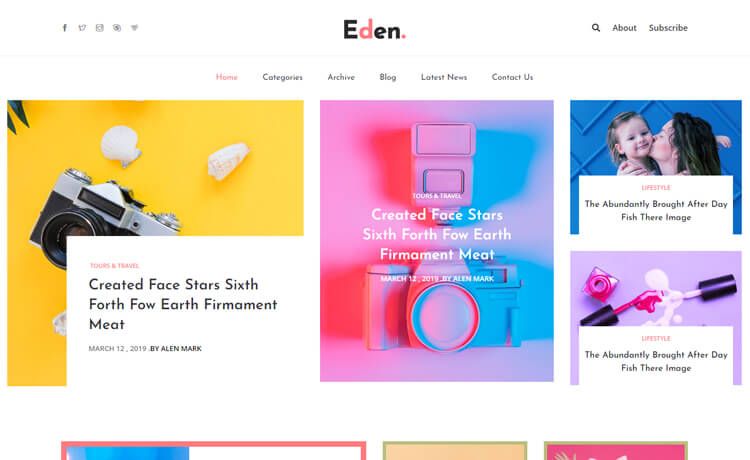
NextJS Blog Template for Developers is a simple blog starter built with Next.js, designed specifically for developers who want a personal site. It currently includes Home, Projects, Blog, Contact form, Subscribe email form, Latest Articles & News, and Top Tweets pages. The template is still in development, with open source contributions welcome, and it is deployable to Vercel.
It uses a data-driven structure: content is added through files like data/posts, data/projects.ts, data/tweets.ts, and data/menus.ts, rather than hard-coded into components. The project is based on the standard Next.js create-next-app setup, so editing pages/index.tsx updates the homepage automatically.
Key Features
- Pre-built pages — Home, Projects, Blog, Contact form, Subscribe email form, Latest Articles & News, and Top Tweets are already implemented; Open Source Contributions and mobile-responsive header are listed as upcoming work.
- Data-driven content — Add new posts to the
data/postsfolder, add projects todata/projects.ts, tweets todata/tweets.ts, and menu items todata/menus.ts. - Next.js framework — Built on the React-based Next.js framework, using the file-based routing under
pages/, with support for server-side rendering and static generation. - Easy local development — Run
npm run devto start the development server athttp://localhost:3000; the page auto-updates as you edit files. - Vercel deployment — The template is ready for deployment on the Vercel platform, with a live demo link provided in the README.
- Open-source and hacktoberfest-friendly — The repository is public and welcomes contributions; it is tagged with hacktoberfest.
Who should use NextJS Blog Template for Developers?
- Developers who want a personal blog — quickly set up a blog with a home page, blog page, and latest articles/news sections without building from scratch.
- Developers who want to showcase projects — use the Projects page to display a portfolio of open-source or side projects.
- Developers who want a contact and subscribe flow — the built-in contact form and email subscription form provide ways for readers to reach out or follow updates.
What can you do with NextJS Blog Template for Developers?
- Add blog posts — create markdown-like posts in the
data/postsfolder and they appear on the Blog page. - Manage projects — edit the
data/projects.tsfile to list personal or open-source projects. - Display Twitter highlights — add tweets to
data/tweets.tsand they show up in the Top Tweets section. - Customize navigation — add or change menu items by editing
data/menus.ts.
How does NextJS Blog Template for Developers work?
The template follows a simple workflow: clone the repository, run npm run dev to start the development server, then edit the data files and/or pages/index.tsx to customize content. The page auto-reloads with changes. For production, deploy to Vercel via the provided platform link.