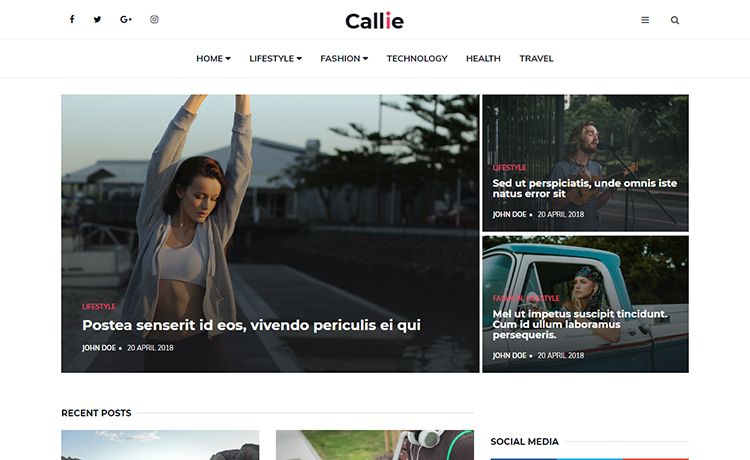
Template details
Jekyll Opine Theme
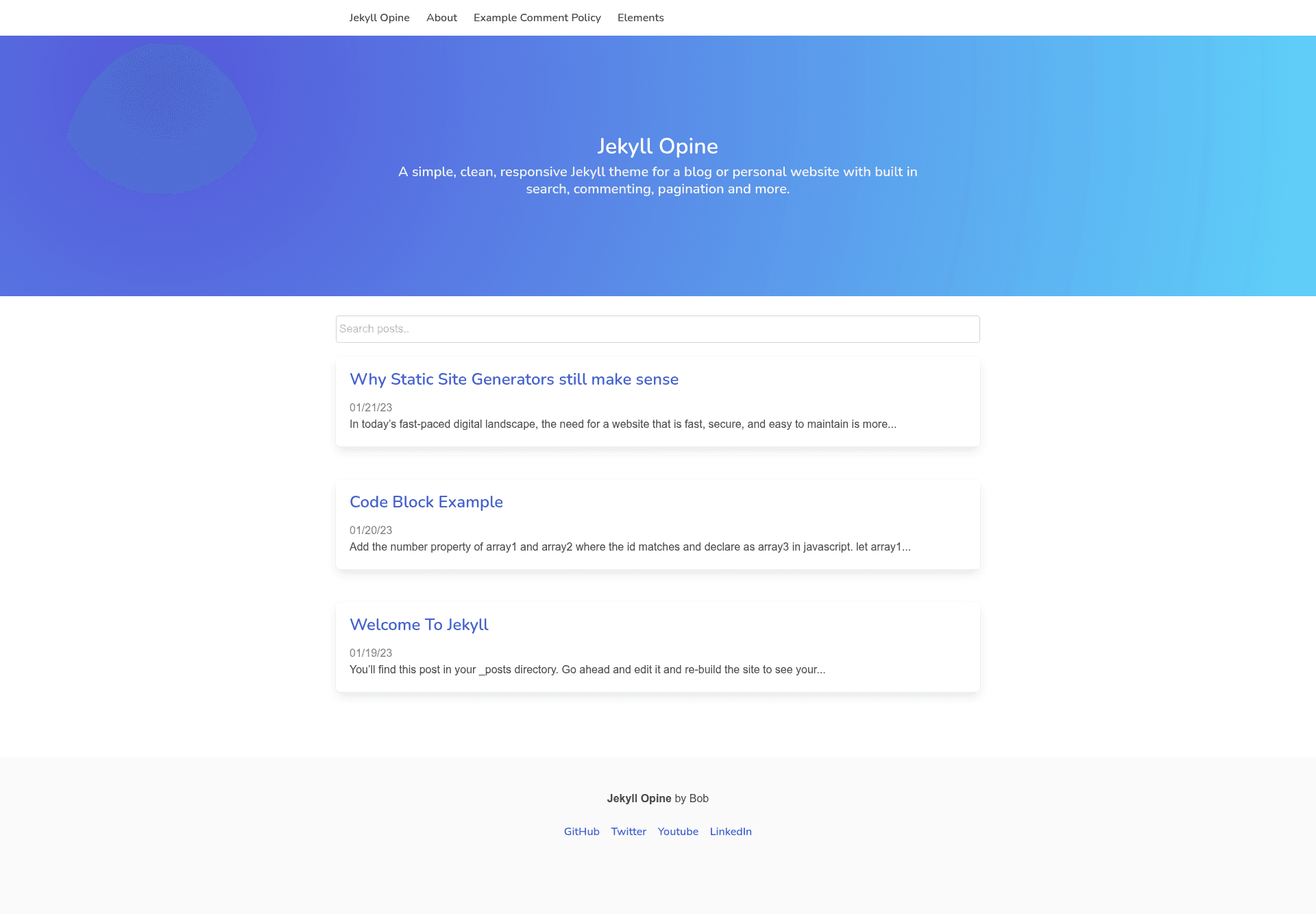
A simple, clean, responsive Jekyll theme for a blog or personal website with built in search, commenting, and more.
About this template
Jekyll Opine is a minimal, responsive Jekyll theme for blogs and personal websites, providing built-in search, comment support, and a customizable layout through a _config.yml file.
What is Jekyll Opine Theme?
Jekyll Opine is a Jekyll-based theme that transforms Markdown posts and pages into a static website with a clean, responsive layout. It runs on any system that can build Jekyll sites, requiring Ruby, Bundler, and Jekyll as prerequisites. The theme is published by the GitHub user leabs under the repository leabs/jekyll-leabs-theme.
Key Features
- Built-in search — Visitors can search the site's content directly from the front end without third-party plugins.
- Comment support — Enable comments on individual posts by setting
comments: truein the post's front matter. - Responsive design — The layout adapts to desktop, tablet, and mobile screen sizes for comfortable reading.
- Navigation control — Hide any page from the site navigation by adding
exclude: trueto that page's front matter; the index page is excluded by default because it is hard-coded into the navigation. - Easy personalization — Edit
_config.ymlto change site-wide settings, and replacefavicon.icoandassets/images/avatar.pngwith your own branding. - Standard Jekyll workflow — Add posts to the
_postsdirectory and pages to the root directory, using front matter to specify layout, title, date, permalink, and comment settings.
Who should use Jekyll Opine Theme?
- Jekyll bloggers — People who already run Jekyll and want a simple, pre-built theme instead of writing their own HTML and CSS.
- Personal website owners — Individuals who need a clean, responsive site for a résumé, portfolio, or personal writing.
- Developers learning Jekyll — Anyone who wants to see a minimal theme's structure and customize it by editing
_config.yml, front matter, and asset files.
What can you do with Jekyll Opine Theme?
- Publish a blog — Create Markdown posts in
_postswith front matter likelayout: post,title, anddate; the theme builds them into article pages. - Build a personal page — Add static pages such as About or Contact in the root directory and control their URLs using
permalinkin front matter. - Test Jekyll locally — Fork the repository, run
bundle installandbundle exec jekyll serve, then view the site athttp://localhost:4000.
How does Jekyll Opine Theme work?
- Download, clone, or fork the repository from GitHub.
- Edit
_config.ymlto personalize site-wide settings. - Replace
favicon.icoandassets/images/avatar.pngwith your own files. - Run
bundle installto install Ruby dependencies. - Run
bundle exec jekyll serveand openhttp://localhost:4000to preview the site.
Pricing
Jekyll Opine Theme is free and open-source. It is hosted on GitHub, where bug reports and pull requests are welcome, so anyone can download, modify, and reuse the theme without paying a license fee.
FAQ
Is Jekyll Opine Theme free?
Yes. The theme is open-source on GitHub, and you can download, fork, or modify it without cost.
How do I add a new post?
Create a Markdown file in the _posts directory and include front matter with layout: post, title, date, and optionally comments: true.
Does the theme support comments?
Yes. Each post can show a comment section by setting comments: true in its front matter; comments are disabled by default unless you add that flag.
How do I run the site locally?
Clone or fork the repository, run bundle install, then bundle exec jekyll serve; the site will be available at http://localhost:4000.
Can I remove pages from the navigation?
Yes. Add exclude: true to a page's front matter to hide it from the navigation. The index page is already excluded by default because it is hard-coded into the menu.