Template details
Simple
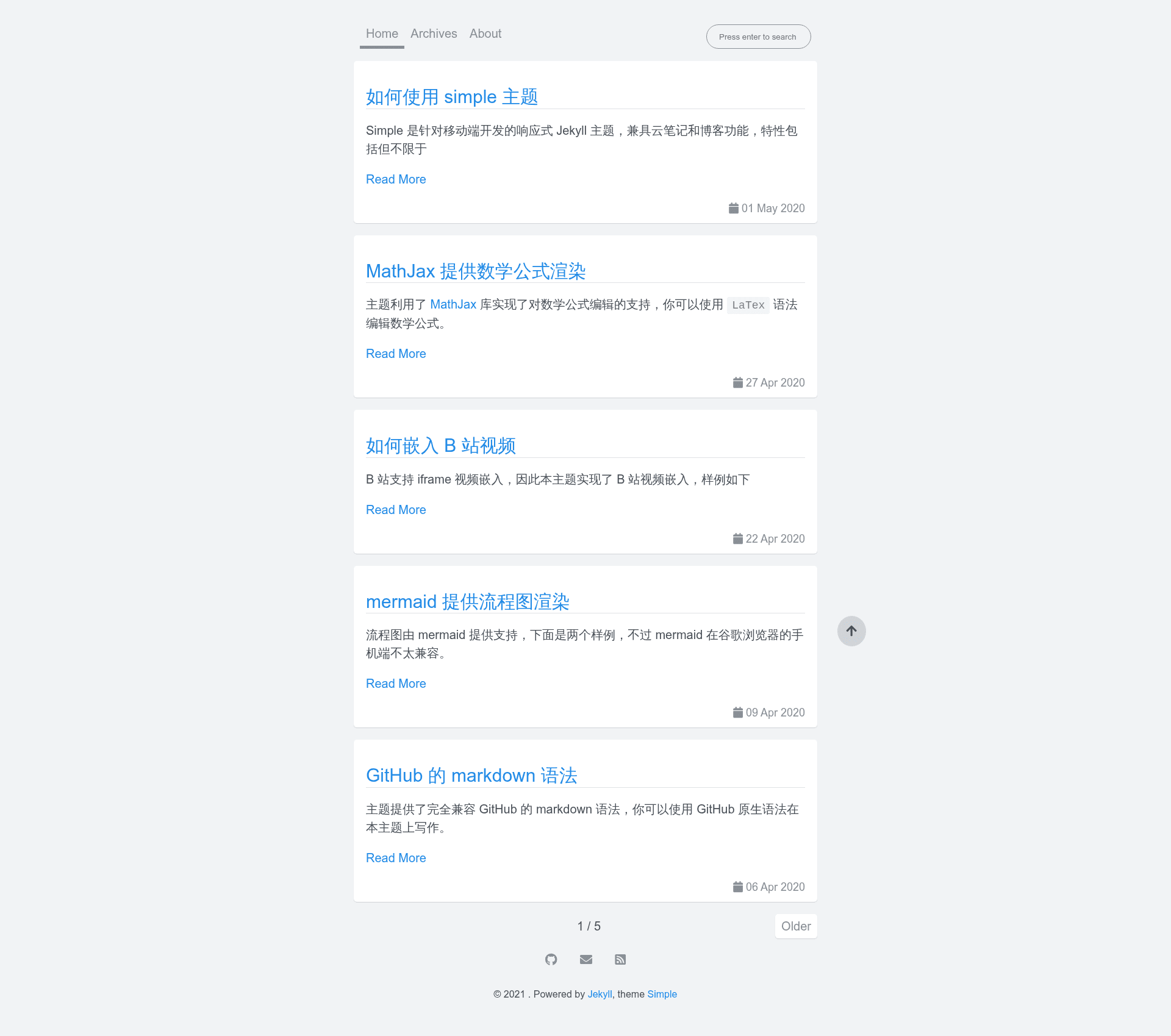
A responsive Jekyll theme for mobile with online editing, MathJax, mermaid, video embeds, and Gitalk comments.
About this template
Simple is a responsive Jekyll theme built for mobile devices that turns a GitHub repository into a personal blog or documentation site hosted for free on GitHub Pages.
What is Simple?
Simple is a mobile-first responsive Jekyll theme that converts a GitHub repository into a static website. It takes markdown posts written in GitHub Flavored Markdown as input and produces an HTML site with support for MathJax formulas, mermaid diagrams, and embedded videos from Bilibili or YouTube. The theme is designed for GitHub Pages hosting, where a push to the repository triggers automatic rebuilds. Setup requires configuring the _config.yml file with personal information.
Key Features
- Mobile-first responsive layout — The theme is developed specifically for mobile devices, ensuring pages render cleanly on small screens while remaining usable on desktop.
- Online editing and publishing — Articles can be created, edited, and published directly on GitHub using its built-in web editor, no local tooling required.
- GitHub Flavored Markdown — Write posts using GitHub's official markdown syntax, which supports task lists, tables, and automatic linking.
- MathJax rendering — LaTeX-style mathematical formulas are rendered in the browser, suitable for technical and academic posts.
- Mermaid diagram support — Flowcharts, sequence diagrams, and other mermaid diagrams are rendered inside markdown content.
- Video embedding — Bilibili and YouTube videos can be embedded in posts via their share codes.
- Gitalk comments — Comment functionality is provided by Gitalk, a GitHub issue-based comment system.
- Native JavaScript search — A built-in site search implemented in plain JavaScript, with no external search service required.
- Customizable styling via Sass variables — Modify
_sass/_variables.scssto change fonts, background colors, heading colors, and link colors through CSS custom properties.
Who is it for?
- Bloggers who want a zero-maintenance blog — Publish content by editing markdown files on GitHub; the free GitHub Pages hosting serves the site.
- Developers and technical writers — Use MathJax and mermaid to write documentation that includes formulas and architecture diagrams.
- Students and academics — Host lecture notes or research notes with math rendering and YouTube/Bilibili video embeds.
- Anyone new to static sites — Fork the repository, rename it, edit
_config.yml, and get a live site without installing Jekyll locally.
Use cases
- Personal blog: Publish articles using GitHub's online editor and manage posts as markdown files in a repository.
- Project documentation: Create a docs site with mermaid flowcharts and code snippets, updated with each Git commit.
- Course notes: Embed YouTube or Bilibili lectures alongside MathJax-formatted equations for study materials.
How does Simple work?
Simple works through two workflows. Online, you fork the repository, rename it to username.github.io, create a master branch as the default, edit _config.yml with your details, and GitHub Pages builds the site at https://username.github.io. Locally, you install Jekyll, clone the theme, and run jekyll serve to preview at http://localhost:4000 before deploying.
FAQ
Is Simple free to use?
Yes. Simple is a Jekyll theme released for open use, and hosting it on GitHub Pages is free. You only need a GitHub account, and the site is served from your repository.
How do I deploy Simple to GitHub Pages?
Fork the repository, rename it to username.github.io, create a master branch as the default branch, and edit _config.yml with your personal information. After a few minutes, GitHub Pages serves the site at https://username.github.io.
Can I run Simple locally?
Yes. Install Jekyll on your computer, clone the theme, and run jekyll serve from the theme root. The site is then available at http://localhost:4000.
Does Simple support comments?
Yes. Simple uses Gitalk, a comment system backed by GitHub Issues, to allow readers to leave comments on posts.
Can I customize the look of Simple?
Yes. Edit _sass/_variables.scss to change CSS variables such as --font, --body-bg, --heading-color, and --link-color to adjust typography and colors.