Template details
Gatsby Food Blog
A starter blog built with Gatsby and Netlify CMS, based on the freeCodeCamp tutorial.
About this template
Gatsby Food Blog is a starter blog template built with the Gatsby static site generator and Netlify CMS for content management, part of the companion code for the freeCodeCamp tutorial 'How to Build a Blog with Gatsby and Netlify CMS – A Complete Guide'.
What is Gatsby Food Blog?
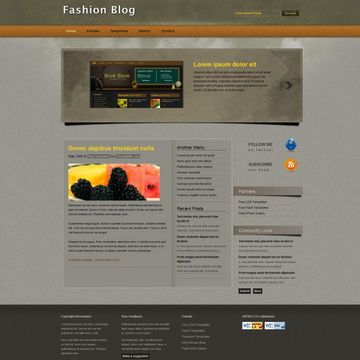
Gatsby Food Blog is an open-source starter blog template that combines the Gatsby static site generator with Netlify CMS to provide a fast, content-manageable website. It takes Markdown-based blog posts as input and produces a pre-rendered static site that can be deployed anywhere. The project was created by Mohammed Asker as part of a freeCodeCamp tutorial, and the live demo shows it styled as a food blog at gatsbyfoodblog.netlify.app.
What makes Gatsby Food Blog stand out?
- Gatsby framework — Uses the React-based Gatsby static site generator, which pre-renders pages to HTML at build time so the site loads quickly.
- Netlify CMS integration — Provides a Git-based content management interface so editors can create and edit blog posts without writing code.
- JAMstack architecture — Follows the JAMstack model (JavaScript, APIs, Markup), a modern approach to building fast, secure static websites.
- Tutorial companion — The code accompanies a step-by-step freeCodeCamp guide, making it a practical learning resource for builders.
- Local dev workflow — The README documents how to run the site locally: clone the repo, install dependencies with yarn, and start gatsby develop.
- Netlify deployment ready — The repository includes a Netlify status badge, indicating it was set up for deployment to Netlify's platform.
- MIT License — The entire project is released under the MIT License, so you can use and modify it freely.
Who should use Gatsby Food Blog?
- Developers learning Gatsby — can study this project to see how Gatsby pages, templates, and Netlify CMS configuration fit together.
- Bloggers who want a fast, self-hosted site — can use the starter as a base and manage posts through Netlify CMS instead of dealing with a database.
- JAMstack enthusiasts — can use the code as a reference for integrating a static site generator with a Git-based CMS in a small project.
What can you do with Gatsby Food Blog?
- Launch a food blog — Use the existing demo design as a starting point to publish recipes and restaurant reviews, with content edited through Netlify CMS.
- Complete the tutorial — Follow the linked freeCodeCamp guide to rebuild the blog step by step, learning Gatsby and Netlify CMS along the way.
- Deploy to Netlify — Connect the repository to Netlify to get automated builds and a public URL, as demonstrated by the live demo.
How does Gatsby Food Blog work?
First, clone the repository and run yarn to install dependencies. Then start the development server with gatsby develop and view the site at http://localhost:8000. For content management, Netlify CMS stores changes in the Git repository, and the site updates on deploy when merged.
FAQ
Is Gatsby Food Blog free to use?
Yes. The project is open source and released under the MIT License, so you can use, modify, and distribute it freely, including for commercial projects.
How do I run the blog locally?
Clone the repo, change into the directory, run yarn to install dependencies, then start the development server with gatsby develop. When fully started, the site is available at http://localhost:8000.
What is Netlify CMS and how does it work with Gatsby?
Netlify CMS is a Git-based content management system. It provides a web interface where you edit content, then commits those changes to your Git repository. Gatsby pulls that content at build time to generate static pages.
Can I change the food blog theme to another niche?
Yes. The template's base is a generic Gatsby blog with Netlify CMS; the food styling is just the demo content. You can replace the content and adjust the design for any topic.
Where can I find the full tutorial?
The README links to the freeCodeCamp article "How to Build a Blog with Gatsby and Netlify CMS – A Complete Guide" at https://www.freecodecamp.org/news/how-to-build-a-blog-with-gatsby-and-netlify-cms/.