Template details
Gatsby Nice Blog
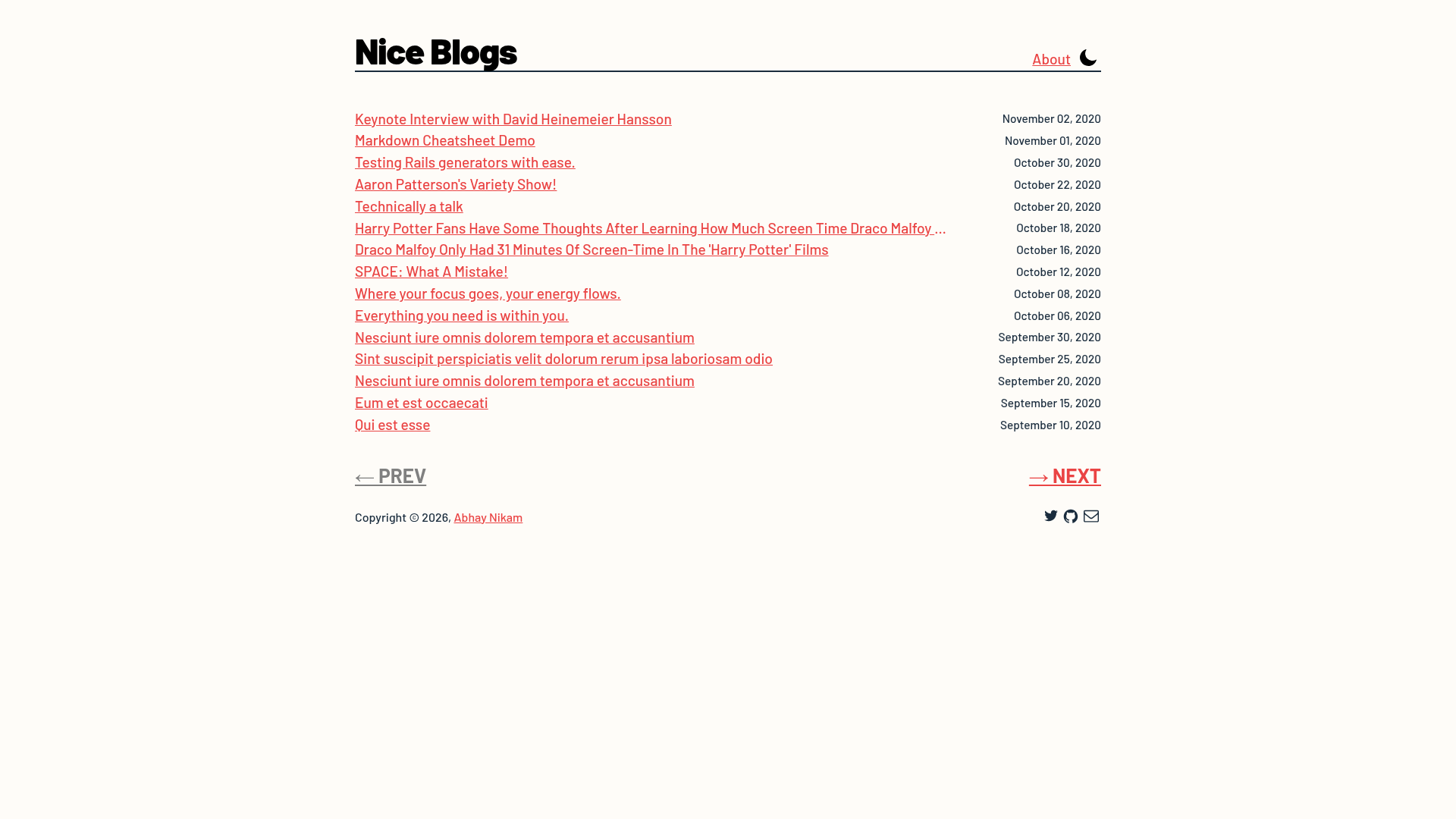
A minimal Gatsby blog template boilerplate with pagination, Google Analytics, SEO, sitemap, and Disqus comments.
About this template
Gatsby Nice Blog is an open-source, minimal blog template boilerplate built on Gatsby that launches a paginated blog site with SEO support, Google Analytics, XML sitemap, and Disqus comments from one configuration file.
What is Gatsby Nice Blog?
Gatsby Nice Blog is a starter template for creating a blog with the Gatsby static site generator. It takes your personal details and site configuration from a config.js file and produces a statically generated blog with paginated post listings and individual blog pages. The template is authored by Abhay Nikam, released under the MIT License, and available on GitHub with 26 stars. Two live demos are provided: one on Netlify and one on GitHub Pages.
Key Features
- Paginated blog listing — The template ships with a minimalistic design that paginates posts, with a configurable
postsPerPagesetting that defaults to 15 posts per page. - Google Analytics — Add your Google Analytics ID in
config.jsto enable traffic tracking without additional setup. - XML sitemap — Automatically generates an XML sitemap to help search engines discover your blog's pages.
- SEO compliant — Includes meta tags and structured data so each post can be indexed by search engines.
- Disqus comments — Enable reader comments by setting your Disqus shortname in the configuration file.
- Theme color customization — Change the primary brand color by updating the
--color-primaryCSS variable. - GitHub Pages and Netlify deployment — The template includes a deploy script for GitHub Pages and documented steps for deploying via Netlify.
Who is it for?
- Developers who want a quick blog starter — Use the Gatsby CLI to scaffold a new blog with
gatsby new, then edit configuration instead of building a blog from scratch. - Technical writers and content creators — Publish blog posts and get automatic pagination, SEO, and sitemap without touching layout code.
- Developers deploying to GitHub Pages — Set the
pathPrefixto your repository name and runyarn run deployornpm run deployto publish the site.
What can you do with Gatsby Nice Blog?
- Launch a personal blog — Configure your name, summary, Twitter handle, and GitHub username in
config.jsto create a minimal personal blog with a list of posts. - Enable comments on posts — Provide your Disqus shortname to add threaded comments under every article.
- Set up analytics — Add your Google Analytics ID to track visitor behavior from day one.
- Customize the brand color — Change the
--color-primaryCSS variable to match your project's color scheme without editing component files.
How does Gatsby Nice Blog work?
After scaffolding the site with the Gatsby CLI, you edit the config.js file with your site URL, description, title, Disqus shortname, posts per page, Google Analytics ID, and author social profiles. Run gatsby develop to preview the site at http://localhost:8000, then deploy to GitHub Pages with the provided deploy script or to Netlify by connecting your repository.
FAQ
Is Gatsby Nice Blog free?
Yes, the template is open source under the MIT License, so you can use, modify, and deploy it freely, including for commercial projects.
What do I need to run Gatsby Nice Blog?
You need Node.js and the Gatsby CLI installed. The quick start shows creating a new site with gatsby new, then running gatsby develop to start a local development server.
How do I enable comments with Disqus?
Set your Disqus shortname as the disqusShortname value in config.js and restart the server. The template will load Disqus on each blog post.
Can I deploy Gatsby Nice Blog to GitHub Pages?
Yes. Set the pathPrefix in config.js to your repository name, then run yarn run deploy (or npm run deploy) to publish the site to GitHub Pages.
How do I change the number of posts per page?
Edit the postsPerPage value in config.js; the default is 15, and pagination is generated automatically.