Template details
Gatsby Starter Lavender
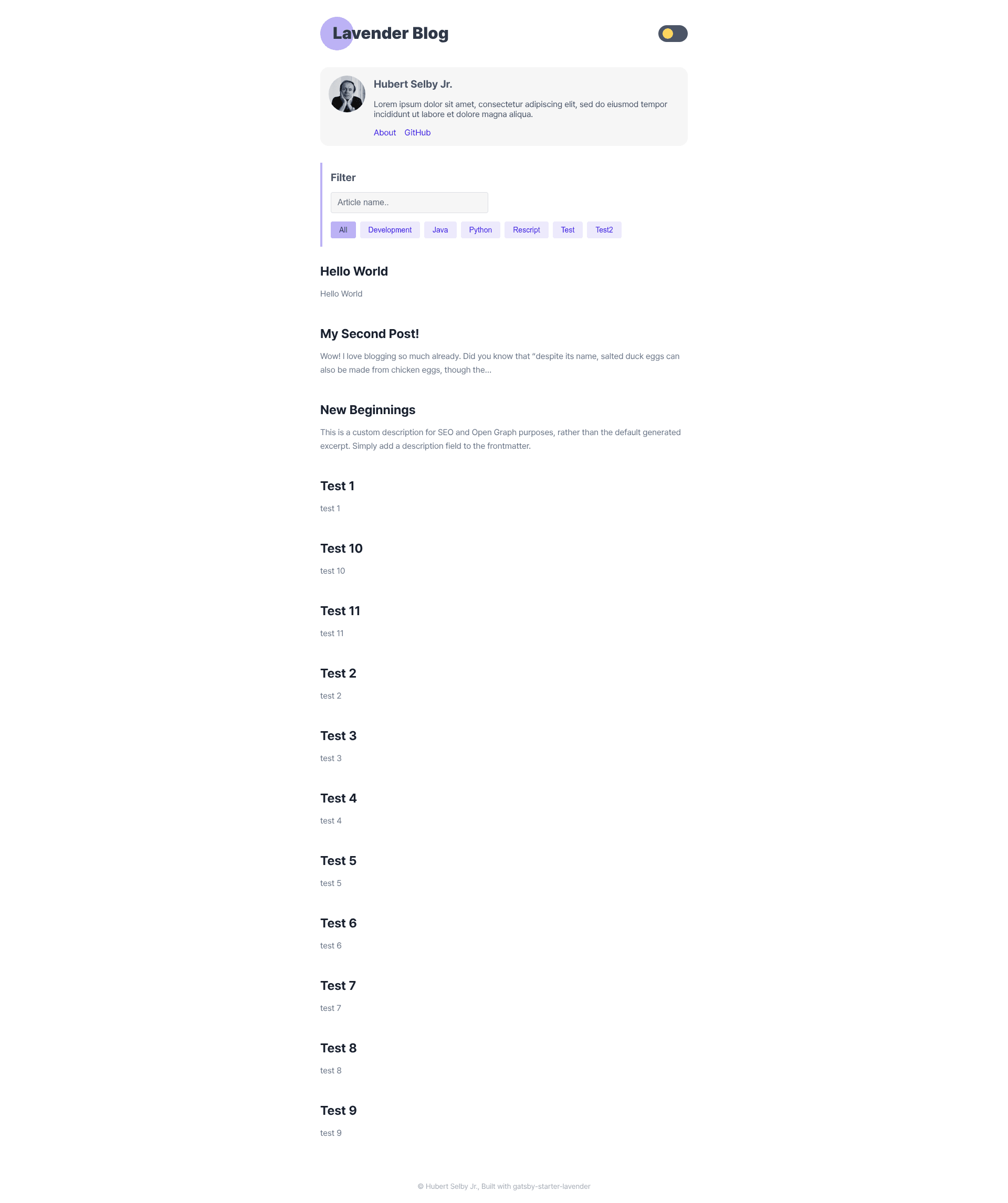
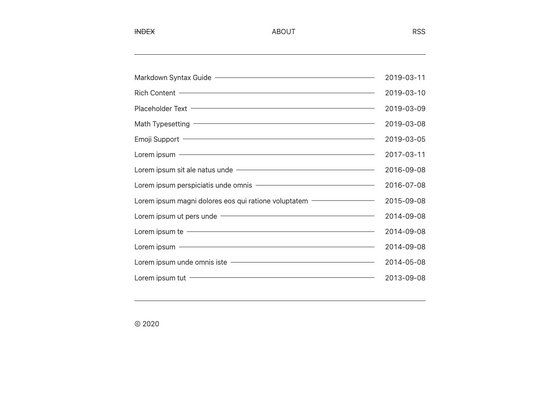
A minimal, readability-focused blog template built on Gatsby with TypeScript and Stitches theming.
About this template
Gatsby Starter Lavender is a Gatsby blog starter that creates a minimal, readable blog interface, built by blurfx and published on GitHub under a Zero-Clause BSD license. It takes blog configuration and Markdown content as input and produces a statically generated site deployable to Vercel, Netlify, or Gatsby Cloud.
What is Gatsby Starter Lavender?
Gatsby Starter Lavender is a blog template for the Gatsby static site generator, designed to strip away visual clutter so articles take center stage. It uses TypeScript throughout the source, including src/pages/index.tsx, and Stitches for styling, with theme colors defined in src/stitches.config.ts. The template inputs blog settings and content, then outputs a production-ready static blog, with a live demo hosted at https://gatsby-starter-lavender.vercel.app.
Key Features
- Minimal, readability-first design — The interface deliberately avoids decorative elements, focusing on comfortable reading of long-form text.
- TypeScript source — The main page and configuration files are written in TypeScript, enabling type checking during development.
- Stitches theming — Both light and dark themes are controlled from a single
src/stitches.config.tsfile, where you edit a default object and adarkThemeobject. - Centralized blog config — Edit
blog-config.tsto change blog information like title and author without touching component files. - Gatsby CLI quick start — Scaffold a new project with
npx gatsby new my-blog-starter https://github.com/blurfx/gatsby-starter-lavender, then runyarn devto start developing athttp://localhost:8000. - Built-in GraphiQL — The development server exposes
http://localhost:8000/___graphql, letting you experiment with Gatsby's data layer before writing queries. - One-click deployment — Official deploy buttons connect the repository directly to Vercel, Netlify, and Gatsby Cloud, so you can publish without setting up CI manually.
- Open-source license — The Zero-Clause BSD license permits unrestricted use, modification, and redistribution.
Who is it for?
- Independent bloggers — People who want a clean, minimal home for essays or articles without the overhead of a feature-rich theme.
- Gatsby developers — Those looking for a lean starter to build a custom blog on top of, with TypeScript already configured.
- Designers and theme tinkerers — Anyone who wants to quickly rebrand a blog by adjusting Stitches theme tokens for light and dark modes rather than editing CSS files.
What can you do with Gatsby Starter Lavender?
- Launch a personal blog: Run the
npx gatsby newcommand to clone the starter, fill in your bio inblog-config.ts, and publish to a static host. - Implement dark mode: Use the pre-defined
darkThemeobject insrc/stitches.config.tsto switch the entire color scheme with a single configuration. - Deploy with one click: Use the Vercel, Netlify, or Gatsby Cloud deploy buttons to connect a GitHub repository and automatically build and host the site.
- Learn Gatsby's data layer: Use the GraphiQL interface at
http://localhost:8000/___graphqlto test queries against your blog's content before writing page queries.
How does Gatsby Starter Lavender work?
The starter follows the standard Gatsby workflow: you clone the repository via the Gatsby CLI, then run yarn dev to start a local development server with hot reloading. Edit src/pages/index.tsx to change the homepage, adjust blog metadata in blog-config.ts, and tweak theme colors in src/stitches.config.ts. When you run a production build, Gatsby compiles everything into static HTML, CSS, and JavaScript files that you can host anywhere.
FAQ
Is Gatsby Starter Lavender free?
Yes, the project is released under the Zero-Clause BSD license, which allows free use, modification, and redistribution for any purpose, personal or commercial.
What styling approach does it use?
It uses Stitches, a CSS-in-JS library with a theme system. You define colors and other design tokens in src/stitches.config.ts, and the starter includes separate light and dark theme objects.
How do I start a new project from this starter?
Run npx gatsby new my-blog-starter https://github.com/blurfx/gatsby-starter-lavender in your terminal, then cd my-blog-starter and yarn dev to launch the development server.
Does it support dark mode?
Yes, a darkTheme object is already defined in src/stitches.config.ts. You can edit its values to customize how the dark theme looks across the blog.
Where can I see a live demo?
A live demo is available at https://gatsby-starter-lavender.vercel.app. It reflects the default configuration of the starter.