Template details
Simorq
A Jekyll theme for Persian blogs with Jalali (Khorshidi) date support.
About this template
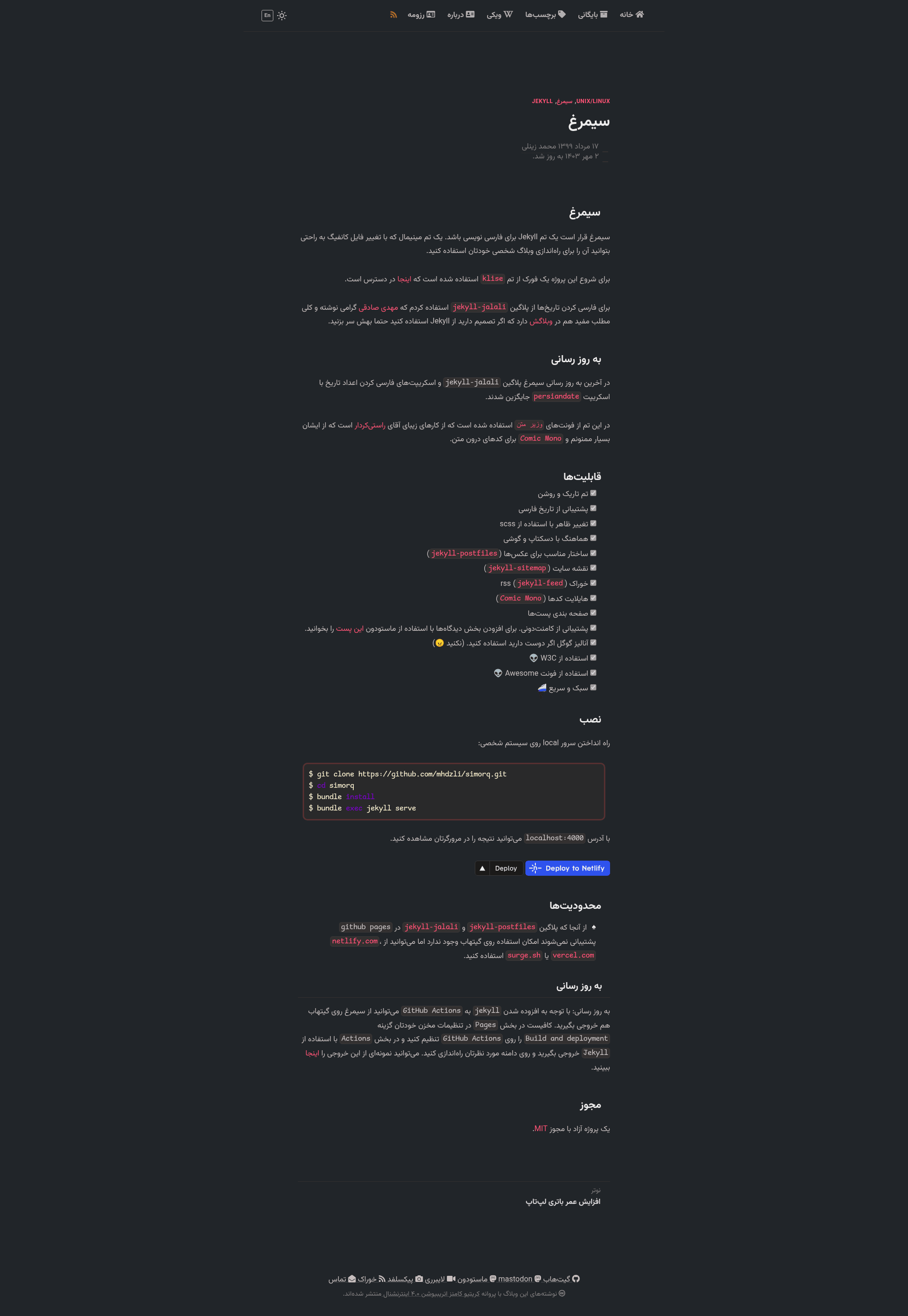
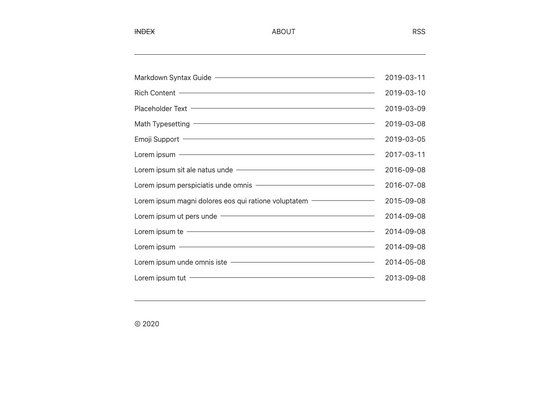
Simorq (سیمرغ) is a minimal Jekyll theme for Persian blogs that adds Jalali (Khorshidi) calendar date support to a forked Klisé base. It is an open-source, MIT-licensed theme maintained by Mohammad Zeinali (mhdzli) and designed for writers who want a fast, responsive, right-to-left blog without building date logic themselves.
What is Simorq?
Simorq is a Jekyll theme for Persian-language blogs, forked from the Klisé theme and available on GitHub at mhdzli/simorq. It takes standard Jekyll posts and configuration as input and produces a static, responsive blog with dark/light mode, Jalali dates, RSS, sitemap, and pagination. The theme requires Jekyll and can be built locally with Bundler, via Docker, or through CI services like GitHub Actions, Netlify, Vercel, or Surge.
Key Features
- Dark and light mode — Toggle between two color schemes, both styled through SCSS variables.
- Persian (Jalali) dates — Dates are converted to the Khorshidi calendar using the bundled persiandate.js script, which replaced the older jekyll-jalali plugin.
- SCSS customization — Edit the SCSS partials to change colors, spacing, and fonts; no extra build tools are needed beyond Jekyll's Sass pipeline.
- Responsive layout — The theme is built for desktop and mobile reading, with a mobile-friendly navigation.
- Post images — Uses jekyll-postfiles to keep images in the same folder as the post content.
- SEO and feeds — jekyll-sitemap generates a sitemap.xml and jekyll-feed produces an RSS feed automatically.
- Code highlighting — Inline code uses the Comic Mono font; syntax highlighting is handled by Jekyll/Rouge.
- Post pagination — Built-in pagination for the blog index page.
- Optional Google Analytics — Place your tracking ID in the config; the README humorously advises against enabling it.
- Font Awesome icons — Include social links and UI icons via Font Awesome.
Who is it for?
- Persian-speaking bloggers who want a ready-made Jekyll theme that displays dates in the Jalali calendar without manual configuration.
- Developers who want a minimal, hackable Jekyll theme to fork and extend — the project is a fork of Klisé and follows standard Jekyll directory conventions (posts, _config.yml, scss).
- Anyone seeking a lightweight static blog that can be deployed to Netlify, Vercel, Surge.sh, or GitHub Pages via GitHub Actions.
What can you do with Simorq?
- Launch a personal blog — Write posts in Markdown, set your profile in _config.yml, and the theme hands you pagination, RSS, and a sitemap out of the box.
- Customize the theme — Modify SCSS variables to change the look, switch fonts, or add your own analytics code.
- Run with Docker — Use the provided scripts (scripts/docker_build_image.sh and scripts/docker_run.sh) to build and serve the site without installing Ruby or npm dependencies.
How does Simorq work?
The theme is a standard Jekyll setup. After cloning the repository, you run bundle install and then bundle exec jekyll serve to preview the site at localhost:4000. For Docker, build the image once with the build script and then launch it with the run script; the README also shows deployment options via the Netlify and Vercel web-based import buttons.
Alternatives
- Klisé — The upstream Jekyll theme from which Simorq is forked; it targets English-language blogs and lacks built-in Persian date support.
- Hugo themes (e.g., PaperMod) — Static-site alternatives if you prefer Hugo's single-binary workflow over Ruby-based Jekyll.
FAQ
Is Simorq free?
Yes, Simorq is released under the MIT license, and the source code is available on GitHub for anyone to use, modify, and redistribute.
Can I use Simorq on GitHub Pages?
The jekyll-postfiles plugin is not natively supported by GitHub Pages, but the README explains that you can build the site with GitHub Actions and publish the output to Pages. A live example is at theme.zmim.ir.
Does Simorq support the Persian calendar?
Yes, dates are displayed in the Jalali (Khorshidi) calendar using the bundled persiandate.js script, so no plugin installation is needed.
How do I customize the theme?
Edit the SCSS files to change colors, fonts, and layout, and set your site metadata, Google Analytics ID, and social links in _config.yml.
Where can I see a demo?
The author's personal blog at zmim.ir runs a customized version of Simorq, and a clean GitHub Actions build demo is available at theme.zmim.ir.