Template details
Gatsby Theme Serena
A minimalist Gatsby theme designed for photography and portfolios — with a masonry grid and lightbox
About this template
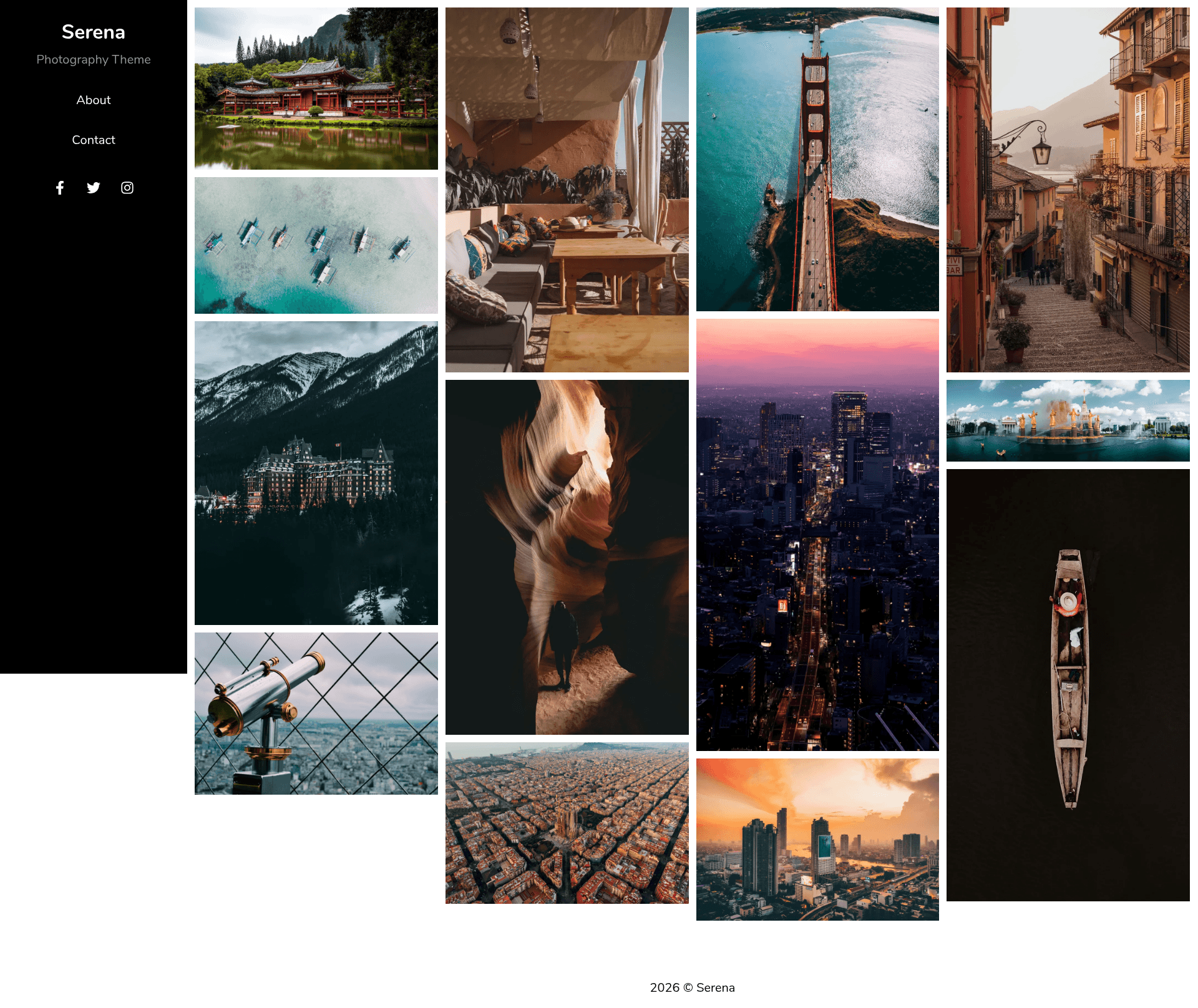
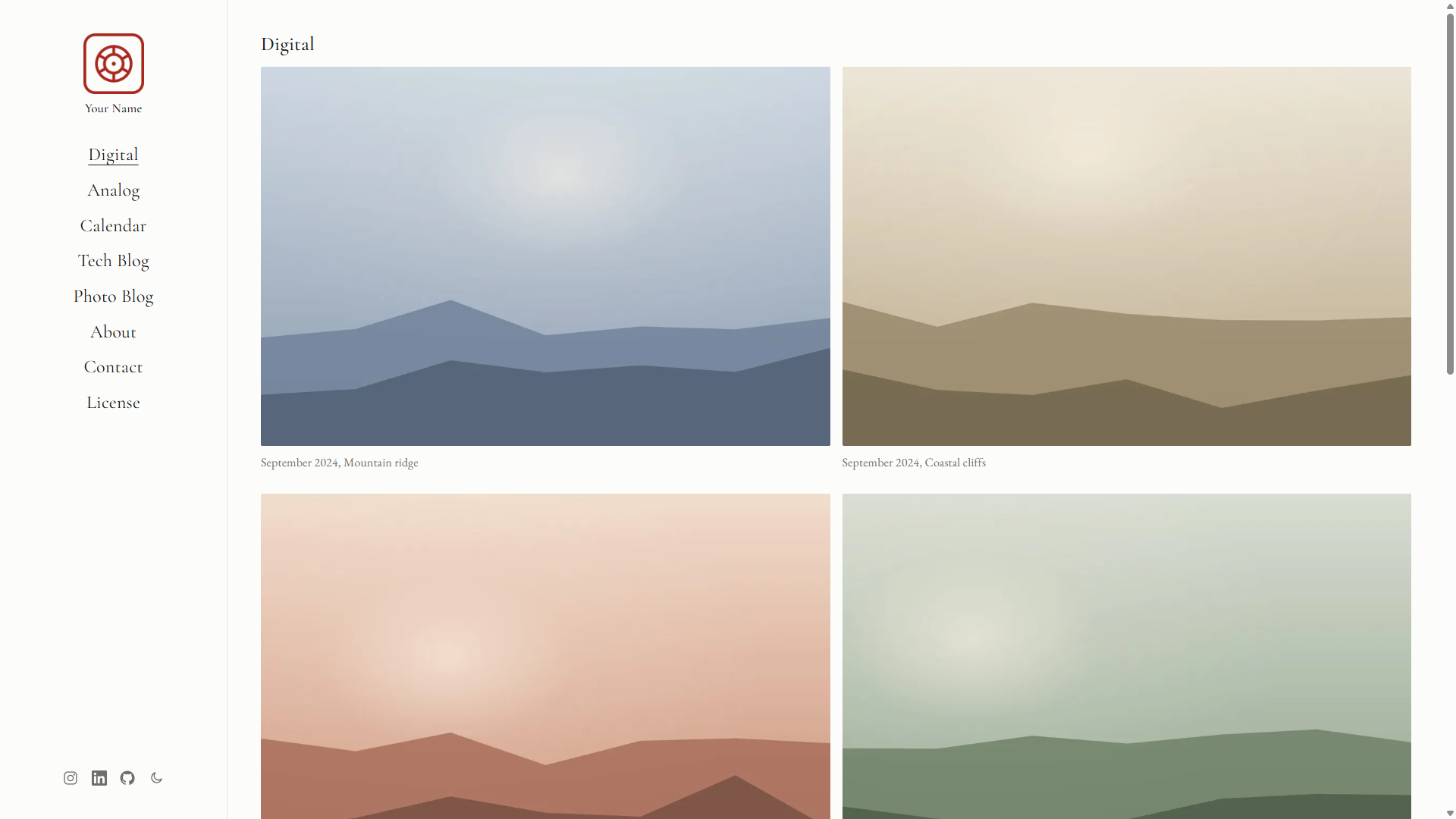
Gatsby Theme Serena is a minimalist Gatsby theme for building photography and portfolio sites, using a masonry grid and lightbox to display galleries defined in YAML. It is created by Daniel Seoane (GitHub user daniel-seoane) and is free to use under the MIT License.
What is Gatsby Theme Serena?
Gatsby Theme Serena is a Gatsby theme that transforms YAML gallery files and MDX content pages into a static photography website. It runs on the Gatsby static site generator, which builds fast, pre-rendered HTML output that can be deployed to services like Netlify. The theme's input is structured content: gallery definitions live in content/galleries and pages like an About page live in content/pages. Its output is a complete site with a masonry image grid, a lightbox for viewing photos, a contact form, social links, and SEO metadata. The starter repository includes the theme pre-configured with example galleries and an about page.
Key Features
- YAML-defined galleries — Define galleries in one or multiple YAML files; the
galleriesPathoption (defaultcontent/galleries) tells the theme where to look. - Local or remote images — Use local image paths or remote URLs; remote images are downloaded and become Gatsby File nodes. Note that a single gallery cannot mix local and remote images.
- Masonry grid and lightbox — The grid supports vertical (
column) or horizontal (row) layouts via thedirectionoption, and themarginoption controls spacing between photos in pixels. - Contact form (Netlify) — A contact page is included and uses Netlify Forms for submissions; it can be removed by setting
disableContacttotrue. - MDX pages — Create custom pages like About using MDX, with the
mdxoption toggling the built-ingatsby-plugin-mdxconfiguration. - Theme UI styling — The theme's design system is built with Theme UI, giving consistent typography and spacing through theme tokens.
- Offline support and responsive layout — The generated site includes offline support and a responsive design that works on mobile and desktop.
- Perfect Lighthouse score — The project reports a perfect Lighthouse score across performance, accessibility, best practices, and SEO.
Who is it for?
- Photographers who want a clean, image-focused portfolio to showcase their work in a masonry grid.
- Portfolio site owners who need a simple way to publish an About page and contact form without building a site from scratch.
- Gatsby developers who want a starting point for a content-driven photo site and who can customize the theme through shadowing.
- Creative professionals such as designers and illustrators who need a fast, minimal online presence with social links.
What can you do with Gatsby Theme Serena?
- Photographers: build a gallery site by writing YAML for each gallery; the theme generates a masonry grid with lightbox navigation.
- Freelancers: set up a portfolio with an About page written in MDX, a Netlify contact form, and links to social profiles.
- Developers: use Gatsby shadowing to override theme components and extend layouts without forking the theme.
- Designers: take advantage of the responsive layout and offline support to deliver a fast browsing experience to visitors.
How does Gatsby Theme Serena work?
To start from scratch, run gatsby new my-themed-site https://github.com/daniel-seoane/gatsby-starter-serena to create a new site pre-configured with the theme. To add the theme to an existing Gatsby site, install it with npm or yarn and register gatsby-theme-serena in the plugins array of gatsby-config.js. Then create YAML gallery files, add MDX pages, and set site metadata like title, description, menuLinks, and social.
Pros and cons
Pros
- Free and open source under the MIT License.
- Reports a perfect Lighthouse score, as shown in the project's documentation.
- Supports offline mode and is responsive across devices.
- Configuration through theme options is straightforward, with sensible defaults like
margin: 6anddirection: "column".
Cons
- The repository warns that it has not been maintained in a long time, which may mean no upcoming updates or fixes.
- A single gallery can use either local or remote images, but not both at the same time.
Pricing
Gatsby Theme Serena is free and licensed under the MIT License. There are no paid tiers or premium features.
FAQ
Is Gatsby Theme Serena free?
Yes, the theme is open source and distributed under the MIT License. You can use it for personal and commercial projects without cost, and you are free to modify and redistribute it.
How do I install Gatsby Theme Serena?
For a new site, use the starter: gatsby new my-themed-site https://github.com/daniel-seoane/gatsby-starter-serena. For an existing Gatsby site, install the package with npm install --save gatsby-theme-serena or yarn add gatsby-theme-serena, then add it to the plugins array in your gatsby-config.js.
Can I use remote images in my galleries?
Yes, remote image URLs are supported and are downloaded during the build to create Gatsby File nodes for processing. However, you cannot mix remote and local images within the same gallery; pick one source per gallery.
Is the project still maintained?
The README contains a warning stating that the repository has not been maintained in a long time. That means the theme may not receive bug fixes or compatibility updates for newer Gatsby versions.
How do I customize the theme?
Customization is done through theme options such as galleriesPath, pagesPath, and disableContact, and through Gatsby shadowing. Site metadata like the title, tagline, menu links, and social URLs are configured in the siteMetadata object in gatsby-config.js.