Template details
Photoblog
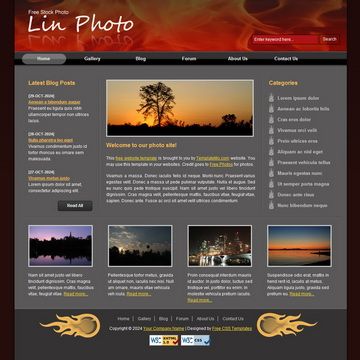
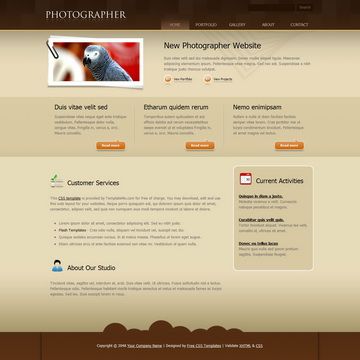
Photoblog is free HTML CSS template using red menu bar and 2-column layout.
About this template
Photoblog is a free HTML CSS website template from TemplateMo built for photo blogs, delivering a two-column layout with a red menu bar.
What is the Photoblog template?
Photoblog is a free, downloadable HTML CSS layout created by TemplateMo and published on 03 December 2008. It takes a static website structure as its output: a photo-blog homepage with a red horizontal menu bar and a two-column content area. Because it is made of plain HTML and CSS, it runs on any web server or browser without a database, content management system, or server-side processing.
Key Features
- Red menu bar — The template's navigation uses a red horizontal menu bar, giving the site a distinct visual identity with black accents.
- Two-column layout — Content is organized into two columns, a common structure for photo blogs with a main content area and a sidebar.
- 100% free license — You may download, edit, and use the layout for both commercial and non-commercial sites without paying a fee.
- Plain HTML and CSS — The template uses only standard HTML and CSS, so it requires no build tools, frameworks, or JavaScript libraries to run.
- Editable source code — The downloaded ZIP contains the HTML and CSS files, which can be opened and modified in any text editor or web editor.
- Screenshot preview — A full-size screenshot is provided on the download page so you can review the design before installing.
Who is it for?
- Amateur photographers — A simple way to publish a photo diary or portfolio without learning a CMS.
- Travel bloggers — Set up a lightweight blog to share photos and short posts from the road.
- Students and hobbyists — A clean starting point for learning HTML and CSS by modifying an existing layout.
What can you do with the Photoblog template?
- Photographers: launch a clean photo blog with a two-column layout and red menu bar for navigation; the static HTML/CSS structure keeps hosting costs low.
- Travel bloggers: replace the sample content with your own images and text to create a personal travel journal.
- Web design learners: study the source code to see how a basic two-column page with a colored menu bar is built in plain CSS.