Template details
Gatsby Theme Tailwind Blog
A minimalistic Gatsby Blog Theme styled with TailwindCSS
About this template
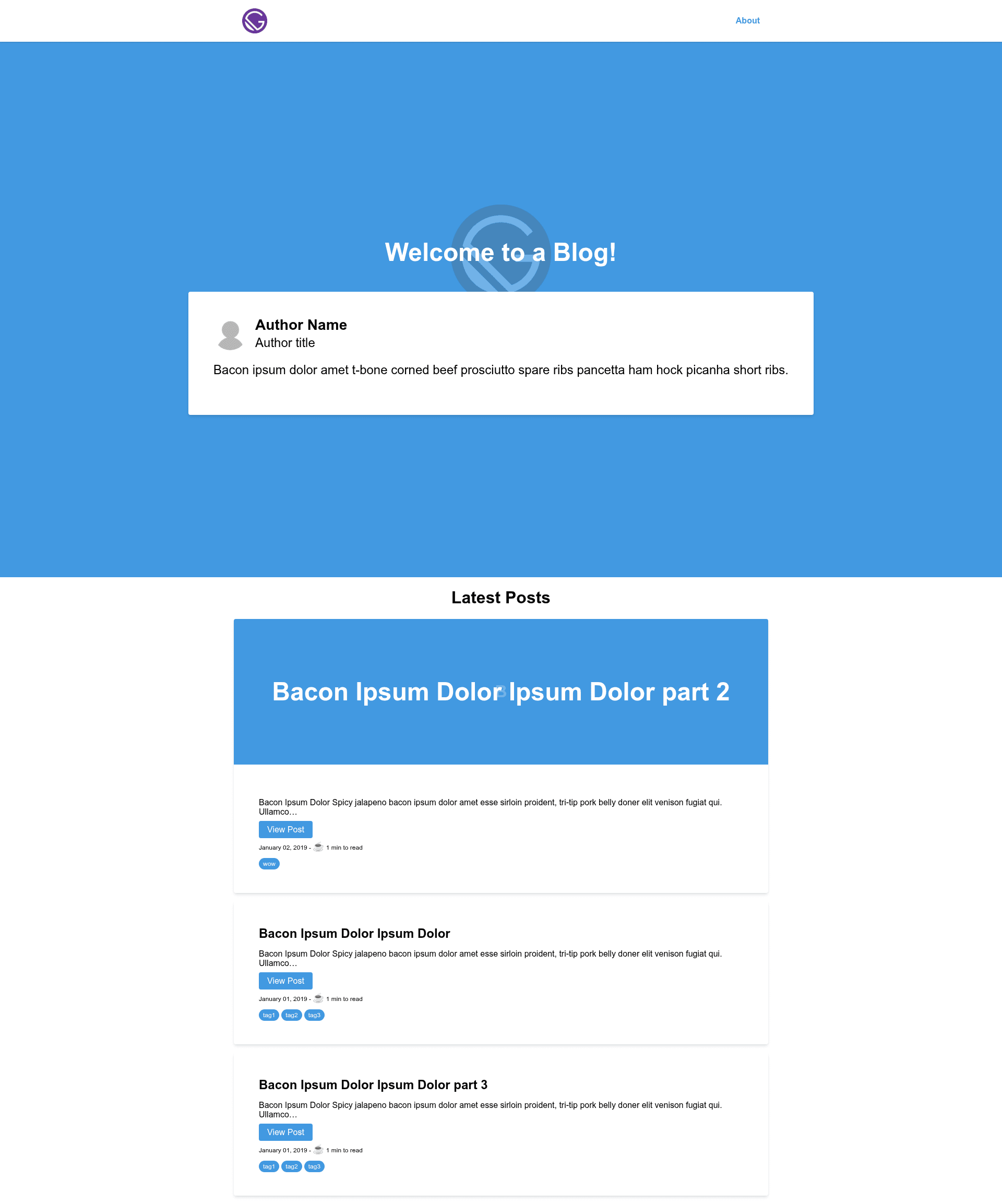
Gatsby Theme Tailwind Blog is a minimalistic blog theme for Gatsby that combines Tailwind CSS and Emotion for styling, letting you publish Markdown posts as a static blog. It is available on npm as @phizzard/gatsby-theme-tailwind-blog and is comparable in scope to the official Gatsby blog theme but with a more opinionated look.
What is Gatsby Theme Tailwind Blog?
Gatsby Theme Tailwind Blog is a Gatsby theme — a plugin that adds a blog to a Gatsby site. It takes Markdown files from a content directory (default content/posts) and generates blog posts, while assets are read from a separate assets directory (default content/assets). The theme runs on Gatsby, so it produces a static site with React and GraphQL under the hood. The package is published by the npm user @phizzard.
Key Features
- Tailwind CSS styling — Uses Tailwind CSS for utility-first styling; a
tailwind.jsconfig file is generated vianpx tailwind@1.0.0-alpha.10 init. - Emotion for CSS-in-JS — Emotion works alongside Tailwind to provide component-level styling.
- Configurable content path — The
contentPathoption ingatsby-config.jssets where your Markdown posts live. - Configurable assets path — The
assetsPathoption sets the directory for images and other assets. - Configurable base path — The
basePathoption determines the root URL where the blog is served (default/). - Markdown-based blog — Posts are written in Markdown and placed in the content directory, no CMS required.
- Simple installation — Install via
npmoryarnand add to thepluginsarray with your chosen options.
Who is it for?
- Gatsby developers who want a pre-built blog theme so they don't have to write layout, styling, and Gatsby configuration from scratch.
- Bloggers who want a clean, minimal blog that accepts Markdown posts and is styled with Tailwind CSS.
- Theme developers who want a reference implementation of a Gatsby theme using Tailwind and Emotion, or a base to shadow and extend.
What can you do with Gatsby Theme Tailwind Blog?
- Bloggers: write Markdown posts and place them in the
contentPathdirectory; the theme publishes them as a static blog. - Developers: customize the blog's URL root with
basePathand store supporting images in theassetsPathdirectory. - Designers: adjust the visual design by editing the generated
tailwind.jsfile and Emotion styles.
How does it work?
- Install the theme with
npm install --save @phizzard/gatsby-theme-tailwind-blogoryarn add @phizzard/gatsby-theme-tailwind-blog. - Add the theme to the
pluginsarray ingatsby-config.jsand set thecontentPath,assetsPath, andbasePathoptions. - Run
npx tailwind@1.0.0-alpha.10 initto create thetailwind.jsconfig file. - Start writing Markdown posts and adding assets, then build your Gatsby site.
Alternatives
- Official Gatsby blog theme — the default blog theme from the Gatsby team, which this theme explicitly compares itself to as similar in scope; the main difference is this theme's use of Tailwind CSS and Emotion.
FAQ
What is gatsby-theme-tailwind-blog?
Gatsby Theme Tailwind Blog is a minimalistic blog theme for Gatsby that uses Tailwind CSS and Emotion for styling. It takes Markdown files from a configurable content directory and generates a static blog, similar in scope to the official Gatsby blog theme.
How do I install it?
Install the package with npm install --save @phizzard/gatsby-theme-tailwind-blog or yarn add @phizzard/gatsby-theme-tailwind-blog, then add it to the plugins array in your gatsby-config.js.
What options can I configure?
The theme accepts three options: contentPath for the directory of Markdown posts (default content/posts), assetsPath for assets like images (default content/assets), and basePath for the blog's URL root (default /).
How do I customize Tailwind CSS?
Run npx tailwind@1.0.0-alpha.10 init to create a tailwind.js file, then edit that file to override default Tailwind design tokens.
Does it include a full blog layout?
The theme provides a basic set of blog components and styling; its scope is described as similar to the official Gatsby blog theme, so you should expect standard post listing and detail views at a minimal level.