Template details
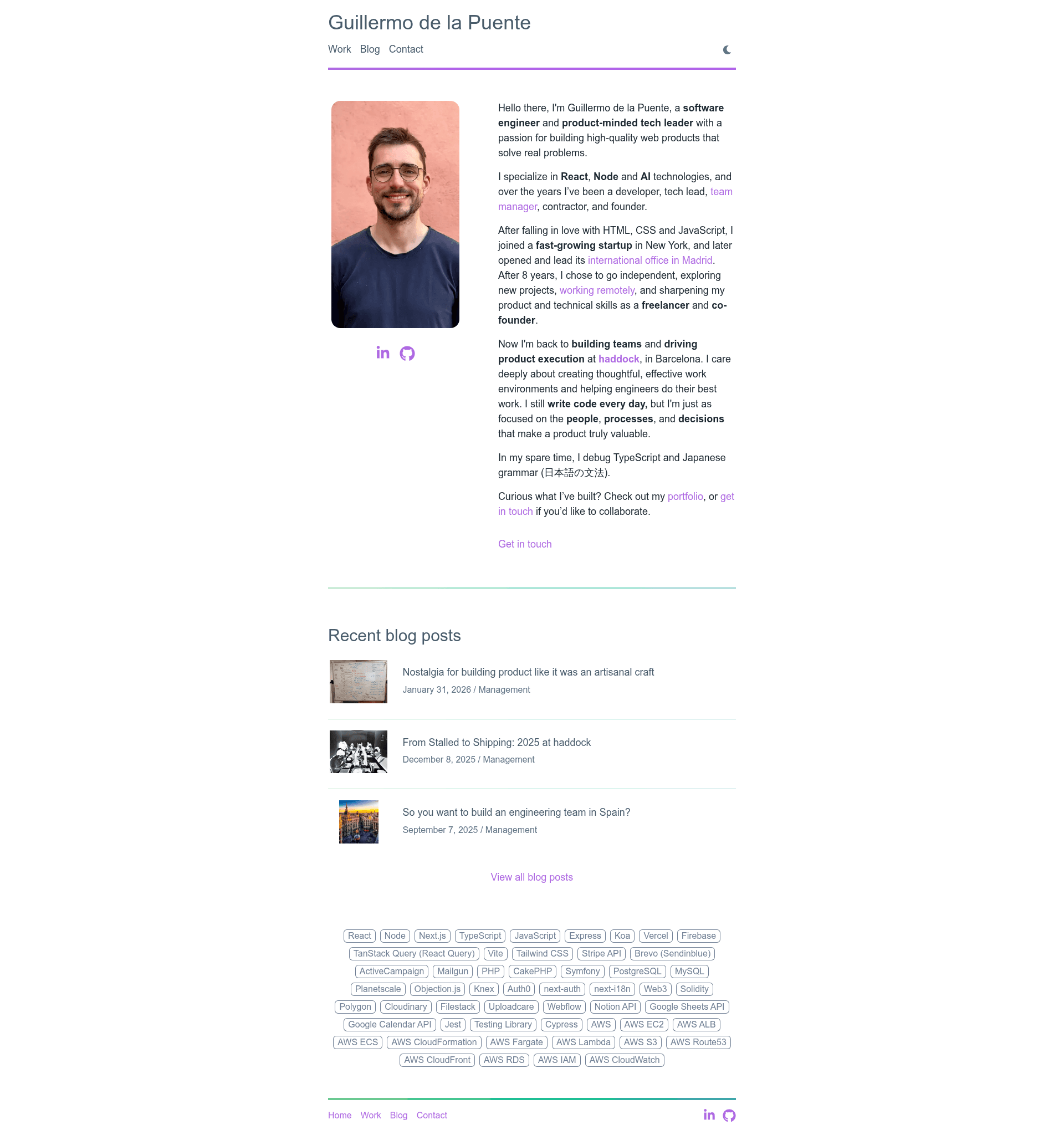
Guillermo's Personal Site
Guillermo's portfolio and blog built with Next.js, Notion API, Chakra UI, and MDX.
About this template
Guillermo de la Puente's personal site is an open-source portfolio and blog built with Next.js that uses the Notion API as its CMS and Chakra UI for styling. The site statically generates all pages at build time, rendering blog posts from a Notion database and portfolio project descriptions from Markdown via @next/mdx. Version 2 of the site is on GitHub; version 1 was powered by Siteleaf and Jekyll.
What is Guillermo's Personal Site?
This is a reference implementation of a developer portfolio and blog where content is managed in Notion. It takes a Notion database containing blog posts as input and produces a statically generated Next.js website with a contact form, RSS feed, and Umami analytics. The site is authored by Guillermo de la Puente, and the source code is publicly available on GitHub.
Key Features
- Next.js static generation — All pages are pre-rendered at build time using the Next.js framework, giving fast loads and SEO-friendly output.
- Notion as CMS — Every blog post is a Notion page in a Notion database; the Notion API pulls those pages during the build and a
NotionPageRenderercomponent renders the blocks as React. - Chakra UI styling — The entire interface uses the Chakra UI component library, making it easy to customize colors, spacing, and typography.
- MDX for content — Portfolio project descriptions are written in Markdown and parsed into React with
@next/mdx, avoiding the pain of writing long copy in JSX strings. - FormBold contact form — Submissions are posted to a FormBold endpoint; note that a request fails with a 500 if any value is undefined or empty.
- Umami analytics — Traffic is tracked with Umami, a privacy-friendly analytics service that does not use cookies.
- Dynamic RSS feed — The RSS feed at
/rss.xmlis generated on the fly by pulling blog posts and emitting RSS XML. - Customized next-rss fork — The site uses
@guillermodlpa/next-rss, a fork of thenext-rsspackage that fixes dynamic route handling and adds more feed-item information.
Who is it for?
- Full-stack developers building a personal site and wanting a working example of Notion as a CMS with Next.js static generation.
- Technical writers and bloggers who prefer to author content in Notion and have it rendered as a fast, static blog.
- Open-source learners looking at integration patterns for Chakra UI, FormBold, Umami, and the Notion API in a single project.
What can you do with it?
- Personal branding: publish a portfolio of projects written in Markdown with a matching blog, all styled with Chakra UI.
- Content workflow: write posts in Notion, run the build, and get a static site without maintaining a traditional CMS.
- RSS distribution: use the built-in dynamic RSS feed to syndicate blog posts to feed readers and platforms.
How does it work?
During the build, the site queries the Notion API for pages in the blog database and statically renders each one. Portfolio descriptions are written as Markdown and parsed with @next/mdx. The contact form sends payloads to a FormBold endpoint, and the RSS feed is generated dynamically from the same blog data, using the custom forked version of next-rss.
Pros and cons
- Open source — the entire source code is available on GitHub for reuse and learning.
- Static output — pre-built pages load fast and can be hosted anywhere Next.js runs.
- Notion image limitation — images hosted in Notion cannot be optimized with
next/imagebecause their URLs are temporary; the author built a companion tool to upload them to Cloudinary. - FormBold quirk — the contact form endpoint returns a 500 error if any field is undefined or an empty string.
FAQ
How does this site use Notion as a CMS?
Each blog post is a page in a Notion database. During the build, the Notion API fetches all pages and a custom component renders them as static HTML, so no Notion data is loaded at runtime on the server.
Can I use Notion-hosted images with next/image?
No. Notion image URLs are temporary, so they cannot be optimized with next/image. The author addresses this by providing a separate repository that uploads Notion images to Cloudinary.
What backend powers the contact form?
The contact form uses FormBold. You sign up, create a form, and post the payload to its endpoint. A known caveat is that the request returns a 500 response if any submitted value is undefined or an empty string.
How is the RSS feed generated?
The RSS feed is generated dynamically by a route that pulls blog posts and returns them as RSS XML. The site uses a fork of next-rss that fixes issues with dynamic routes and supports extra feed-item metadata.