Template details
hexo-theme-new-yilia
An optimized Hexo blog theme based on yilia with bug fixes, new features, SEO, and analytics.
About this template
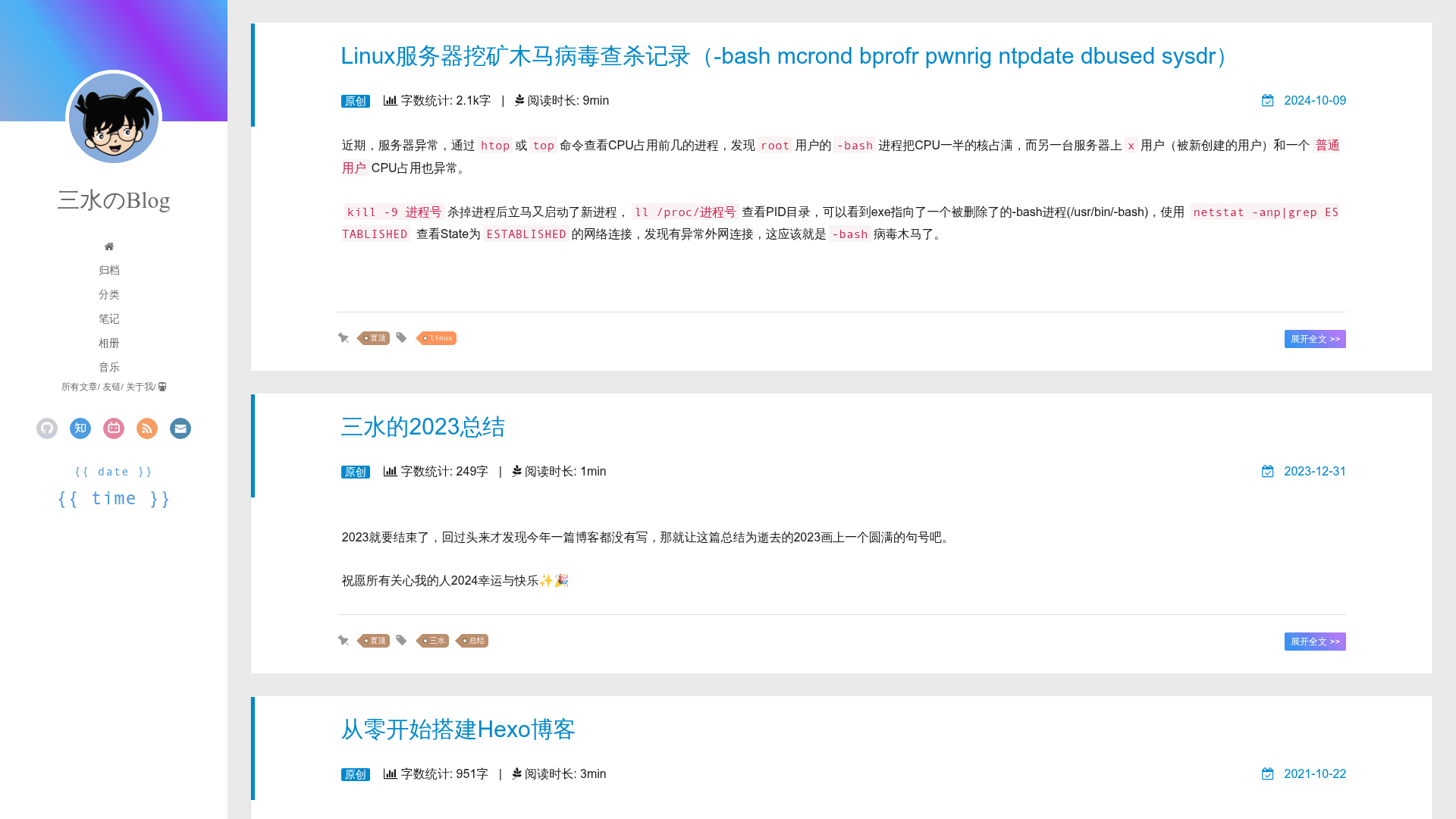
hexo-theme-new-yilia is a Hexo blog theme that upgrades the classic yilia theme with fixed bugs, new comment and media features, SEO tooling, and analytics integration.
What is hexo-theme-new-yilia?
hexo-theme-new-yilia is a theme for Hexo, a static site generator, and a fork of the hexo-theme-yilia project by litten. It turns Markdown blog posts into a static personal blog site with a two-column layout. The theme is developed and maintained by jackhanyuan on GitHub, and the README provides installation instructions for both new Hexo sites and sites upgrading from other themes.
Key Features
- Article list and avatar fixes — Resolves the yilia bug where the article list failed to render and the avatar displayed incorrectly on some devices.
- Modern comment systems — Adds Waline (with Valine backend deployment guidance) and Gitalk, and removes the defunct Duoshuo and NetEase cloud comments.
- Media and interactive widgets — Includes APlayer music player with playlist import, a live2d mascot, a hitokoto one-liner sidebar, and heart/love click effects.
- Extra content pages — Adds archive, category, tag, music, photos, and videos pages, plus a 404 page with the "Circle the Kitten" game or Tencent public welfare 404.
- Reading experience — Adds word count, reading time, original/repost labels, copyright statements, custom background images, and hover avatar rotation.
- SEO and URL persistence — Uses abbrlink to persist article URLs, ships robots.txt, Baidu and Google Search Console configurations, and sitemap generation.
- Analytics integration — Provides configuration for Google Analytics, Baidu Tongji, and busuanzi visitor counting, plus ICP filing info in the footer.
Who is it for?
Bloggers currently using hexo-theme-yilia who want bug fixes and new features without redesigning their site. Hexo users who need a theme with built-in SEO and analytics configuration, and developers who want a customizable two-column personal blog with comment and media plugins.
Use cases
- Migrating yilia users: Upgrade from yilia by running the provided rsync command, which backs up conflicting files with a _bak suffix.
- New Hexo blogs: Install via the fresh-install steps: clone the repo, move files into the Hexo root, and run npm install.
- Chinese bloggers: Configure Baidu push and Baidu Tongji directly from the theme, along with ICP filing display in the footer.
How does hexo-theme-new-yilia work?
Installation follows Hexo conventions: create or open a Hexo site, copy the theme files into the site root, run npm install to fetch dependencies, then edit the site's _config.yml and the theme's _config.yml to set options. The README lists common Hexo commands such as hexo g to build and hexo d to deploy.
Alternatives
The original hexo-theme-yilia by litten is the direct base for this theme and offers the classic design without the fixes and additions. NexT is another popular Hexo theme with a different layout and feature set.
FAQ
Is hexo-theme-new-yilia free?
The theme is hosted on GitHub as an open-source project, and the README gives clone-and-install instructions, so it is free to use under the terms of the repository.
How do I install it on a new Hexo site?
After initializing a Hexo site, delete the default scaffolds, source, themes, and config files, clone the repository, move all files into the site root, then run npm install.
How do I upgrade from another Hexo theme?
Navigate to the themes folder, clone the repository, and use rsync to sync the theme files into the blog root while preserving conflicting files with a _bak suffix, then run npm install.
Which comment systems are supported?
Waline and Gitalk are supported. The README notes that Duoshuo and NetEase cloud comments were removed because those services closed.
What analytics and SEO tools are included?
The theme includes configuration for Google Analytics, Baidu Tongji, Baidu push, Google Search Console, busuanzi counts, and sitemap generation.