Template details
Hexo Theme Webstack
A Hexo theme for building a WebStack-style navigation/directory site with sidebar, search, and multi-language support.
About this template
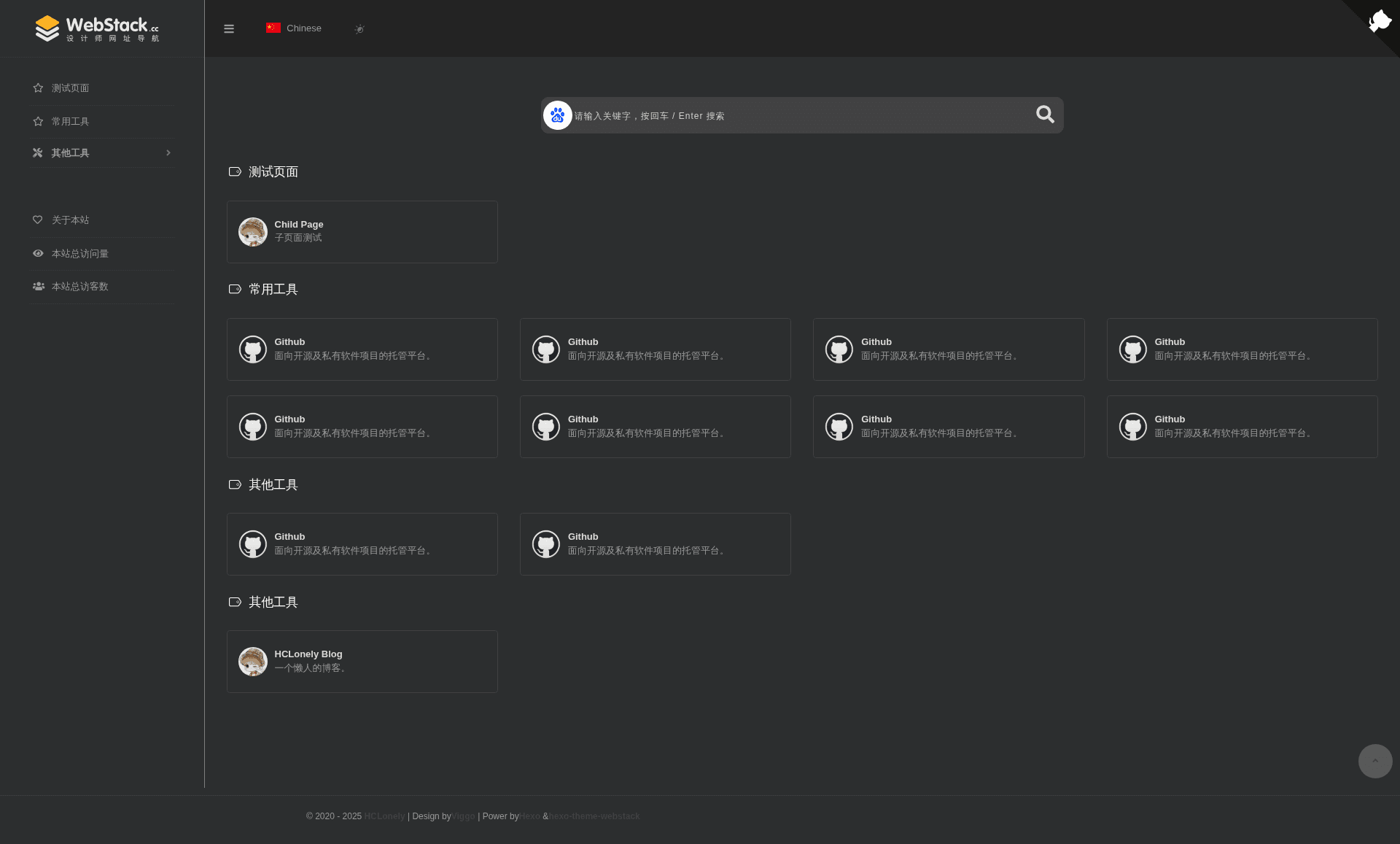
Hexo Theme Webstack is an open-source Hexo theme for building WebStack-style navigation and link directory websites, porting the popular WebStackPage project to the Hexo static site generator.
What is Hexo Theme Webstack?
Hexo Theme Webstack is a theme for Hexo (version 4.0 and above) that transforms a Hexo site into a categorized link directory with a collapsible sidebar, search box, and multi-language support. It is maintained by HCLonely on GitHub and is based on the WebStackPage project, a widely used navigation page design. The theme takes website entries defined in YAML files (name, URL, icon, description) grouped by sidebar menus and generates static HTML pages. It requires the hexo-renderer-pug package to render its Pug templates.
Key Features
- Sidebar menu with groups and submenus — Configure menu groups with Font Awesome icons, and optionally nest submenu groups under a parent menu item.
- Custom search engine support — Enable multiple search engines (e.g., Baidu, Google) with hot keywords, and switch the default engine via
userDefinedSearchData. - Multi-language flags — Define language flags (built-in
flag-cnandflag-us, others stored in the theme's images folder) and link each to a subpage. - About page with dual sections — The
aboutpage can display a website description and a webmaster profile with avatar, link, and custom HTML. - Busuanzi visitor statistics — Display page views and unique visitors in the sidebar or footer, with customizable label text using
$pvand$uvplaceholders. - Custom HTML injection — Insert custom CSS, JavaScript, or HTML into the
<head>and before the closing</body>tag via thecustomconfiguration. - Subpage system — Create subpages with
hexo new pageand addtype: 'xxx'to the front matter; subpages inherit homepage config but can override any item. - Flexible content storage — Website entries can be defined either directly in
_config.ymlunder a group name or in separate YAML files insidesource/_data/.
Who is it for?
- Web developers who maintain personal bookmark or navigation pages and prefer static-site generation with Hexo.
- Bloggers who want a "start page" or "cool site" companion to their blog, using the same Hexo workflow.
- Technical teams that need a lightweight internal resource directory with categorized links and search.
- WebStackPage fans who want to keep the familiar navigation design but manage it through Hexo's configuration system.
What can you do with it?
- Personal navigation: Organize your daily-used tools and websites into sidebar groups with icons and descriptions, so you can jump to them quickly.
- Multi-language directory: Set up a Chinese page and an English page using flag switching and subpage config, each with its own menu and links.
- Team resource hub: Share internal links, documentation, and development tools in a single searchable page that anyone can maintain via YAML.
- Blog auxiliary site: Publish a dedicated navigation page next to your blog with the same Hexo deployment pipeline.
How does it work?
- Install — For Hexo 4, clone the repo into
themes/webstackand installhexo-renderer-pug; for Hexo 5, runnpm install hexo-theme-webstack --save. - Configure — Copy or generate the theme config file (
_config.webstack.ymlfor Hexo 5, orsource/_data/webstack.ymlfor Hexo 4) and edit options like menu, logo, search, and about. - Add websites — In the config's
menusection, define groups and assign each group aconfigname; then add website entries with name, URL, icon, and description in the corresponding YAML file or in_config.yml. - Build — Run
hexo generateto produce static HTML files and deploy them to any static hosting service.
Pricing
The theme is free and open source, published on GitHub under the repository HCLonely/hexo-theme-webstack.
Alternatives
- WebStackPage — the original static HTML/CSS/JS navigation project this theme is based on, for those who don't use Hexo.
FAQ
Is Hexo Theme Webstack free?
Yes, it is free and open source. The source code is publicly available on GitHub, and you can install it via npm or git clone without any license fees.
How do I install it with Hexo 5?
Run npm install hexo-theme-webstack --save (or use cnpm). After installation, a _config.webstack.yml file is generated in the root directory — edit that file to configure the theme.
How do I create a subpage?
Use hexo new page child to create a page, then add type: 'child' to the front matter of source/child/index.md. The subpage uses the homepage configuration by default, and you can override individual settings between the --- lines.
Can I add a custom search engine?
Yes. In userDefinedSearchData, set custom: true, then define the current search link and icon, and add a list of engines with name, icon, and search URL. You can also enable hot word search status.
Does the theme support visitor statistics?
Yes, via Busuanzi. Enable it in the busuanzi config and choose whether to show PV/UV in the footer or sidebar. The placeholder $pv and $uv are replaced by the actual counts.