Template details
Chakra UI Explorer
Search available Chakra UI components
About this template
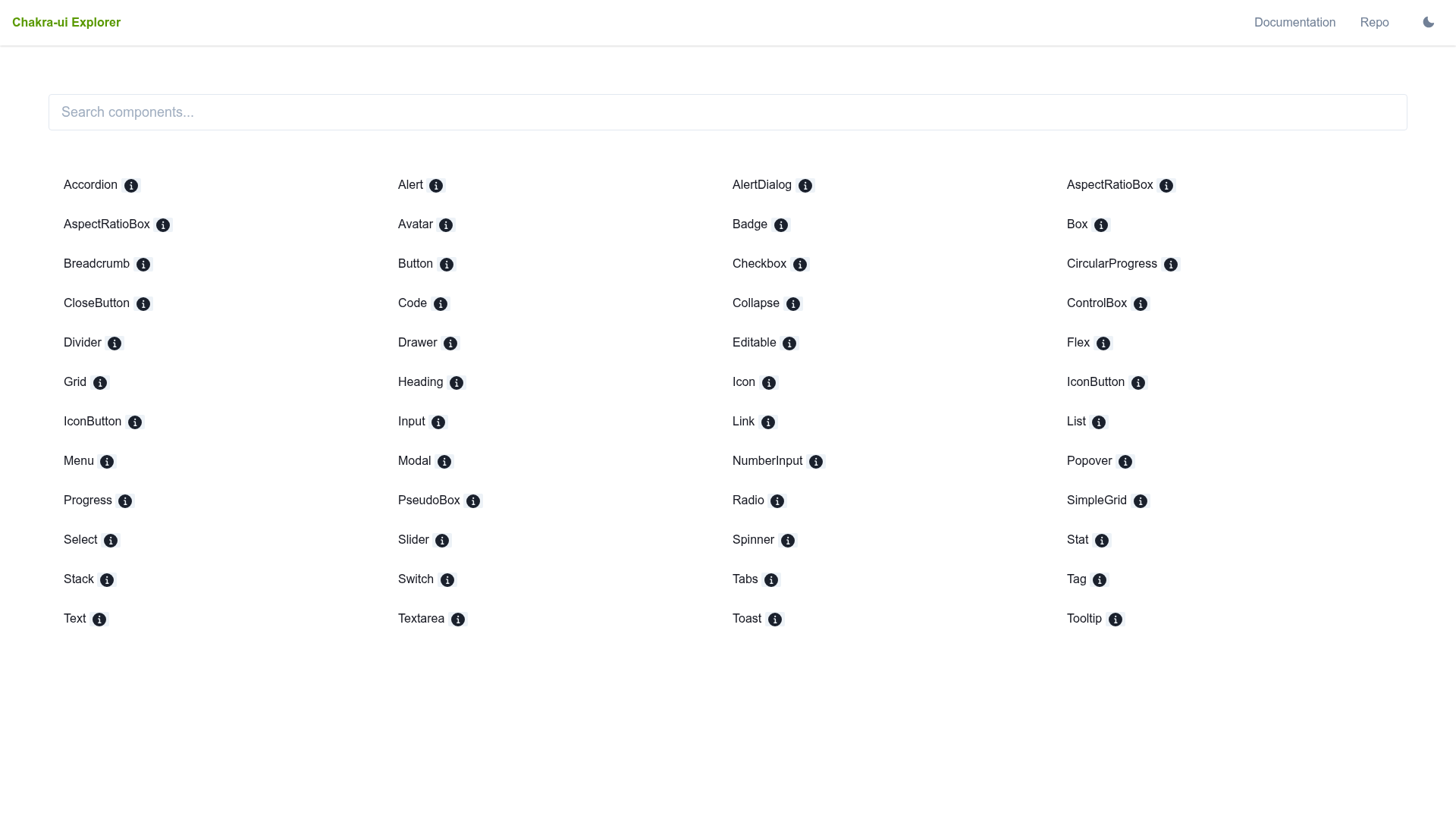
Chakra UI Explorer is a web-based directory that lets developers search through available Chakra UI components. The project lives as a GitHub repository with 6 stars and self-describes as 'Search available Chakra UI components', making it a focused discovery tool for the popular React component library.
What is Chakra UI Explorer?
Chakra UI Explorer is a searchable component directory. Its input is a text query from a developer; its output is a list of Chakra UI components that match that query. The tool is built to complement the official Chakra UI documentation, which organizes components by category but does not offer the same quick-search experience. The repository description explicitly states its core function, and the modest 6-star rating indicates a small, community-driven project.
Key Features
- Keyword Search — The primary function is searching: type a term such as 'button' or 'form' to see matching components in the library.
- Component Listing — The directory displays the available components, giving you a complete inventory of Chakra UI's building blocks at a glance.
- GitHub Hosting — The public repository makes the tool easy to access and modify; you can clone it and run the explorer locally if you want.
- Focused Scope — Unlike generic UI galleries, this explorer is tied specifically to Chakra UI, so results are always relevant to that library.
Who is Chakra UI Explorer for?
Chakra UI Explorer is for React developers who work with Chakra UI daily. If you are building a dashboard, form, or landing page and need to quickly confirm which components exist, this tool saves time. It's also useful for new developers learning Chakra UI: searching the directory helps you learn the names and availability of components without reading long documentation. Project maintainers evaluating Chakra UI for their stack can use the list to decide if the library has the pieces they need.
What can you do with Chakra UI Explorer?
- Find a specific component: Enter 'modal', 'toast', or 'tabs' to check whether Chakra UI provides that component.
- Survey the full component set: Scroll the directory to see every component available, which is helpful for planning and for teaching.
- Avoid redundant code: Before writing a custom UI element, search to confirm that Chakra UI already has a built-in solution.
FAQ
Is Chakra UI Explorer free?
Yes. The project is stored in a public GitHub repository with no indication of licensing fees or paid tiers. You can use it online or run it yourself without cost.
Does Chakra UI Explorer replace the official documentation?
No. It is a companion search tool. The official Chakra UI docs include usage examples, props, and accessibility notes; this explorer focuses solely on showing which components exist.
Do I need to install anything to use it?
No. The tool is a web directory, so you can search directly from the hosted version. If a hosted version is not available, you would need to run the repository locally, but no installation beyond that is described.
Why would I use this instead of just Googling?
Google may return many unrelated results. This tool scopes results to Chakra UI components, giving you a concise list of only what is in the library.
What kind of components are listed?
The content does not enumerate them, but Chakra UI provides buttons, inputs, modals, toasts, forms, layout primitives, and many other React components. The explorer's list reflects that library's component set.
Alternatives
If you want a similar directory for other libraries, the official Chakra UI documentation includes a full component gallery with usage examples, which serves a similar discovery purpose. There are also generic React component explorers like Material UI's components overview, though they cover different libraries.