Template details
HTML CSS JavaScript Projects
Learn how to build simple, responsive websites using HTML, CSS, and JavaScript
About this template
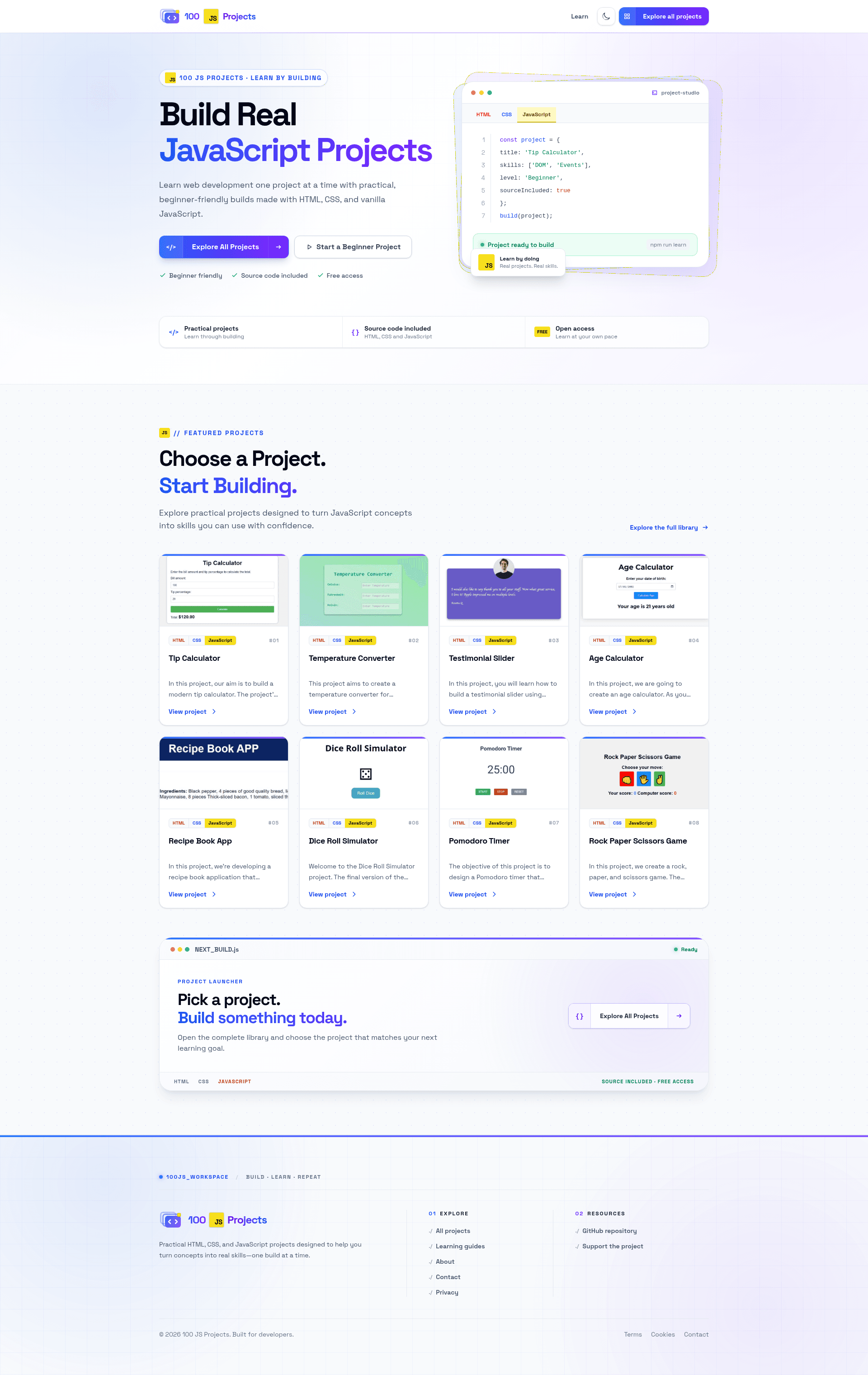
HTML CSS JavaScript Projects is a collection of 100 step-by-step tutorials for building responsive websites using only HTML, CSS, and vanilla JavaScript, created by web developer Sahand.
What is HTML CSS JavaScript Projects?
This is a project-based web development course and open-source repository by Sahand, a self-described web developer with over a decade of experience. It guides learners through building 100 simple, responsive websites from scratch using only HTML, CSS, and JavaScript, with all source code published on GitHub and previews available at 100jsprojects.com. The material starts with installing Visual Studio Code and its extensions, then moves project-by-project from HTML through CSS into JavaScript, always writing code from an empty file rather than copying. If you have questions, the author's direct email is codewithsahand@gmail.com.
Key Features
- 100 hands-on projects — Each project is started from scratch and finished without copying code, covering a broad range of layouts and features that exercise core web fundamentals.
- Pure vanilla stack — Uses only HTML5, CSS, and vanilla JavaScript with zero frameworks or build tools, so every project runs directly in a browser.
- Beginner-friendly workflow — The course explains how to install Visual Studio Code and its extensions before coding, and walks through the final code together after each project.
- Responsive design practice — Every project is built as a simple, responsive website, so learners see mobile-friendly patterns applied on each page.
- Direct support — The author offers email contact at codewithsahand@gmail.com for questions during the course.
Who is it for?
- Complete beginners — People with no prior programming experience who want to build real websites while learning HTML, CSS, and JavaScript syntax.
- Self-taught learners — Anyone who prefers project-based, learn-by-doing tutorials over theory-heavy courses and wants to complete 100 concrete projects.
- Frontend students — Those seeking a strong vanilla JavaScript foundation before moving on to frameworks like React or Vue.
What can you do with it?
- Aspiring frontend developers: Build a portfolio of 100 mini websites to demonstrate your ability to create responsive, hand-coded pages.
- Coding students: Follow the step-by-step tutorials to reinforce classroom concepts with immediate, practical coding practice.
- Hobbyists: Create simple, responsive web pages for personal use while gaining confidence with the core web trio.
How does it work?
The course is organized as a sequence of projects. First, you set up Visual Studio Code and its recommended extensions. Then, for each of the 100 projects, you start with an empty file and build the site together with the author, ending with a code walkthrough to confirm your understanding. The full source code is available in the GitHub repository, and you can preview the finished projects at 100jsprojects.com.
FAQ
Do I need any prior coding experience?
No. The course assumes you are starting from zero and begins by walking you through installing Visual Studio Code and its extensions, then explains HTML, CSS, and JavaScript syntax as you build each project.
What tools and software are required?
You only need a code editor, with Visual Studio Code recommended, and a web browser. Because all projects use plain HTML, CSS, and JavaScript, there is no need for build tools, package managers, or frameworks.
Are the projects responsive?
Yes, every project is explicitly built as a simple, responsive website, so learners practice mobile-friendly design principles throughout the course.
Can I contact the author for help?
Yes, you can email Sahand directly at codewithsahand@gmail.com with any questions about the projects or the course.
Is the source code free to use?
The repository is publicly available on GitHub, and the projects can be freely viewed and cloned for learning purposes. The page shows no explicit license, so review the repository before redistributing code.