Template details
HTML Sheets of Paper
Word processor in your browser using HTML and CSS (for invoices, legal notices, etc.)
About this template
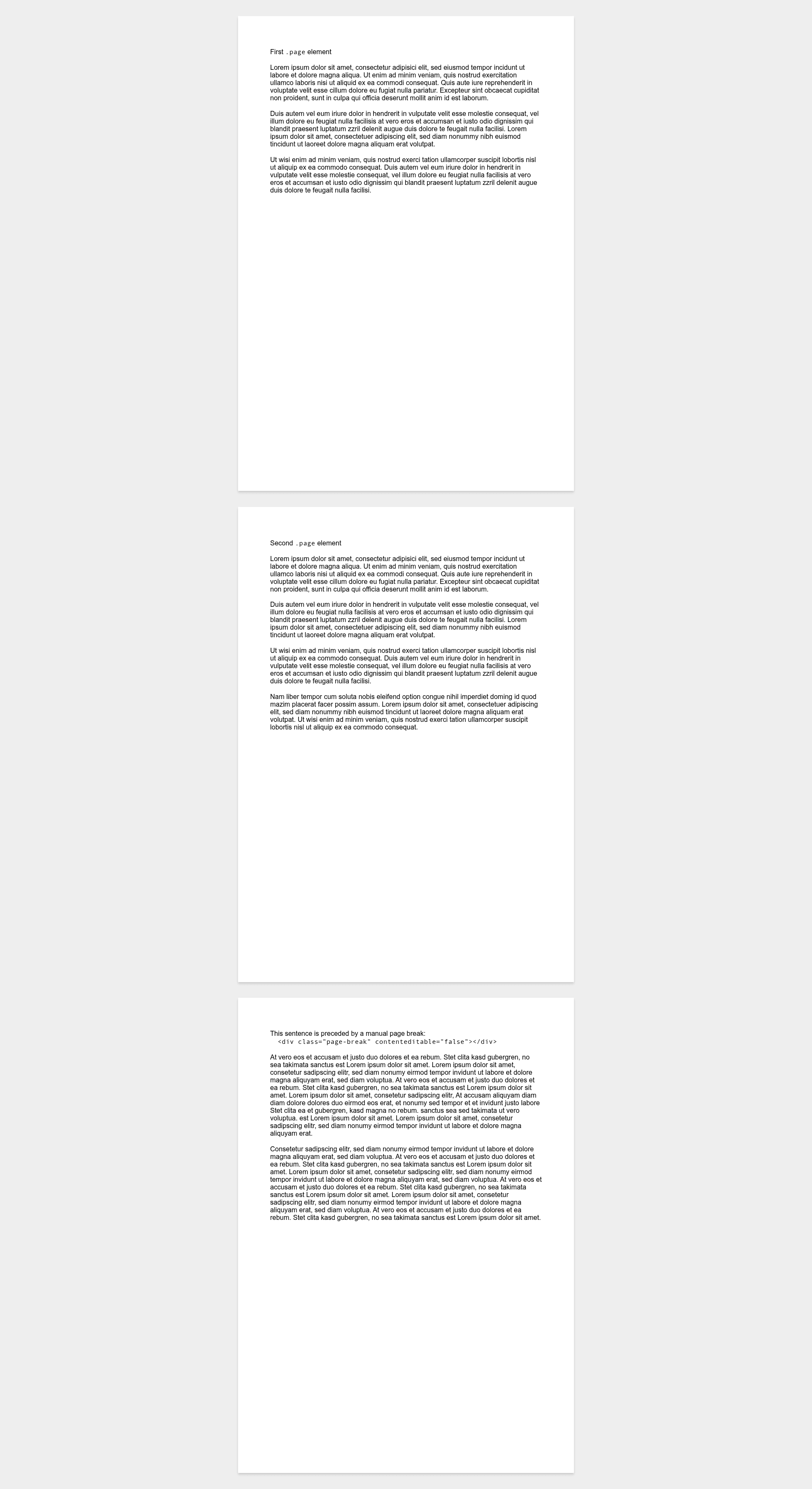
HTML Sheets of Paper is a free, MIT-licensed HTML/CSS template that turns web pages into accurately sized, printable sheets of paper for documents like invoices and legal notices. It provides a minimalist HTML skeleton and a set of CSS files that emulate physical paper—A4, A3, US Letter, US Legal, and US Tabloid—without the skeuomorphic paper textures you'd find in a typical graphic design mockup.
What is HTML Sheets of Paper?
HTML Sheets of Paper is a lightweight, dependency-free HTML and CSS starter aimed at producing print-ready web documents. You input your content by editing index.html, and the included stylesheets enforce exact page dimensions and margins, so the browser view matches a physical sheet. A tiny JavaScript configuration lets you adjust the page height, and the template works in browsers as old as Chrome 4, Firefox 19, Safari 5, Opera 10.1, Internet Explorer 9, and Edge 12. The project, maintained by Delight (delight-im), has more than 1,200 stars on GitHub.
Key Features
- Paper-size CSS variants — Separate stylesheets for A4, A3, US Letter, US Legal, and US Tabloid, each specifying precise dimensions in centimeters.
- Landscape orientation support — Swap the width and min-height values, update the
sizeattribute, and adjust the page-height config to get landscape sheets. - Old-browser compatibility — Explicitly tested down to Internet Explorer 9 and Chrome 4, making it usable in constrained enterprise environments.
- Print-ready instructions — The README details Chrome settings (paper size, margins None, headers/footers off, background graphics on) that produce a PDF matching the on-screen sheet.
- MIT License — Free for personal and commercial use, with no attribution required.
- No build step — Plain HTML and CSS; you can open index.html directly from disk or serve it from any static host.
- Focused scope — Purpose-built for paper-like documents such as invoices, legal notices, and forms, rather than general web layouts.
Who should use HTML Sheets of Paper?
- Web developers — Build printable invoice or contract generators without pulling in a heavy office-suite library.
- Freelancers and small business owners — Create branded, accurately sized invoice pages that save as PDF in Chrome.
- Administrative staff — Prepare legal notices and forms that must conform to standard paper dimensions.
What can you do with HTML Sheets of Paper?
- Invoice creation: Edit index.html with your business details, line items, and totals to produce a clean, A4-sized invoice that prints exactly on one sheet.
- Legal notices: Draft notices or disclaimers with precise margins, then export to PDF for filing or email.
- Custom print stylesheets: Pull the CSS files into a larger web app to give any page accurate paper sizing when printing.
How does it work?
Copy the project files to a directory, open index.html in a browser, and replace the sample content with your own. The CSS applies the chosen paper size, and the JavaScript configuration sets the page height. To print, follow the Chrome steps described in the README to save as PDF with the paper size, margins, headers, and background options set correctly.
Pros and cons
- Pros: Free under MIT, works on very old browsers, multiple paper sizes, no build tooling, easy to customize.
- Cons: Not a full word processor—no spell check, rich text editing, or document history; requires manual HTML editing.
Pricing
The template is completely free and open source under the MIT License. There are no paid tiers or premium features.
FAQ
Is HTML Sheets of Paper free?
Yes, it is released under the MIT License, so you can freely use, modify, and distribute it, including in commercial products.
What paper sizes are supported?
It ships with CSS files for A4, A3, US Letter, US Legal, and US Tabloid. You can also create landscape versions by swapping the width and min-height values and updating the page-size attribute.
Does it work in old browsers?
Yes, the project explicitly supports Chrome 4+, Firefox 19+, Safari 5+, Opera 10.1+, Internet Explorer 9+, and Edge 12+, covering browsers from around 2010 onward.
How do I print a perfect PDF?
In Chrome, choose Save as PDF as the destination, select the paper size defined in the CSS, set Margins to None, uncheck Headers and footers, and check Background colors and images.
Do I need a server to use it?
No. Because it's static HTML and CSS, you can run index.html directly from your local file system.