Template details
Strapi_nextjs_template
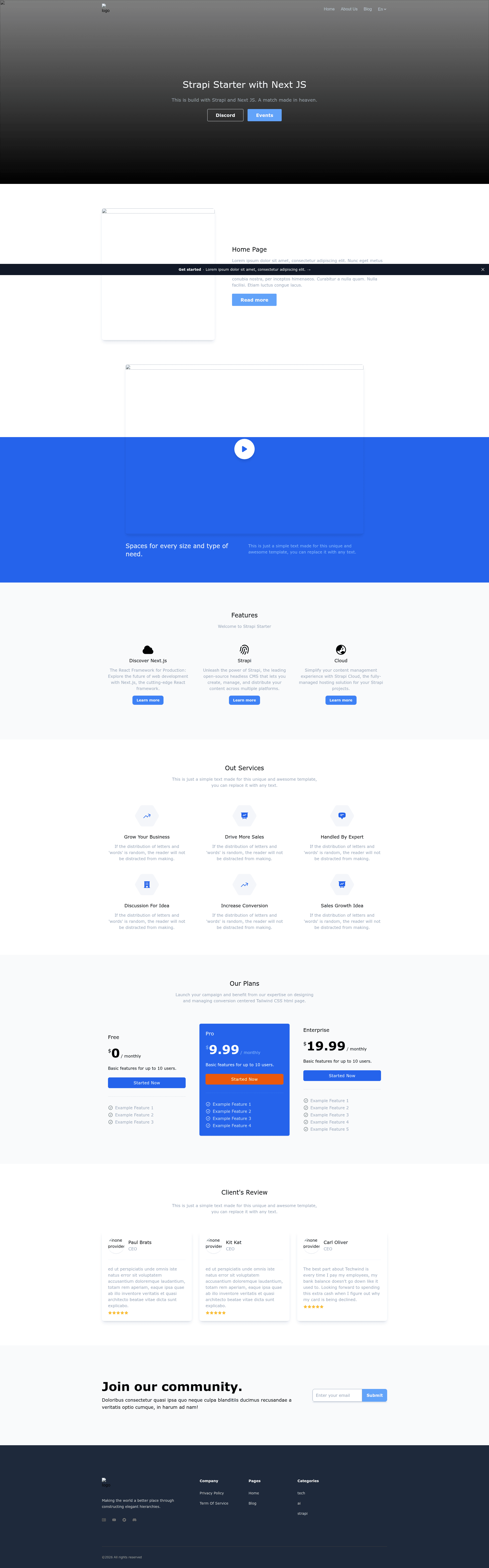
A template boilerplate for building SEO-friendly and internationalized (i18n) web applications using Strapi 4.9 and Next.js 13.4.
About this template
Strapi_nextjs_template is a boilerplate that pairs Strapi 4.9 as a headless CMS with Next.js 13.4 app routing to build SEO-friendly and internationalized web applications. It is published on GitHub and is intended as a starting point for content-driven sites that need server-side rendering, multilingual support, and utility-first styling.
What is strapi_nextjs_template?
Strapi_nextjs_template is a full-stack starter kit: the /backend folder runs a Strapi 4.9 headless CMS, and the /frontend folder runs a Next.js 13.4 application using the app router. Content editors manage articles, authors, categories, pages, and product features in Strapi, and the Next.js frontend renders that content with server-side rendering. The template includes SEO optimization, internationalization (i18n) via Strapi, Tailwind CSS, and Frame Motion animations. It was created by hoangnhatfe and is available on GitHub.
Key Features
- SEO Optimization — The template structures metadata, page titles, and URLs for better search-engine visibility.
- Internationalization (i18n) — Multilingual content is managed through Strapi's i18n features and served to localized users.
- Strapi 4.9 — The backend uses Strapi 4.9 as the headless CMS, with a REST API and admin panel for content management.
- Next.js 13.4 with App Routing — The frontend uses Next.js 13.4 and the app router for server-side rendering and file-based routing.
- Server-Side Rendering (SSR) — Pages are rendered on the server before being sent to the client, improving initial load and SEO.
- Tailwind CSS — Styling is handled with Tailwind's utility classes for responsive, custom designs.
- Frame Motion — Animated transitions and interactions are included through the Frame Motion library.
- Data Seeding — A
seed-data.tar.gzfile lets you import demo content using Strapi's data management import command.
Who should use strapi_nextjs_template?
Developers who want a pre-configured Strapi and Next.js stack without wiring the two together from scratch. It's suited for teams building corporate websites, blogs, or product sites where content needs to be edited by non-developers through Strapi's admin panel. It's also useful for projects that must support multiple languages and need strong SEO out of the box.
What can you do with strapi_nextjs_template?
- Content editors: manage articles, authors, categories, pages, and product features through the Strapi admin panel, and publish changes that appear on the Next.js frontend.
- Developers: customize the Next.js app router pages and Tailwind styling while keeping the CMS backend separate, and seed demo data to explore the template quickly.
- SEO specialists: optimize metadata and URLs per page, and rely on server-side rendering to make content crawlable.
How does strapi_nextjs_template work?
The setup flow is described in the README: clone the repository, run yarn setup to install both frontend and backend dependencies, then configure .env files in both folders. Start the Strapi backend with yarn develop and create an admin user. Use yarn strapi import -f ../seed-data.tar.gz to seed demo content. Then create API tokens in Strapi Admin, add them to the frontend .env, and run the Next.js app.
Pros and cons
- Pros: Includes SEO and i18n configuration, uses modern Strapi 4.9 and Next.js 13.4, supports server-side rendering, and ships with Tailwind CSS and Frame Motion. The step-by-step README covers setup and data seeding.
Alternatives
Strapi's official Next.js corporate starter is a similar boilerplate maintained by the Strapi team, with a documented content model and deployment guides.
FAQ
What versions of Strapi and Next.js does this template use?
The template uses Strapi 4.9 for the backend and Next.js 13.4 for the frontend, with Next.js app routing enabled.
How do I seed demo data?
From the backend directory, run yarn strapi import -f ../seed-data.tar.gz. This imports the included seed data into your local Strapi instance.
Do I need to create API tokens?
Yes. In Strapi Admin, go to Settings -> API Tokens and create a custom token with read permissions for the content types like Article, Author, Category, Global, Page, and Product-feature. Add the token to the frontend .env as NEXT_PUBLIC_STRAPI_API_TOKEN. A second token is needed for form submission.
Is this template free to use?
Yes, the repository is public on GitHub and the README indicates it can be cloned and used as a boilerplate.
What styling does the frontend use?
Tailwind CSS is used for styling, along with Frame Motion for animations. The frontend is built with Next.js 13.4 and the app router.