Template details
hugo-modus
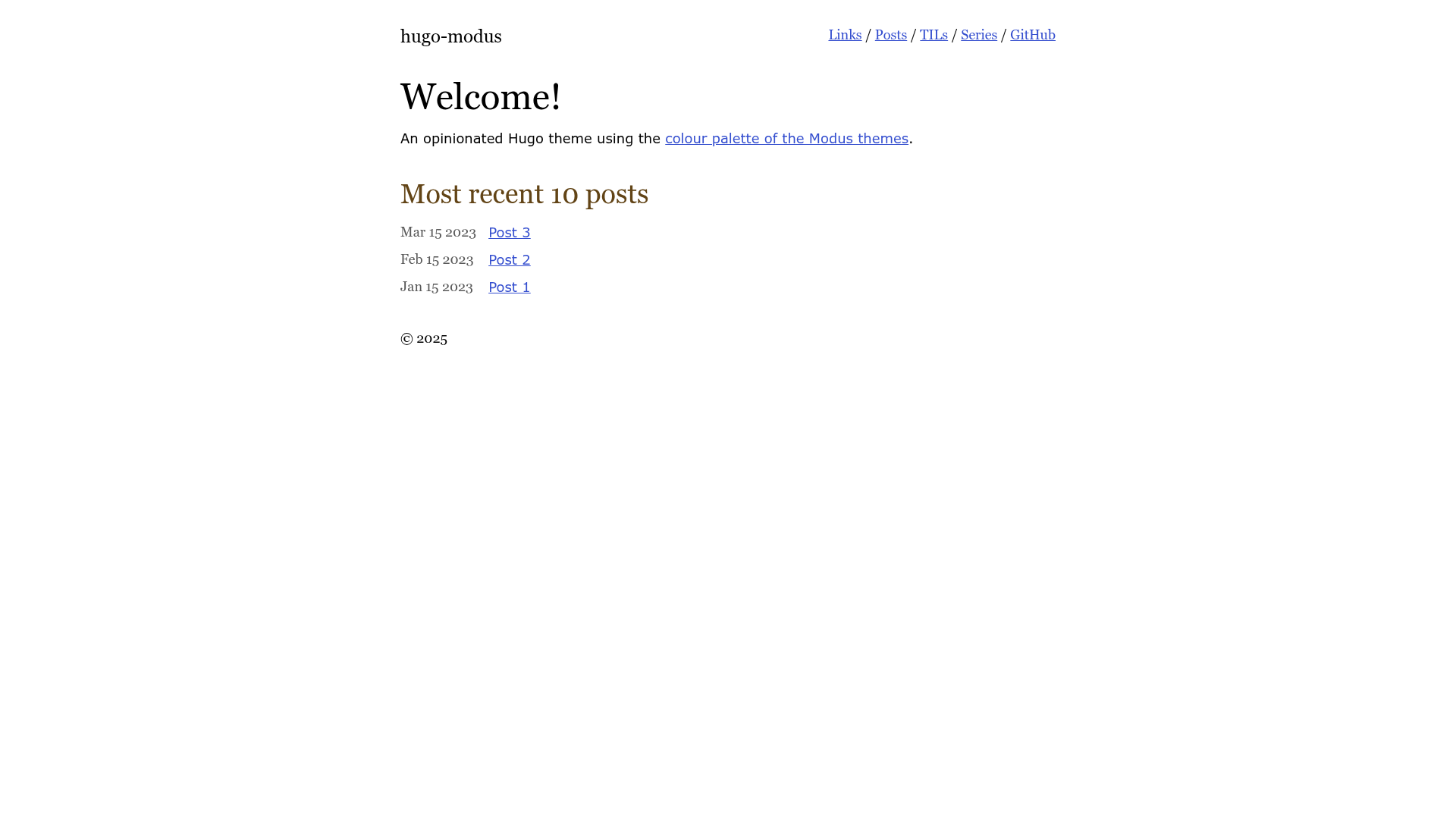
An opinionated Hugo theme using the Modus themes colour palette for accessible, minimalist static sites.
About this template
hugo-modus is an opinionated Hugo theme that applies the Modus themes colour palette to static sites, giving Hugo users a ready-made, accessible starting point for blogs and content-heavy projects.
What is hugo-modus?
hugo-modus is a Hugo theme that uses the colour palette of the Modus themes, a set of accessibility-focused colour schemes designed by Protesilaos Stavrou for the Emacs ecosystem. It takes Hugo markdown content as input and outputs a static website with that pre-defined visual style. The theme is maintained on GitHub by goofansu and can be installed either as a Hugo module or as a git submodule.
What makes hugo-modus stand out?
hugo-modus stands out because it brings the Modus themes colour palette into Hugo and offers two installation methods plus a Makefile-based workflow.
- Modus themes palette — The theme is built around the exact colour values from the Modus themes, which are designed for high contrast and readability.
- Hugo Modules installation — Install it with
hugo mod get github.com/goofansu/hugo-modusand import it in yourhugo.toml. - Git submodule installation — Alternatively, add it with
git submodule add https://github.com/goofansu/hugo-modus.git themes/hugo-modusand settheme = "hugo-modus". - Content scaffolding commands — The docs include commands to create a new section (
hugo new -k section posts/_index.md) and new posts (hugo new posts/your-first-post.md). - Makefile development workflow —
make watchrebuilds CSS when files change, andmake devstarts the Hugo development server. - Opinionated by design — The theme makes stylistic choices for you (starting with the Modus palette) rather than exposing a large configuration surface.
Who is hugo-modus for?
hugo-modus is for Hugo users who want a ready-made, low-configuration theme with a readable colour scheme. It suits Emacs users who already appreciate the Modus themes and want their website to share the same visual language, as well as bloggers who prefer to scaffold content with simple commands.
- Hugo users who want a theme with a pre-configured, readable colour scheme without spending time on design.
- Emacs and Modus themes enthusiasts who want their website to match the same colour language they use in their editor.
- Bloggers and content creators who need a simple, lightweight theme for a posts-based site and prefer commands to scaffold content.
What can you do with hugo-modus?
With hugo-modus you can create a blog section, publish new posts, and run a local development server with minimal setup.
- Start a new blog section: run
hugo new -k section posts/_index.mdto create the section index. - Publish a new post: run
hugo new posts/your-first-post.mdand Hugo will generate a new markdown file with the theme's template. - Develop locally: run
make devto start the Hugo server for previewing your site. - Rebuild styles while editing: run
make watchto watch for changes and automatically rebuild the CSS.
How does hugo-modus work?
Install the theme either as a Hugo module or a git submodule, then declare it in your hugo.toml. After that, use Hugo's standard commands to create sections and content, and run make dev to serve the site locally. The included Makefile handles CSS rebuilding, so you do not need to manually run a separate build step during development.