Template details
Salinger Theme
Clean and minimalistic Hugo theme for personal blogs and portfolios, built with TailwindCSS and DaisyUI.
About this template
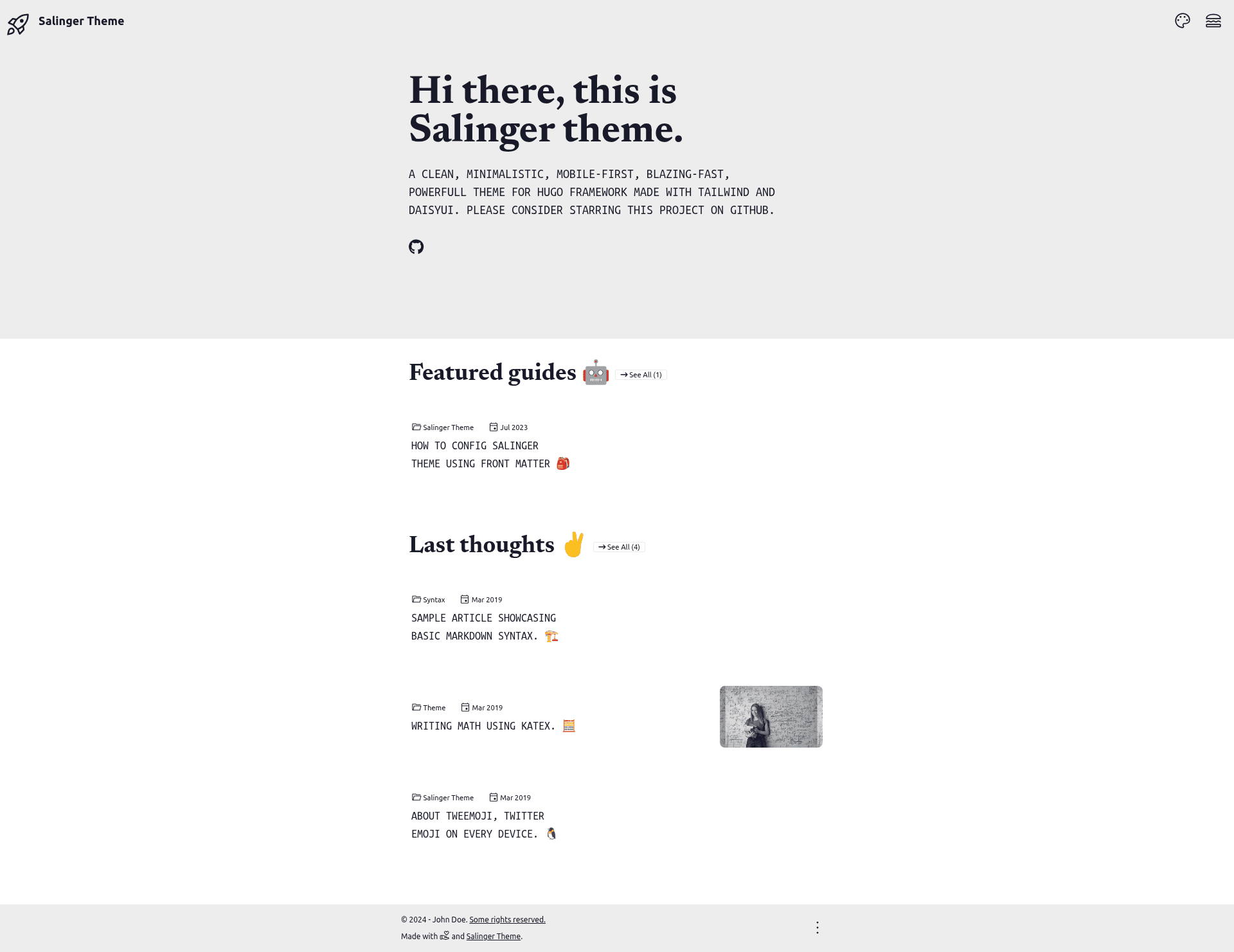
Salinger Theme is an open-source Hugo theme for personal blogs and portfolio sites, built with TailwindCSS and DaisyUI to deliver a clean, minimalistic design.
What is Salinger Theme?
Salinger Theme is a Hugo-based website theme created by Jack Salici, designed for personal blogs and portfolio sites. It takes Hugo content files (Markdown) as input and renders a static website with a clean, mobile-first interface. The theme is built on TailwindCSS and DaisyUI, and it was featured at HugoConf2023. A live demo is available at salinger-hugo-theme.netlify.app.
Key Features
- TailwindCSS and DaisyUI — Styling is handled entirely by TailwindCSS utility classes and the DaisyUI component library, with no separate CSS framework dependencies.
- Responsive and mobile-first layout — The theme is designed to work on screens of all sizes, prioritizing the mobile experience.
- Dark, auto, and light mode — Built-in theme switcher supports light, dark, and automatic color modes based on the user's system preference.
- Custom hamburger menu — Navigation collapses into a hamburger menu with a custom icon on smaller screens.
- Twemoji emoji support — Emojis render using Twitter's Twemoji graphics, giving a consistent cross-platform appearance.
- Google Analytics integration — A built-in template snippet makes it straightforward to add Google Analytics tracking to the site.
- Custom visibility of meta — Site metadata such as dates, authors, and categories can be shown or hidden individually.
- SEO support — The theme claims a 100% PageSpeed score and includes SEO-friendly markup.
Who is it for?
- Individual bloggers who want a fast, minimal site without a heavy CSS framework or JavaScript dependencies.
- Portfolio owners who need a clean showcase for projects with a mobile-first layout and dark mode support.
- Hugo developers who want a TailwindCSS + DaisyUI starting point and prefer to customize via the Hugo template system.
Use cases
- Personal bloggers: Publish Markdown posts and have them rendered into an SEO-friendly, high-performance blog with automatic navigation and meta controls.
- Freelancers and creatives: Build a portfolio site that links to projects, includes custom pages, and adapts to mobile visitors.
- Open-source contributors: Use the theme as a reference implementation for integrating DaisyUI with Hugo, since the source includes a full example site.
How does Salinger Theme work?
Salinger Theme requires Hugo, Git, and npm installed. To install it, clone or add the repository as a submodule to your Hugo project, copy the example-site configuration, then run npm install in both the theme and main directories. After that, hugo server launches a local preview at http://localhost:1313/; deployments can go to any static host like Netlify.
Pros and cons
- Pros: Free and open source under the MIT license; high PageSpeed score; dark mode built in; dependency on only TailwindCSS and DaisyUI.
- Cons: Upgrading from the legacy v1.x version can be problematic because the v2.x history was rebased, so a clean re-installation may be needed; requires npm for development.
Pricing
Salinger Theme is open source and distributed under the MIT license, so it is free to use, modify, and redistribute.
FAQ
Is Salinger Theme free?
Yes, Salinger Theme is released under the MIT license, which means you can use it for personal or commercial projects without paying a fee.
Does Salinger Theme support dark mode?
Yes, the theme includes dark, light, and auto modes. The auto mode follows the visitor's operating system preference, and users can also switch manually.
What are the prerequisites to install Salinger Theme?
You need a recent version of Hugo, Git, and npm. The theme also uses TailwindCSS and DaisyUI, which are pulled in via npm during installation.
Can I use Salinger Theme for a portfolio site?
Yes, the theme is designed for both personal blogs and portfolios. It includes customizable navigation, meta visibility, and a clean layout that works for showcasing projects.
Does Salinger Theme come with a demo site?
Yes, the repository includes an example-site folder, and a live demo is hosted at salinger-hugo-theme.netlify.app.