Template details
Hugo Shortcodes
Easy-to-use set of snippets for Hugo websites. From Gumroad button to CodePen iframe.
About this template
Hugo Shortcodes is a free, MIT-licensed collection of shortcode templates that extend the Hugo static site generator with ready-made components such as a Gumroad button and a CodePen iframe.
What is Hugo Shortcodes?
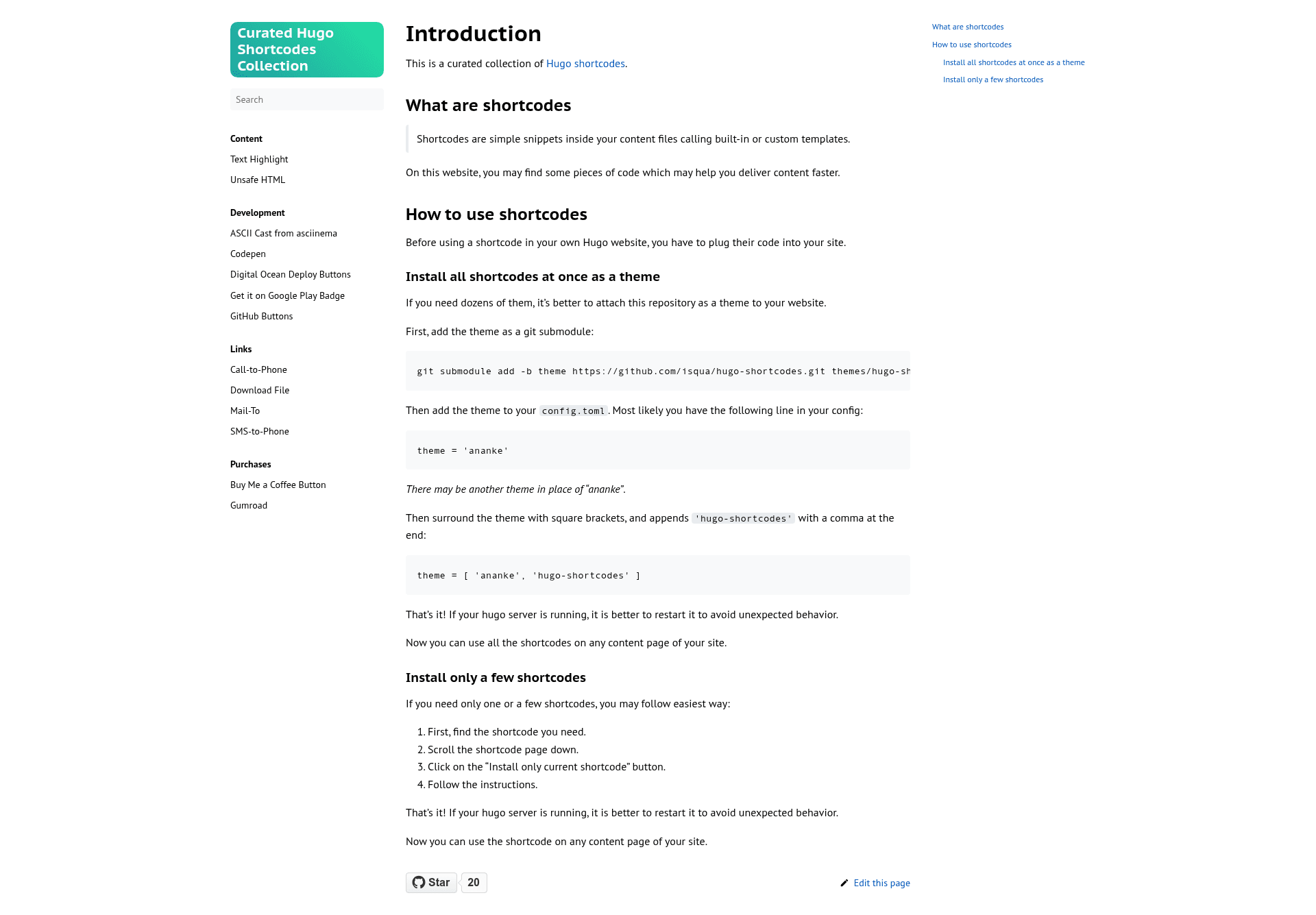
Hugo Shortcodes is a GitHub repository by isqua that packages dozens of custom shortcodes for Hugo websites. It takes Hugo's built-in shortcode mechanism and provides a curated set of reusable snippets you can drop into Markdown content files; at build time, each shortcode renders its corresponding HTML, embed, or interface element. The project runs entirely inside the Hugo framework, requires Hugo 0.111 or newer (per the repository badge), and is designed to be installed either as a full theme component or one snippet at a time.
What makes Hugo Shortcodes stand out?
- Theme-level installation — Add the entire collection as a theme with
git submodule add -b theme https://github.com/isqua/hugo-shortcodes.git themes/hugo-shortcodes, then append'hugo-shortcodes'to thethemearray inconfig.toml(for example,theme = ['ananke', 'hugo-shortcodes']). - Per-shortcode installation — The documentation website at isqua.github.io/hugo-shortcodes/ shows an “Install only current shortcode” button on each shortcode page, letting you copy just the code you need without attaching the whole theme.
- Hugo 0.111 compatibility — The repository badge specifies a minimum Hugo version of 0.111, so it targets recent Hugo releases.
- MIT license — The project is released under the MIT License, so you can freely use, modify, and redistribute it in personal or commercial sites.
- Example embeds included — Among the snippets are a Gumroad button shortcode (for product purchase buttons) and a CodePen iframe shortcode (for embedding interactive pens), with many more shortcodes catalogued on the docs site.
- Coexists with an existing theme — Because it is added as an additional entry in the
themearray, it layers on top of your main theme (like the popular 'ananke' theme) without replacing it. - Content-file workflow — Shortcodes are used directly in Markdown content, so adding components such as buttons or iframes does not require writing raw HTML.
- Restart guidance — The README recommends restarting the Hugo server after installation, so the new shortcode templates are registered correctly.
Who should use Hugo Shortcodes?
- Hugo site owners who want to add embed components like Gumroad buttons or CodePen iframes to their pages without hand-coding HTML.
- Developers building static sites who prefer a versioned, MIT-licensed component library they can install as a theme and selectively extend.
- Content creators publishing on Hugo who need a simple way to drop product links or media embeds into blog posts and portfolio items using shortcode syntax.
Use cases
- Selling digital products: Add a Gumroad button shortcode to a product page or blog post so visitors can purchase your items without leaving the site.
- Embedding interactive demos: Use the CodePen iframe shortcode to include live code pens in tutorials, portfolios, or documentation pages.
- Extending content with reusable snippets: Browse the documentation website to find other shortcodes in the collection, all invoked by name inside Markdown content for consistent output.
How does Hugo Shortcodes work?
You choose one of two installation paths from the README. The first adds the repository as a theme via a git submodule and updates the theme list in config.toml; the second uses the “Install only current shortcode” button on the docs site. After installing, you restart the Hugo server and then invoke any enabled shortcode inside a content file; Hugo resolves it to the template and renders the final HTML when the site builds.
FAQ
Is Hugo Shortcodes free?
Yes. The repository is licensed under the MIT License, meaning there is no cost to use it, and you are free to modify and redistribute it, including in commercial projects.
Which Hugo version is required?
The repository badge states a minimum Hugo version of 0.111. Using an older Hugo release may cause the shortcodes to fail or render incorrectly.
How do I install only one shortcode?
On the documentation website, open the page for the shortcode you need, scroll down, and click the “Install only current shortcode” button. The page then gives you the exact snippet and instructions to copy into your Hugo project.
Can I use Hugo Shortcodes with my existing theme?
Yes. You add it as an additional theme in the theme array in config.toml, keeping your existing theme (like 'ananke') as the first entry. The README recommends restarting the Hugo server after making the change.