Template details
hugo-theme-tony
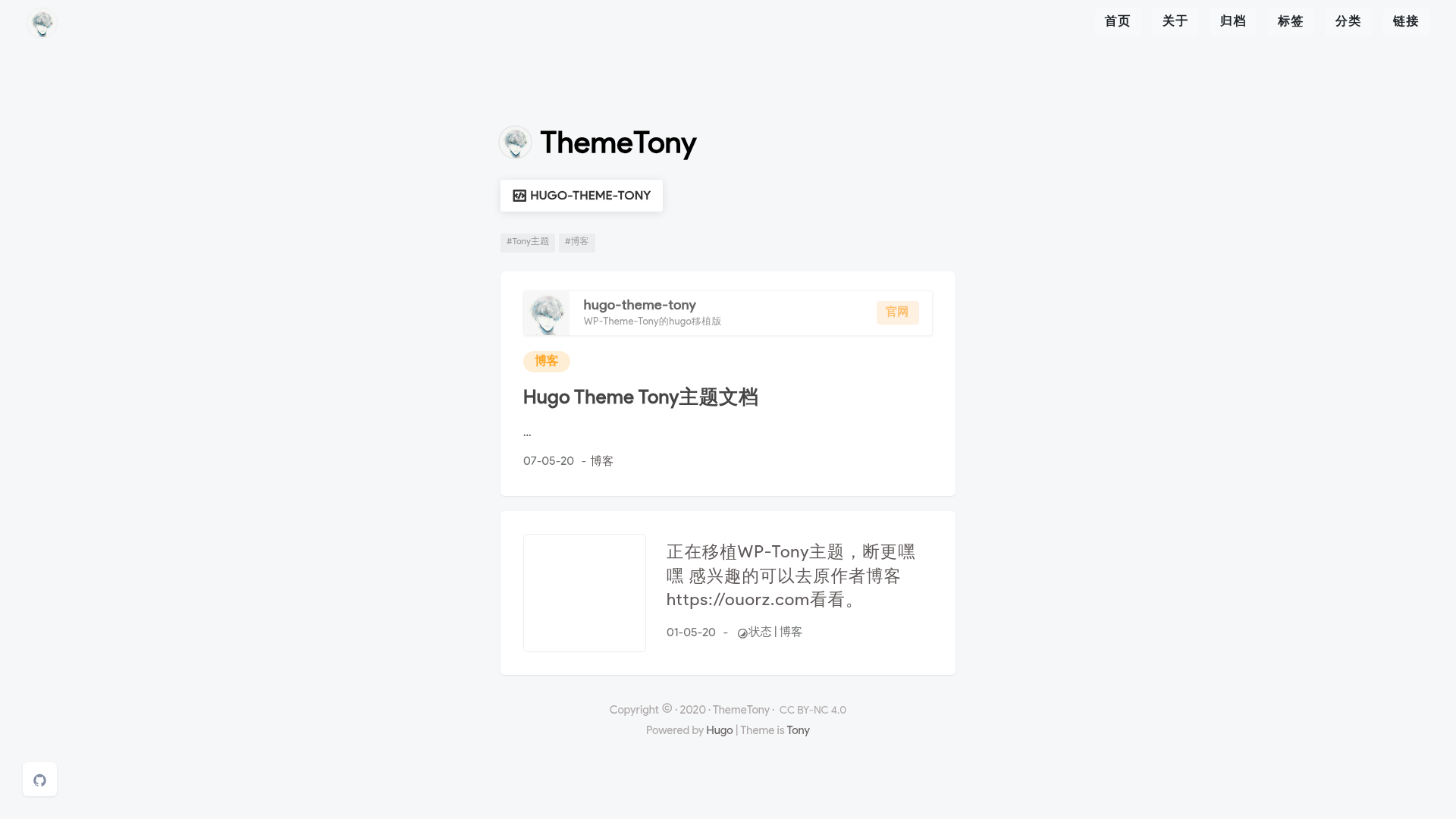
A Hugo blog theme based on WordPress Theme Tony, featuring Bootstrap, Valine comments, and a reading bar.
About this template
hugo-theme-tony is a Hugo blog theme ported from the WordPress theme Tony, providing a clean, Bootstrap-based layout with features like a reading progress bar, Medium-style image zoom, and Valine comments.
What is hugo-theme-tony?
hugo-theme-tony is an open-source Hugo theme that turns static content into a full-featured blog. It takes Markdown files with front matter (title, date, tags, categories, thumbnail, etc.) and outputs a responsive website with tag and category archive pages, a reading bar, and social links. The theme runs on Hugo extended 0.59.1 or newer, and its front end was mainly built by HelipengTony and ported to Hugo by FFRaycoder. The related WordPress theme repository is at https://github.com/ThemeTony/tony_wordpress, and the theme's own documentation and demo are hosted at https://htony.js.org/.
Key Features
- Bootstrap layout — Built on Bootstrap, the theme provides a responsive grid and standard UI components without extra styling frameworks.
- Medium Zoom — Images in posts can be zoomed with a Medium-style effect, controlled by the theme's built-in integration.
- Reading bar — A reading progress bar can be enabled per post by setting
readingBar: truein the front matter. - Valine comments — The theme integrates Valine, a lean, cloud-based comment system that requires no external database setup.
- Google Analytics and Baidu Push — Add tracking IDs and site verification to the config for Google Analytics, Google Site Verification, and Baidu Push SEO features.
- Tags and categories pages — Dedicated archive pages for tags and categories are generated from the front matter
tagsandcategoriesfields. - Pinned pages — Use the
weightfront matter field to pin posts to the top of the blog. - Shortcodes and page types — Includes a
pageLinkshortcode (title, link, bio) plus built-inlinksandarchivespage types.
Who is it for?
- Bloggers who want a simple, elegant Hugo blog with standard archives and tag/category pages.
- Developers migrating from the WordPress theme Tony who want a static-site equivalent with similar aesthetics.
- Writers who value reading features like a progress bar and image zoom to keep readers engaged.
What can you do with hugo-theme-tony?
- Personal bloggers: Set up a blog by adding the theme as a git submodule, copying the example
config.toml, and runninghugo server -D. - Content creators: Use the
thumbnailfront matter to add featured images, thetocoption to enable a table of contents, andbuyLinkfields to promote products on individual posts. - SEO-minded site owners: Configure Google Analytics, Google Site Verification, and Baidu Push directly in the theme's config for search integration.
How does hugo-theme-tony work?
The theme is installed by cloning it as a Git submodule into themes/tony. You then replace your config.toml with the example from exampleSite, create content with hugo new "posts/hello-world.md" and hugo new "about/index.md", and start the local server. Customization is done through front matter options (like readingBar, thumbnail, adjacentPost) and by editing partials in layouts/partials/custom.
FAQ
Is hugo-theme-tony free?
Yes, the theme is open source and available for free on GitHub under the repository's license.
How do I install hugo-theme-tony?
Add it as a Git submodule with git submodule add --depth 1 https://github.com/ThemeTony/hugo-theme-tony.git themes/tony, then copy the example config from the exampleSite folder into your project root.
How do I enable the reading bar on a post?
Set readingBar: true in the front matter of the post. The reading bar is not global; it's controlled per content page.
How do I create an archives page?
Create archives/_index.md with front matter that includes type: archives and adjacentPost: false. The theme will then render an archive list of all posts.
Is hugo-theme-tony still maintained?
According to the repository metadata, the theme is no longer being updated with new content. It may still work with Hugo but is not actively developed.